Known Participant
January 19, 2023
Answered

Merge visible layers contained in a group?

  • January 19, 2023
  • 1 reply
  • 436 views

Hello guys, I am looking for a solution to merge a group into a rasterize layer. As you know, merging different type layers would cause error, so duplicating the group and convert to smart object (or just ctrl+E) won't help.

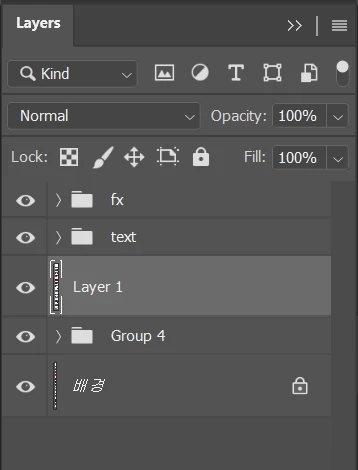
The group is always at the bottom or above a background layer. I used to use merge visible layers with conditional action to hide the above ones, but the groups above always have irregular fluctuations. For example:
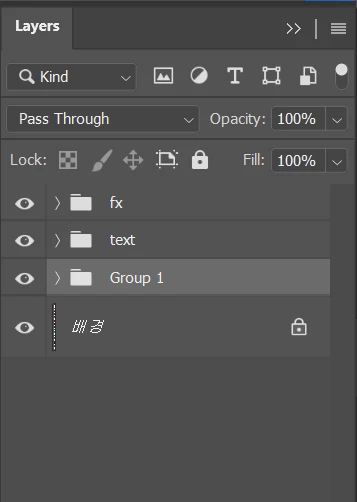
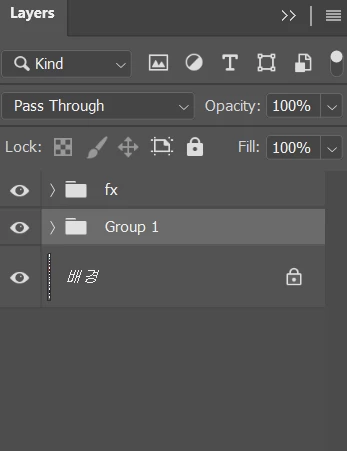


Is there any action or script to have the bottom group merge visible like this? 
Thank you by all mean!


This topic has been closed for replies.
Correct answer Bojan Živković11378569

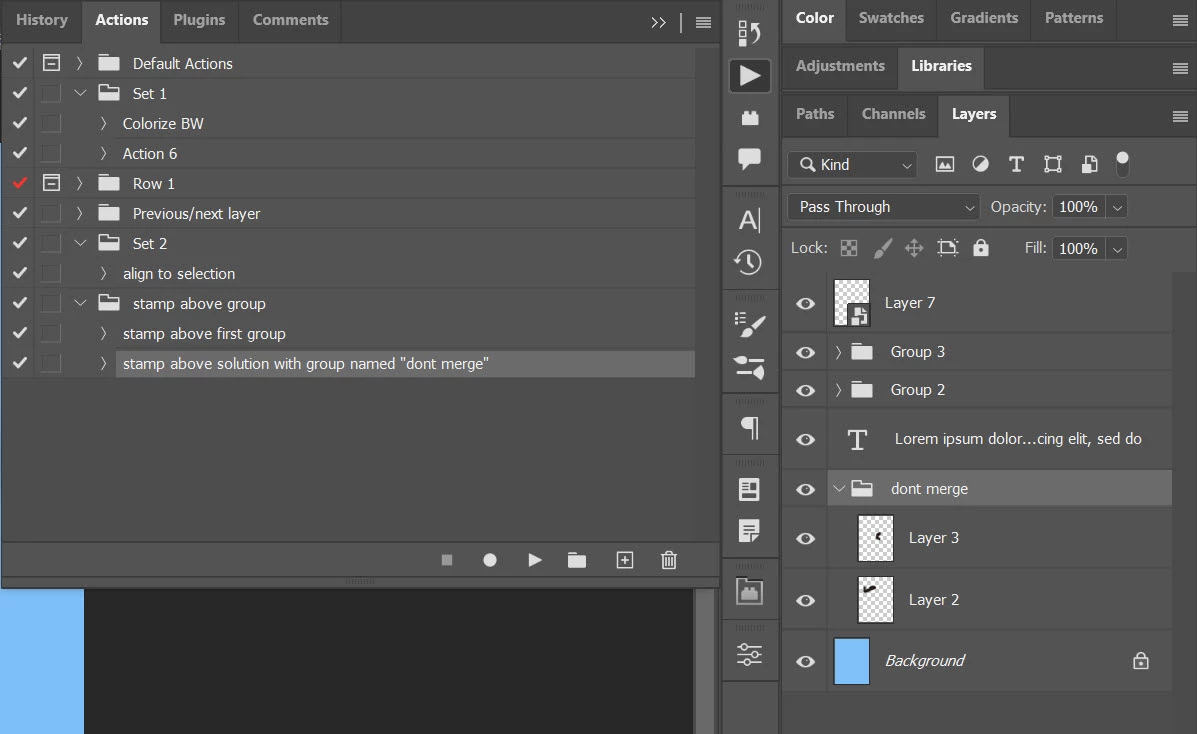
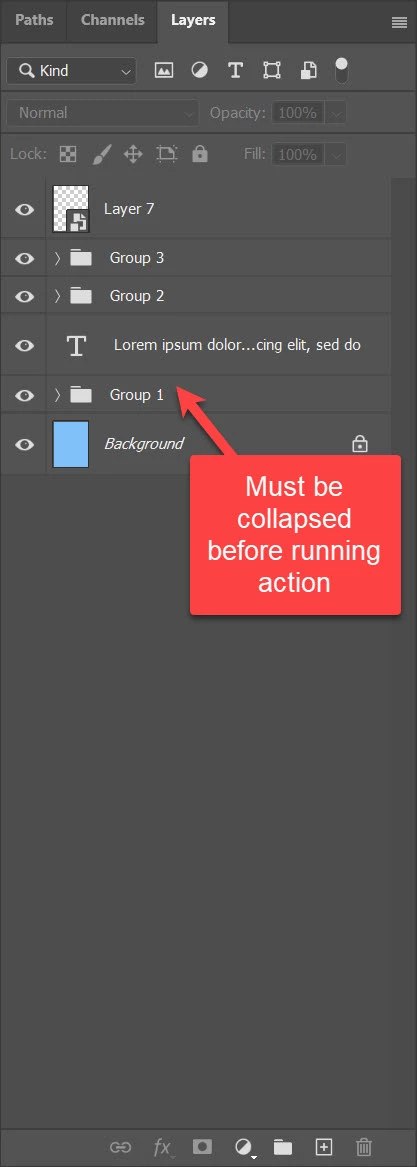
I am not sure I understand completely what exactly you want to achieve. However, I gave it a try. Here is my action https://drive.google.com/file/d/1sn5qycOpvconlDbjBCPpS-Beuu-Rjal8/view?usp=share_link The only requirement is that you have group just above Background layer and group must be collapsed before running action. Action will select all layers above first group and hide them then stamp visible layers and later show all layers again. This is not meant as working solution but rather as idea how things might be done using Photoshop actions. Action is limited to my skills and my understanding of end goal.


Here is another idea with aditional action named "Stamp above solution with group named "dont merge"" https://drive.google.com/file/d/1tilThE2mEeCnabwaMtKm46CyrY2S0uJq/view?usp=share_link. Second action requires that you have group named "dont merge". Action will select all layers above that group, hide them then stamp layers after selecting group. After stamping layers action will show again layers above. This action does not require collapsed group, it can be expanded but properly named.

1 reply

Bojan Živković11378569
Community Expert
Community Expert
January 19, 2023

I am not sure I understand completely what exactly you want to achieve. However, I gave it a try. Here is my action https://drive.google.com/file/d/1sn5qycOpvconlDbjBCPpS-Beuu-Rjal8/view?usp=share_link The only requirement is that you have group just above Background layer and group must be collapsed before running action. Action will select all layers above first group and hide them then stamp visible layers and later show all layers again. This is not meant as working solution but rather as idea how things might be done using Photoshop actions. Action is limited to my skills and my understanding of end goal.


Here is another idea with aditional action named "Stamp above solution with group named "dont merge"" https://drive.google.com/file/d/1tilThE2mEeCnabwaMtKm46CyrY2S0uJq/view?usp=share_link. Second action requires that you have group named "dont merge". Action will select all layers above that group, hide them then stamp layers after selecting group. After stamping layers action will show again layers above. This action does not require collapsed group, it can be expanded but properly named.

Known Participant
January 19, 2023

Thank you very much! I've tried your first action, it is exacly what I want. This helped me a lot 😄

Many blessings to you and happy New Year, Sir!