

TenTin
Known Participant
January 18, 2023
Answered

Missing "Lighting Effects" Pins!

  • January 18, 2023
  • 5 replies
  • 2509 views

"Lighting Effects" filter not showing the Pins!

These options are enabled:

1- View>Extras

2- View>Show>Edit Pins

3- View>Show>UV Overlay

4- Preferences>Use Graphics Processor:
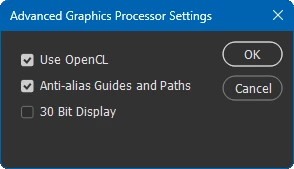
5-Preferences>Technology Previews:
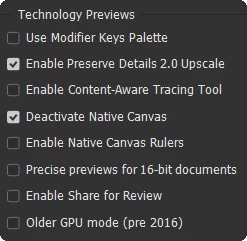
* I have to enable "Deactivate Native Canvas" to speed up working with Shapes (Shape Tool/Vectors).


I have added the "Photoshop.exe" and "sniffer.exe" to the graphics setting:

Windows 11: System>Display>Graphics [High Performance option is enabled for both of them]


I didn't have this problem before. I think it's something about 3D! Just detach this menu completely to avoid any issue with other tools. I think nobody use 3D feature any more in Ps since you announced its death!


OS: Win 11 Pro (22H2, latest update)

Ps: 2023 v24.1.0 (latest update)
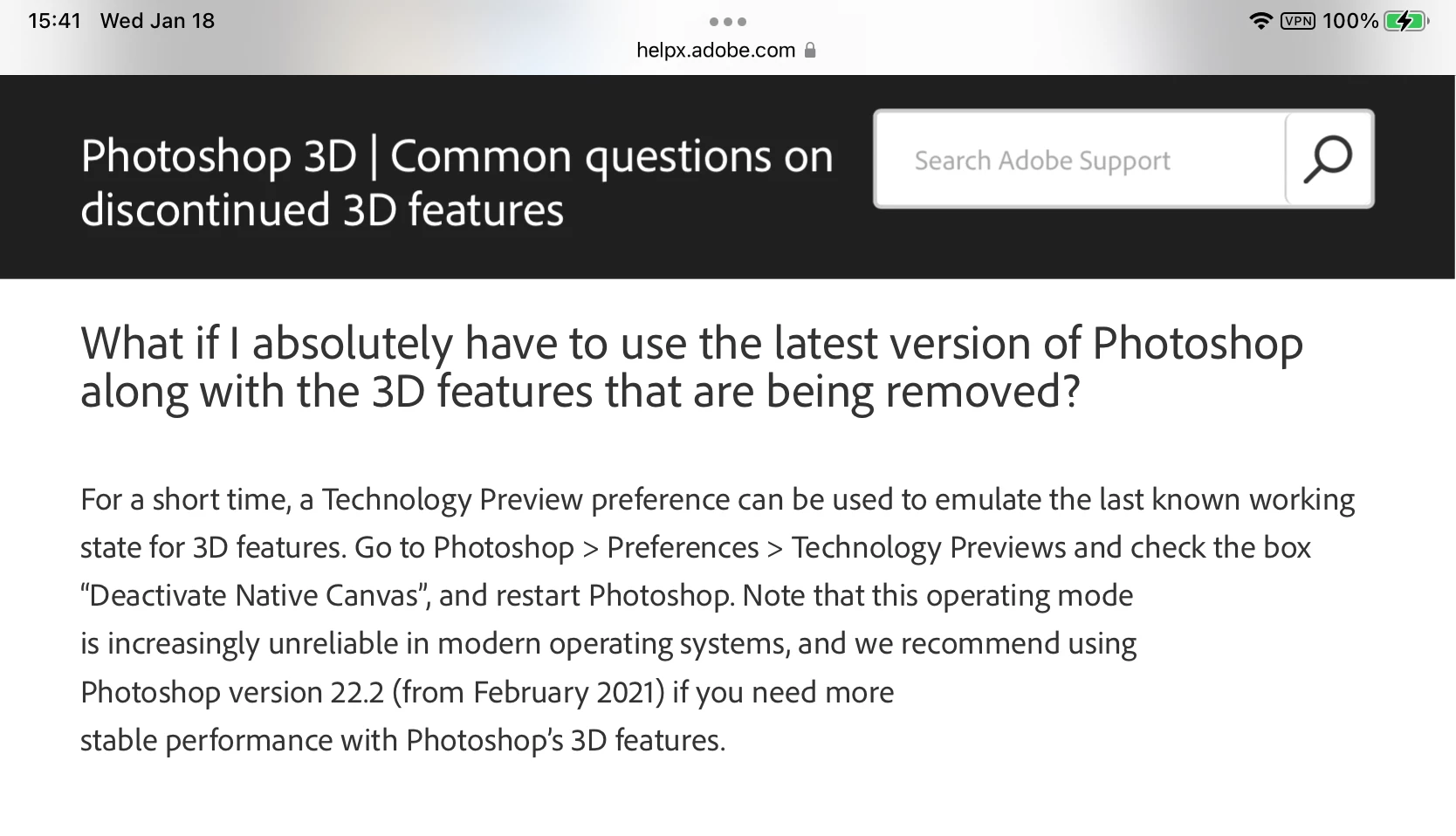
This topic has been closed for replies.
Correct answer jane-e


I think nobody use 3D feature any more in Ps since you announced its death!

By @TenTin


I think by now that most folks who want to keep using 3D in Photoshop may be working in 22.2. Adobe's Help page is still recommending it, so it may still be available from the CC app. I can't check now because I'm not in my office.

https://helpx.adobe.com/photoshop/kb/3d-faq.html#using-latest-and-discontinued-features


Also, you can run 22.2 currently with the current version. 


Jane


5 replies

Trevor.Dennis
Community Expert
Community Expert
January 6, 2024

Colin Smith (Photoshop Cafe) has a decent video on using the new gradient tool as an alternative to the now lost Lighting Effects.  He claims it can do exactly the same thing, which might be a stretch, but we certainly have a lot more control of the shape and slope of the gradient.  The bottom line has to be that this is a tool we can use, as opposed to a tool that has gone forever, so there's no argument AFAICS.


I actually prefer this method over Light Effects which I always found a bit clunky.

jane-e
Community Expert
Community Expert
January 6, 2024

Great alternative from Colin, Trevor! Thanks!


Jane

Jeff Arola
Community Expert
Community Expert
January 6, 2024

Photoshop CS6 was the first with the 3D based Lighting Effects and if a user was still using windows xp, which didn't support the 3D functions in Photoshop CS6 or a windows os that didn't have a compatible graphics card, Adobe offered a Lighting Effects Classic plugin. No such plugin was offered on the Mac side as far as i know.


Unfortunately, the Lightning Effects Classic plugin doesn't work in windows photoshop versions that have 3D deprecated.


davescm
Community Expert
Community Expert
January 18, 2023

Post moved from Bugs to Discussions.

This has been raised previously and is by design not a bug. 3D functionality is deprecated and is being removed from Photoshop.


Dave

jane-e
Community Expert
jane-eCommunity ExpertCorrect answer
Community Expert
January 18, 2023


I think nobody use 3D feature any more in Ps since you announced its death!

By @TenTin


I think by now that most folks who want to keep using 3D in Photoshop may be working in 22.2. Adobe's Help page is still recommending it, so it may still be available from the CC app. I can't check now because I'm not in my office.

https://helpx.adobe.com/photoshop/kb/3d-faq.html#using-latest-and-discontinued-features


Also, you can run 22.2 currently with the current version. 


Jane


CShubert
Community Manager
Community Manager
January 18, 2023

Hi @TenTin it might be that these options are missing due to Ps moving away from 3D:

Photoshop’s 3D features will be removed in future updates. Users working with 3D are encouraged to explore Adobe’s new Substance 3D collection, which represents the next generation of 3D tools from Adobe. 

https://helpx.adobe.com/photoshop/using/add-lighting-effects1.html


Thank you,

Cory

TenTin
TenTinAuthor
Known Participant
January 18, 2023

As far as I remember, this option had nothing to do with the 3D menu, I think it was there before the 3D menu. I want to know if anybody else has this problem, or I'm alone with this bug!

davescm
Community Expert
Community Expert
January 18, 2023

Lighting effects used to be separate to 3D but many versions ago was changed to use the 3D engine (I can't remember the exact version of that change but it was years ago).


Dave