Known Participant
May 29, 2023
Answered

Missing rulers in Photoshop

  • May 29, 2023
  • 3 replies
  • 945 views

Why would you eliminate the rulers on the workspace. Surely it is a bug and you will happily restore them.

This topic has been closed for replies.
Correct answer jane-e

Hi @PacosMother 


Rulers are working here, and they have not been eliminated by Adobe.
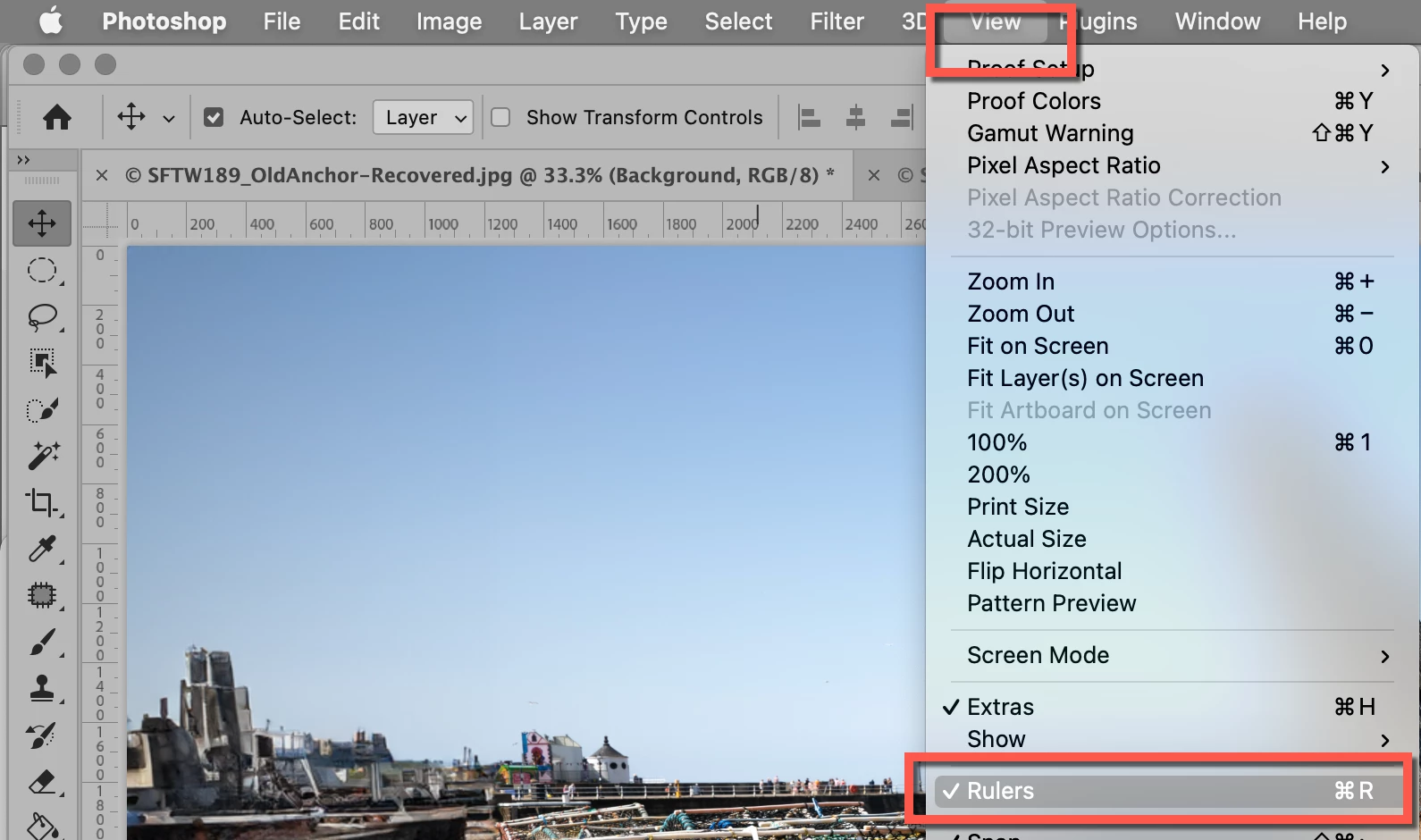
  • Does the command work from View > Rulers?
  • Can you toggle them with Ctrl+R?


Please tell us what happens when you try. It's possible that you'll need to reset preferences.


Jane


3 replies

Conrad_C
Community Expert
Community Expert
May 29, 2023

What version of Photoshop are you running? There was a problem with rulers not displaying, but Adobe reports it has been fixed in Photoshop version 24.5, which just came out about a week ago. If your Photoshop version is earlier than 24.5, does the problem still happen if you update to the latest version?

Bojan Živković11378569
Community Expert
Community Expert
May 29, 2023

Rulers works as always on Windows machine running 24.5.0 and previous version was OK, no problem. Can you tell us version of your Photoshop? Have you tried suggested reset?

jane-e
Community Expert
jane-eCommunity ExpertCorrect answer
Community Expert
May 29, 2023

Hi @PacosMother 


Rulers are working here, and they have not been eliminated by Adobe.

  • Does the command work from View > Rulers?
  • Can you toggle them with Ctrl+R?


Please tell us what happens when you try. It's possible that you'll need to reset preferences.


Jane


Known Participant
May 30, 2023

DUH!! I'm so sorry. I had a brain fart and was looking for them under Windows rather than View. I have been using the Beta version (24.6) and my regular PS just updated yesterday to 24.5 and then again a few moments ago to fix something. That's when I lost the rulers. I love the new features.  Thank you all (Jane-e, Conrad C, and Bojan Zivkovic) for your patience and kindness. 

jane-e
Community Expert
Community Expert
May 30, 2023

@PacosMother 


No reason to be sorry — it happens to all of us! I'm glad it's sorted for you now. 😊


Jane