
Missing text in tool options and dialog boxes
The following was posted on the InDesign forum:
Hi,
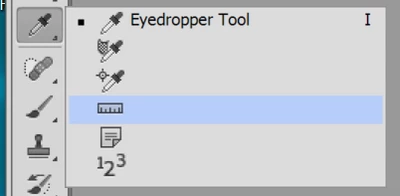
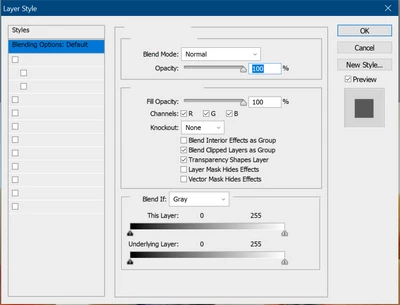
I have recently installed Adobe CS6, but unfortunately all but the first line of text for the tools and dialogue boxes are missing - see screenshots below. Please note this is apparent for InDesign and Photoshop so I assume it's some system-wide problem. I only have these two apps installed at present.
I have tried replacing all the system fonts (Tahoma and Myriad; a solution given elsewhere in this forum), but this makes no difference. Has anybody got a clue what's going on?
UPDATE:
The fix for inDesign worked (by renaming the 'Caches' folder), but the problem persists in Photoshop.
I tried running in the Administrator account and this 'solved' the issues, but as it is unwise to work under this account, is there anything else I can try? Any help is much appreciated. Here are screenshots:
 AdChoices