
Answered
Missing tools from the Toolbar in Photoshop
In the tool box some of the tools are missing, how can I restore them
{Thread renamed by moderator}

In the tool box some of the tools are missing, how can I restore them
{Thread renamed by moderator}
At the bottom of the toolbar there are 3 little dots.
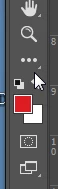
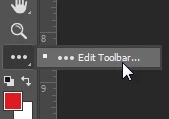
Click or press and hold down on the dots, and choose Edit Toolbar.
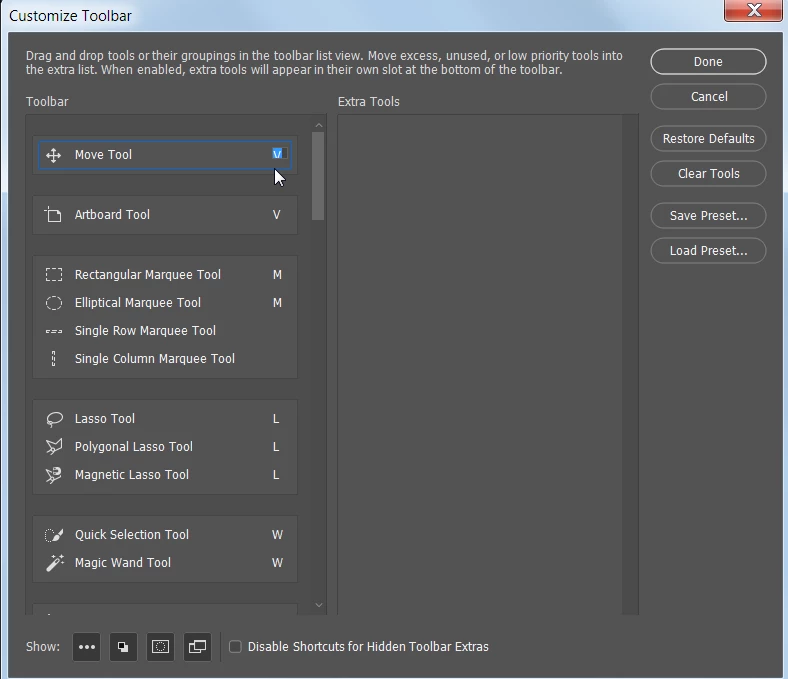
In the Customize Toolbar dialog box that appears, you can drag tools from left to right or right to left. All tools in the left column will appear in the Toolbar. As you can see, the tools are in groups, so some tools in the Toolbar may be hidden until you select them.
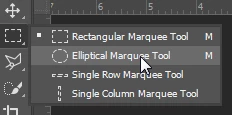
To see a hidden tool in the Toolbar, simply press and hold on the tool and slide your cursor over the tool you want to select.
Already have an account? Login
Enter your E-mail address. We'll send you an e-mail with instructions to reset your password.
 AdChoices