
Mission options in print menu
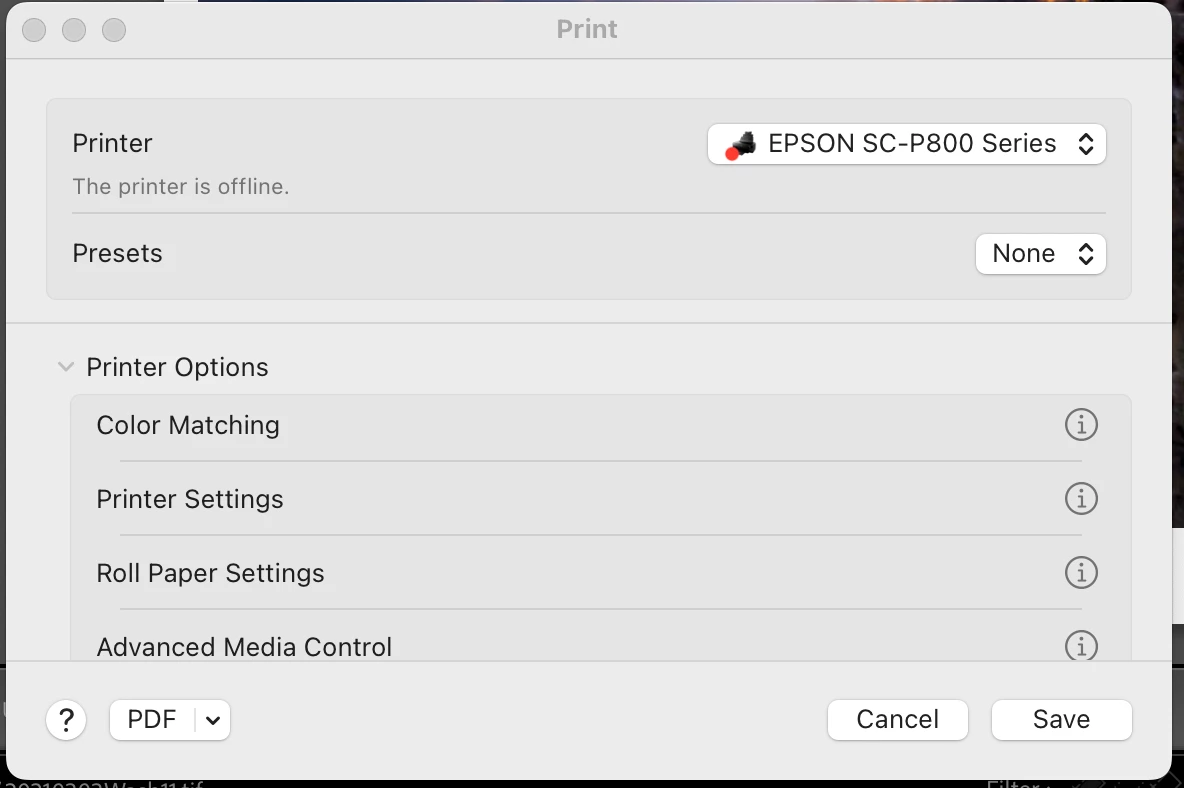
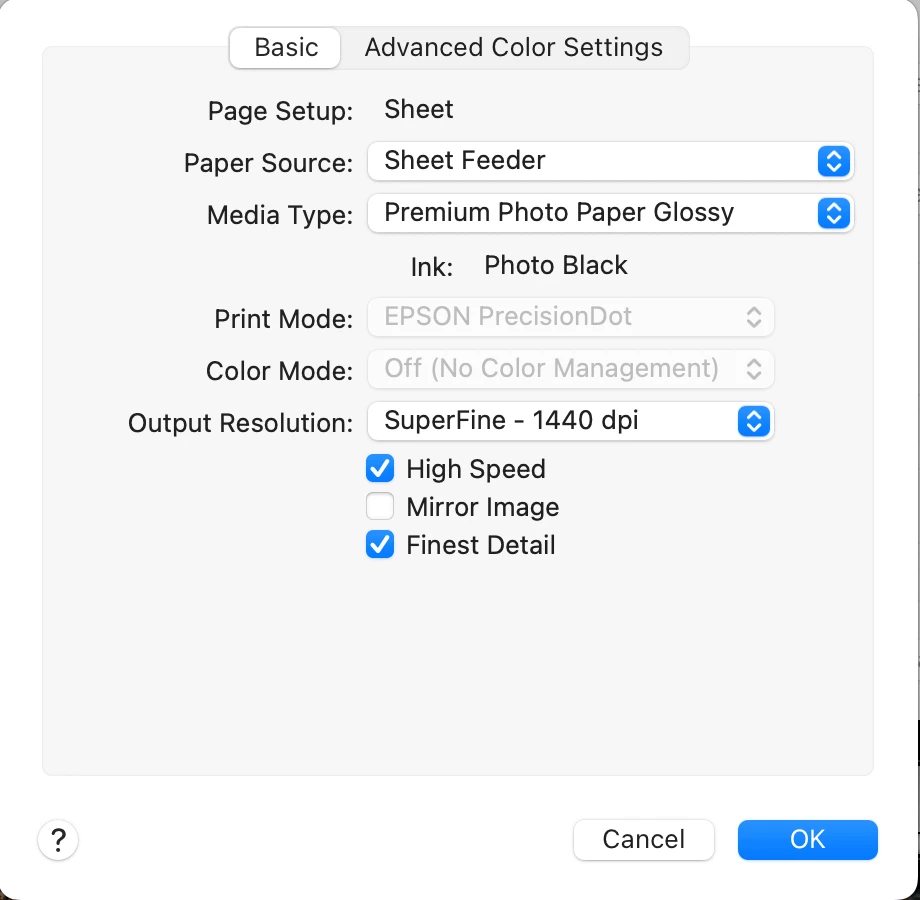
Weird thing. I just got a mackbook pro with an M3 chip and loaded with Sonoma. And I have the latest iteration of PS CC. When I go to print, the normal appearing menu comes up. That is where I change the icc profile for the paper I'm using, but when I go to the Printer Options tab, the drop down no longer shows the Printer Settings menu, so I can't change the ink, quality or the other options I would normally choose. I have no idea if it is an Epson problem, something with PS or with Sonoma. What happens is I manually set the printer to use matte ink, but when I print it shift over to PK (gloss ink).
The first screen shot is from my old computer and you click on "printer settings" to get the next menu below. But on the new computer, it does not show "printer settings", so can't do any of the other settings (ink, paper type, fine art, etc)
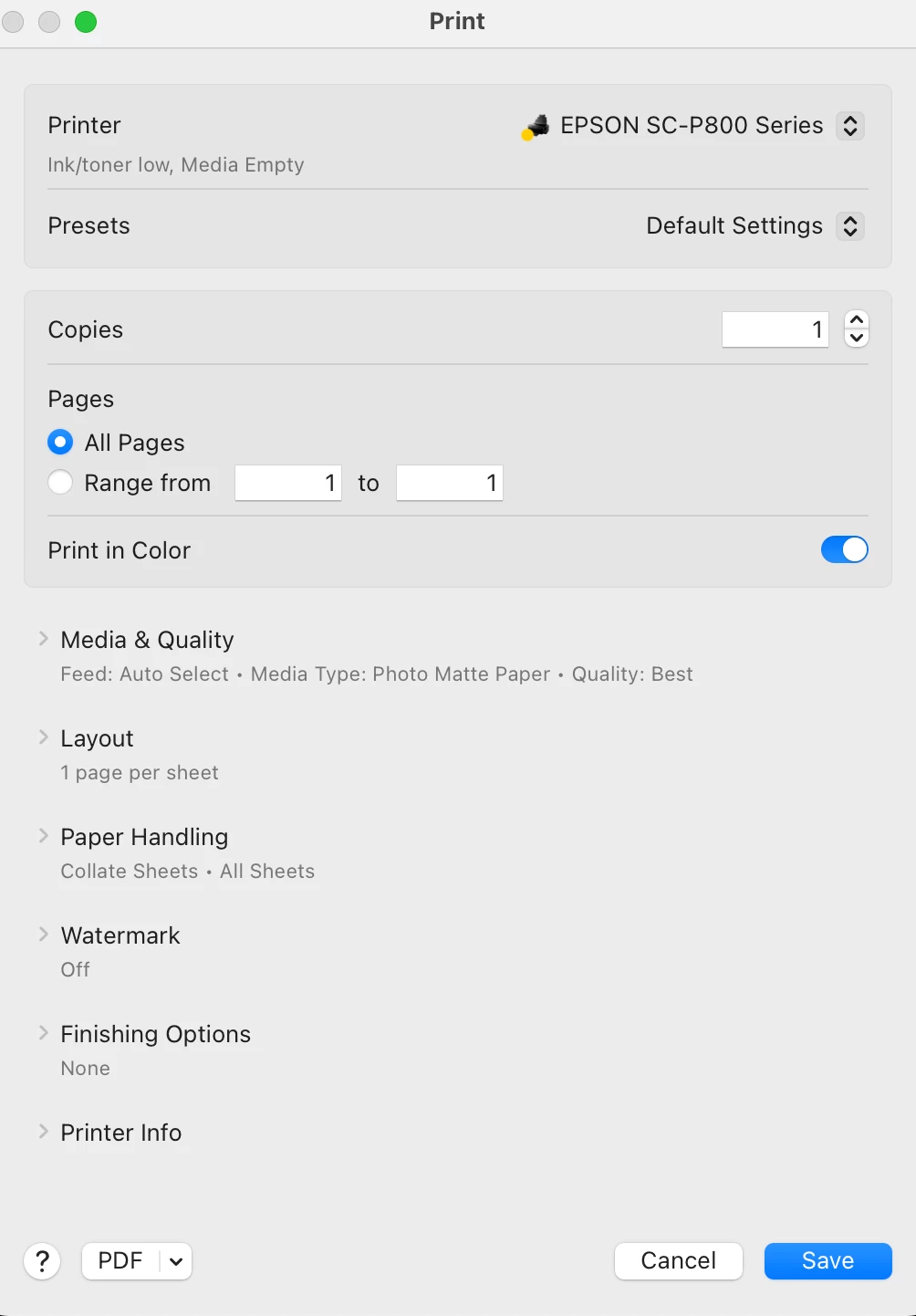
There seems to be no way to handle this within the print menu. Any ideas? Thanks
 AdChoices