

Mixer brush and brush tools "stutter" with irregular strokes
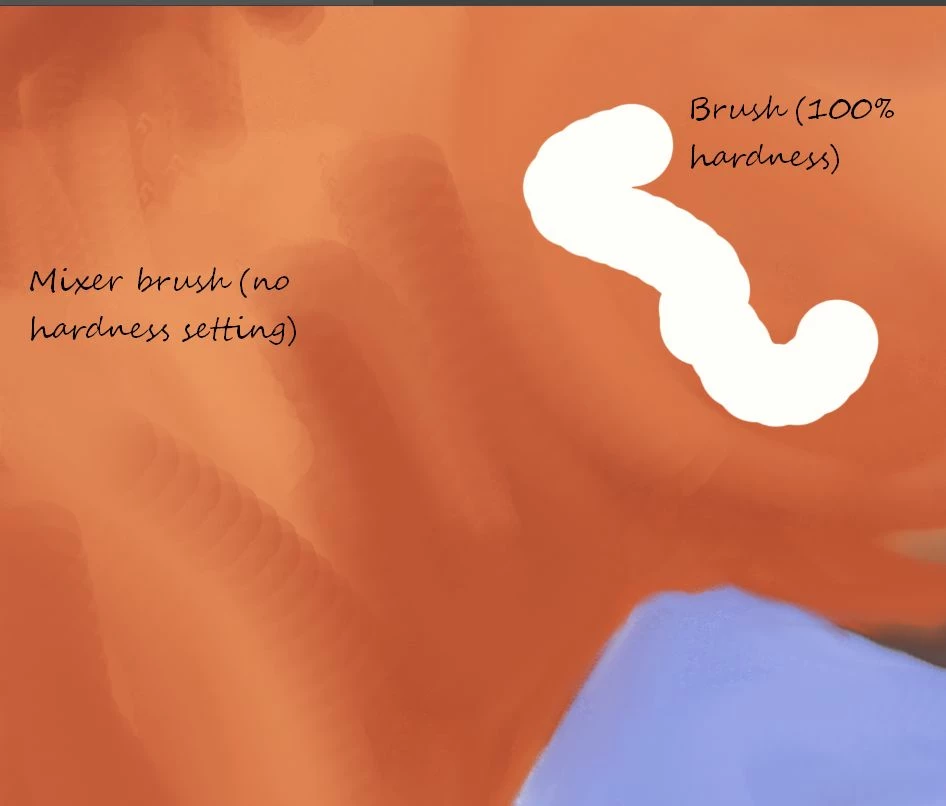
I use a mouse with Photoshop. I've noticed recently that when I'm making strokes with the brush or mixer brush I'm getting a "stuttering" effect, as if there was some sort of drag as I'm making the stroke. I use a Logitech Marble mouse and Windows 10. I notice this happening even when I use the alt key to make a straight line from point to point without moving the mouse, except to select the points. It's more noticeable if I move the mouse more quickly. If I move the mouse slowly it doesn't happen. The mouse feels as though it's rolling smoothly. My guess is this is probably due to the mouse, but wanted to get your opinion before I get a new one.
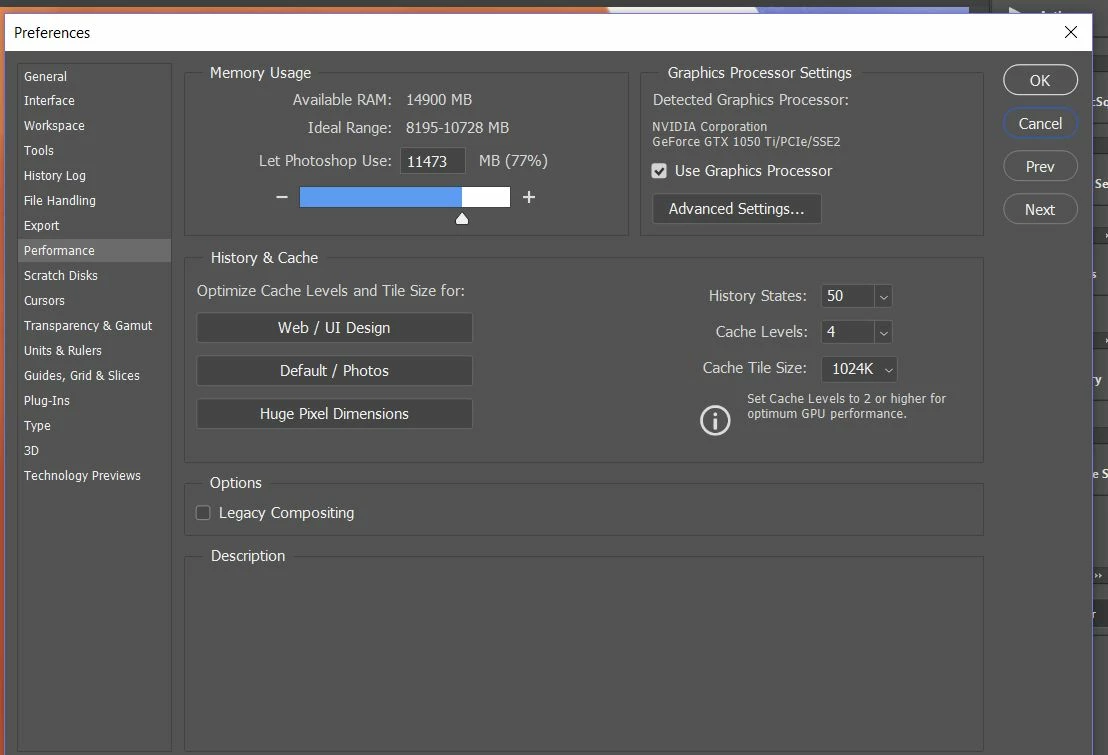
I've reset the tools and that made no difference. I looked at the performance settings and noticed the RAM was within the required parameters, but I raised it to allow it to use 11,473 and that didn't make a difference. I'm attaching a screen shot of the performance settings and a screen shot showing the "stuttering" of the brushes. The mixer brush is the one I'm using to paint; the regular brush was used to make the white strokes. Do you think it's the mouse or some setting I'm not aware of? Thanks!
 AdChoices