Participant
November 3, 2024
Question

Mixer Brush issue
  • November 3, 2024
  • 1 reply
  • 256 views

 have issues with the mixer brush, could you please advise.

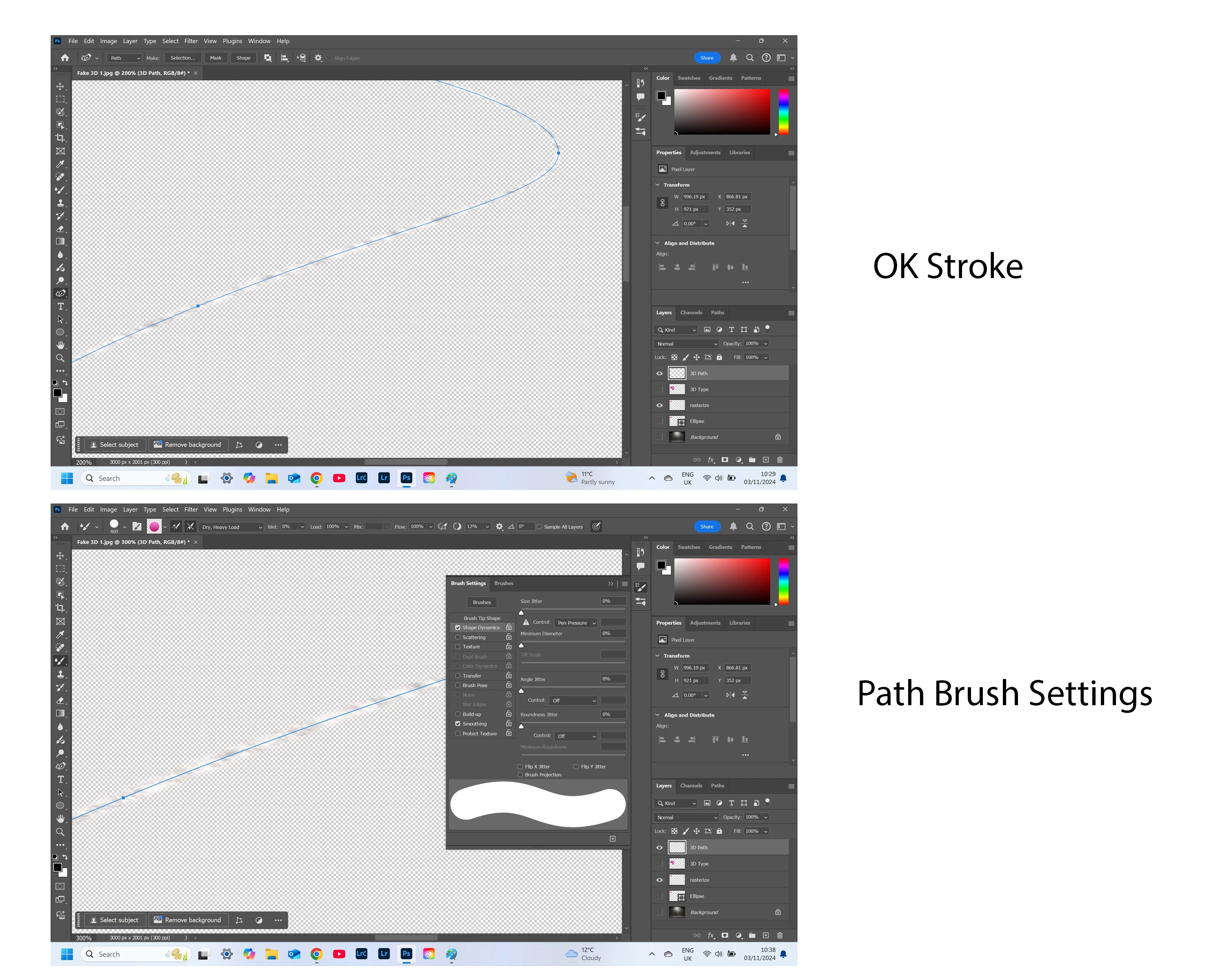
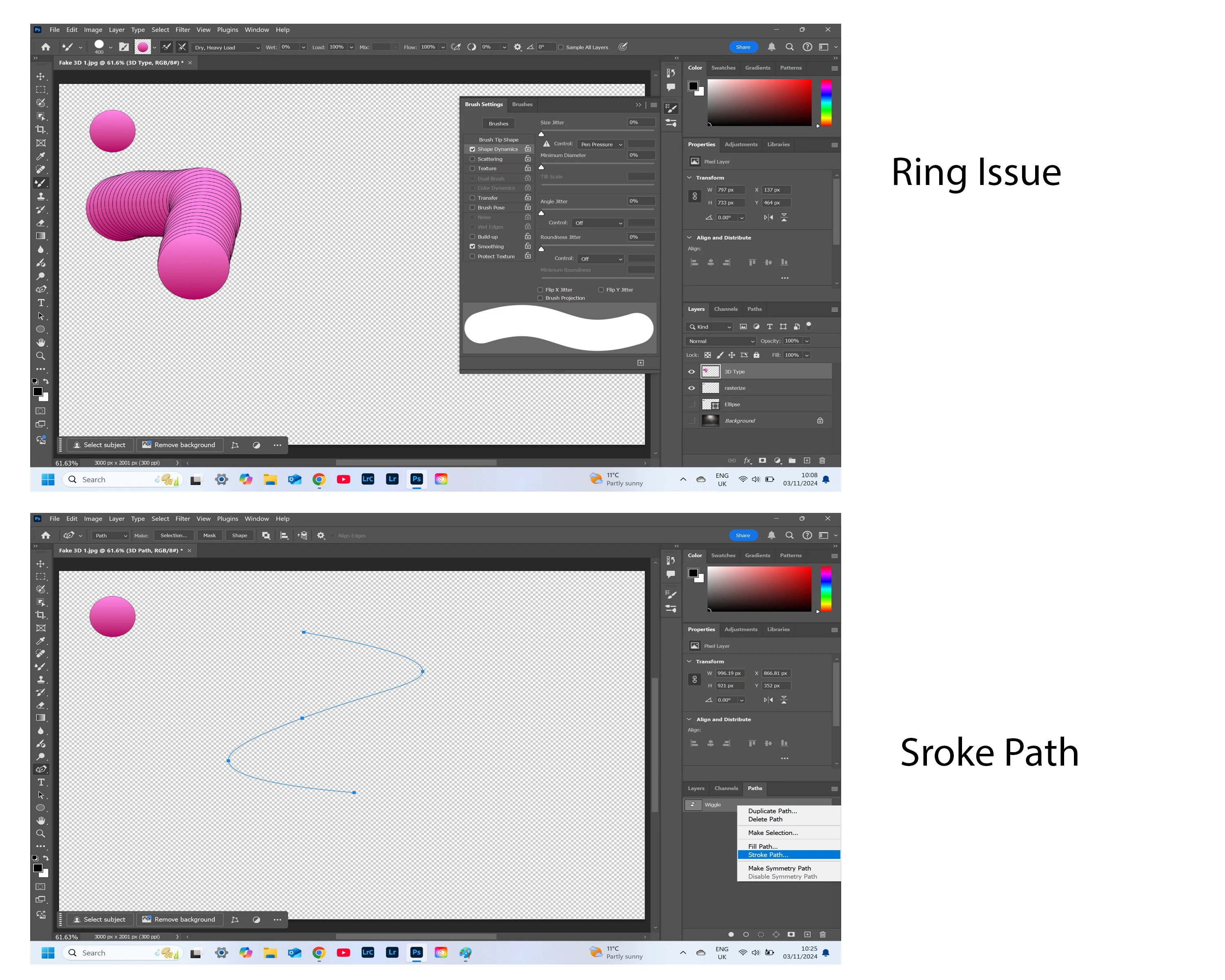
Why have I rings around the stroke? 

Why is there no stroke fill when using the Path mehtod?
I have tried everything. Reset the brushes, reset all tools, uninstalled Photoshop. Reinstalled new version of Photoshop and restarted the computer and reset Preferences. But the issue persists
My laptop is 4 months old and has a Intel evo i7 processor.
Can you please help?

This topic has been closed for replies.

1 reply

Jeff Arola
Community Expert
Community Expert
November 15, 2024

For the initial creation of the brush have you tried the directions here?

https://community.adobe.com/t5/photoshop-ecosystem-discussions/quick-steps-create-a-color-stamp-brush/td-p/10810596


The rings around the brush might be caused by an effect like a drop shadow or lighting effect that was applied to the 3D object.


In Photoshop 2023, 2024 and 2025 the Stroke Path dialog settings do not match the painting tool that is specified.


For example, to stroke with the Mixer Brush Tool in Photoshop 2024 and 2025 select Healing Brush in the Stroke Path dialog.


If you want to be sure your stroking a path with your desired painting tool, first draw out your path, select your painting tool, then press Enter/Return.


here's a baseball the has some rings created by the slight drop shadow that was applied to the baseball before creating the Mixer Brush preset.


On the left is what Photoshop 2022 records for each tool in the Stroke Path Dialog

on the right is what Photoshop 2025 records