

jonohunt
Known Participant
August 29, 2018
Answered

Modify script to select hidden layers/groups?

  • August 29, 2018
  • 2 replies
  • 2664 views

I found a script to select the previous layer and set it as visible. It works but I'd like to modify it slightly if possible.

At the moment if you start from the selected layer like so.
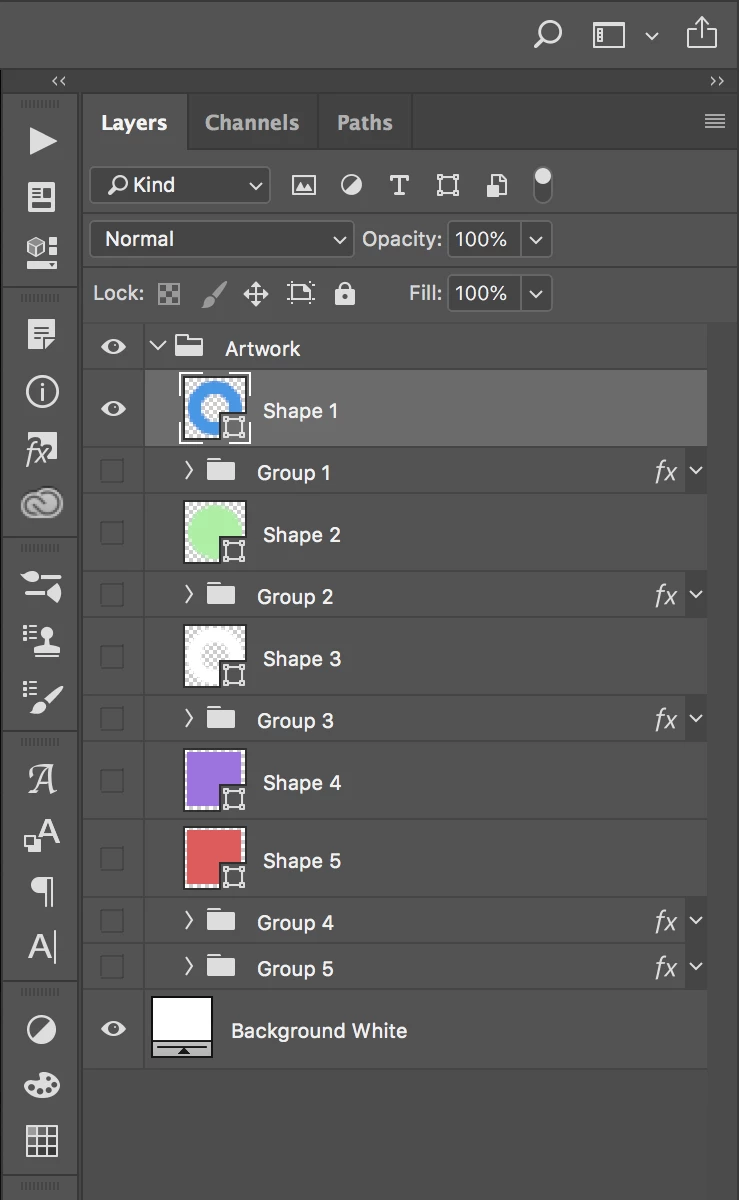
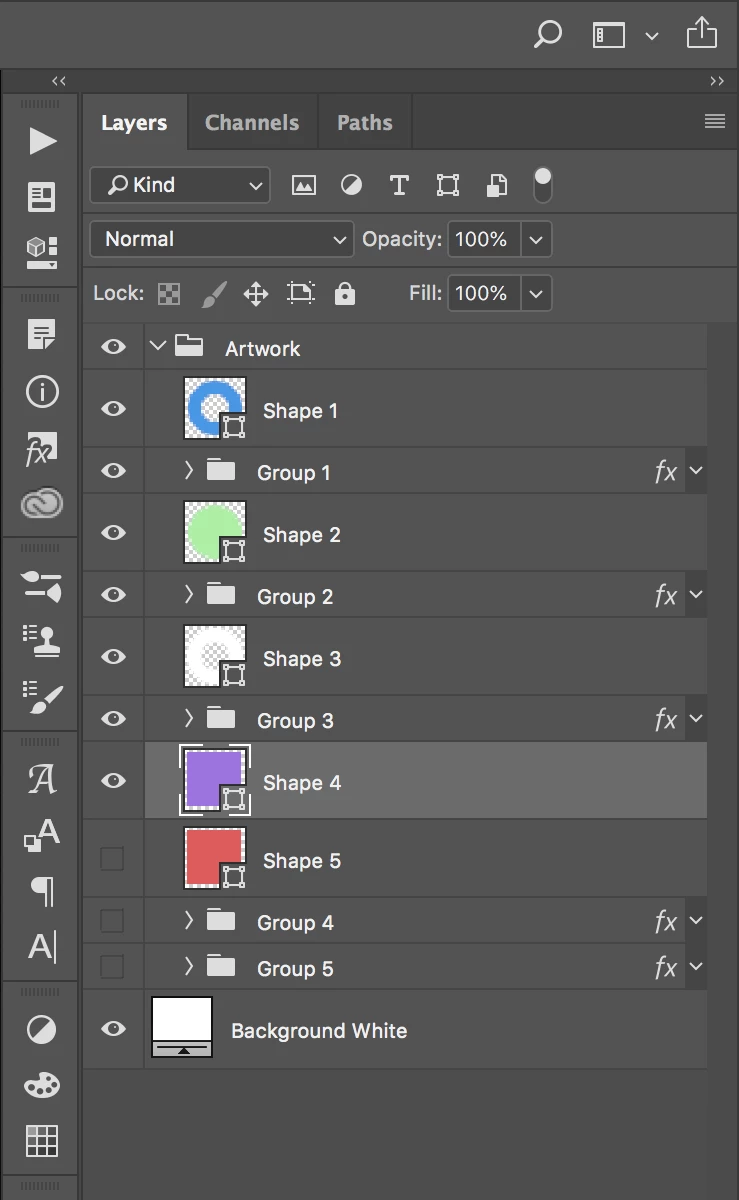
I'd like it so that each time the script is run it selects the previous layer/group and make it shown/visible like this.
But what currently happens with the script is that when it gets to a group is expands the folder and starts selecting layers inside the folder and turning on visibility.
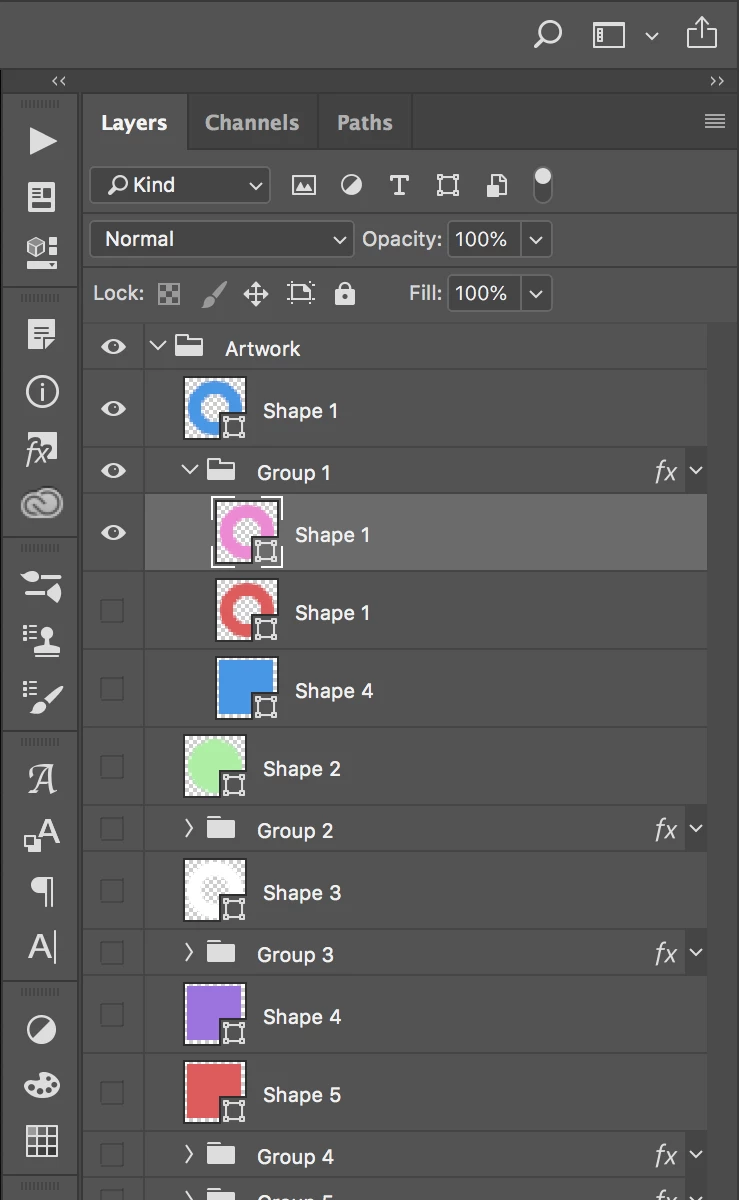
Does anyone know how to modify the script (or use a different one) so that for groups it just turns the visibility on without expanding the group and selecting layers inside the groups?

Here's the current code:

// Select previous layer/group down & set to visible

var doc = app.activeDocument;

var cLayer = doc.activeLayer;

function activ (nLayer_f)

{

  var check = nLayer_f.visible;

  doc.activeLayer = nLayer_f;

  if (check == false)

  doc.activeLayer.visible = false;

}

var parL = doc.activeLayer.parent;

var parLln = parL.layers.length;

for(i=0; i<parLln;)

{

  if(parL.layers==cLayer)

  {

    try

    {

      nLayer = cLayer.layers[0];

    }

      catch(e)

      {

        if(i!=parLln-1)

        {

          nLayer=parL.layers[i+1];

        }

        else

        {

          upmem = parL;

          while (upmem!=doc && upmem.parent.layers[upmem.parent.layers.length-1]==upmem)

          {

            upmem = upmem.parent;

          }

          if (upmem==doc)

          {

            upmem=upmem.layers[0];

            var lastmem = 1;

          }

          for(k=0;k<upmem.parent.layers.length;)

          {

            if(upmem.parent.layers==upmem)

            {

              aa=k;

              if(lastmem==1)

              {aa=-1;}

              nLayer=upmem.parent.layers[aa+1];

              k=upmem.parent.layers.length;

            }

            else {k++;}

          }

        }

      }

      activ (nLayer);

      i=parLln-1;

    }

    i++;

}

// Show current layer

app.activeDocument.activeLayer.visible = true;

This topic has been closed for replies.
Correct answer r-bin

Change

try 

{

  nLayer = cLayer.layers[0]; 

to

try 

{

  throw(0)

  nLayer = cLayer.layers[0]; 

2 replies

r-binCorrect answer
Legend
August 29, 2018

Change

try 

{

  nLayer = cLayer.layers[0]; 

to

try 

{

  throw(0)

  nLayer = cLayer.layers[0]; 

jonohunt
jonohuntAuthor
Known Participant
August 29, 2018

Thanks, that works!

It does expand the folders as it sets them as visible (a bit annoying but I can live with that), but doesn't move into the folders, which what I wanted

Legend
August 29, 2018

Expanded or not does not matter

Kukurykus
Legend
August 29, 2018

len = (lrs = (aD = activeDocument).layers).length

for(i = 0; i < len; i++) {

     if (lrs == aD.activeLayer) {

          if (i != len - 1) {

               lrs[i + 1].visible = true

          }

          else lrs[0].visible = true

          function sTT(v) {return stringIDToTypeID(v)}

          (ref = new ActionReference()).putEnumerated

          (sTT('layer'), sTT('ordinal'), sTT('backwardEnum'));

          (dsc = new ActionDescriptor()).putReference(sTT('null'), ref)

          dsc.putBoolean(sTT('makeVisible'), false);

          executeAction(sTT('select'), dsc); break

     }

}

Legend
August 29, 2018

You can make your code even shorter.

sTT = stringIDToTypeID;