
Known Participant
June 26, 2019
Question

more masking

  • June 26, 2019
  • 3 replies
  • 354 views

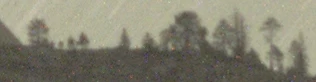
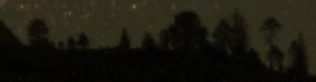
I've been working this for many hours and need some help.  I've included some small jpgs for the sky and foreground in an astro shot.  My objective is to get the trees to look like trees when you combine the to images.  The images should be perfectly aligned.  I can make a decent mask which looks good when you just look at the mask (usually made mask from foreground image).  When you use the mask to combine the two images the brighter sky of the foeground image bleeds through the gray areas of the mask along the tree line and you end up with blobby light trees.  To make the trees look good you need to make them look like they have the darker background of the sky image. 

Any help would be appreciated.

foreground
sky
    This topic has been closed for replies.

    3 replies

    mglush
    Community Expert
    Community Expert
    June 27, 2019

    Hi!

    Have you tried making a mask from one of the channels? I used the green channel in the example below because it had the most contrast (it usually does) and then made a copy of it to create an Alpha Channel.

    I then opened the Curves panel and changed the curve to what you see below. Then when you click ok and go back to the Layers panel, you can load that Green copy Alpha Channel as a mask. You will get better results with a clearer image, but you can play around with Curves to get the mask that you want. Remember, where Black is, it hides and protects that part of the image. White will reveal the areas that you want to change. And any gray values you have in the image will give you that level of masking or revealing.

    Let us know if that helps!

    Michelle

    Norman Sanders
    Legend
    June 26, 2019

    Addition to original inquiry titled: Masking question

    The images you provided here are really too small to assess and work with but this test shows promise.

    The image on the left was created using the ground image as both the bottom layer of the two layer stack and as a mask for the darker sky layer (top layer) as I described in a previous post. Masking question

    This time I added sharpening (Filter > Sharpen > Unsharp mask  with Amount set to 100% and a Radius of 4.6) for greater definition of the trees. That sharpness is applied in both the bottom layer and the mask. Note that the trees are no longer a blob. You may experiment with greater sharpness but, as you can see, the  sharpening done for the sample above cannot compensate completely for the inherent softness in the original image.

    The second image shows the effect of increasing the contrast of the mask in the event that result is closer to what you have in mind in a large scale version.   If you plan to reshoot this project in the future it would be prudent to consider a rock-solid tripod, a low humidity night with as little breeze as possible in order to obtain maximum sharpness of the trees at that distance.  Good luck.

    Bob_Hallam
    Legend
    June 26, 2019

    The real issue is these images will not seamlessly blend using a mask because the sky image is way darker than the darkest areas in the foreground image.   I'd suggest getting those closer first, then masking them.

    ICC programmer and developer, Photographer, artist and color management expert, Print standards and process expert.
    Steve NBAuthor
    Known Participant
    June 26, 2019

    That is what I was thinking but making the sky darker in the foreground means the foreground is going to be too dark.  If I save the mask and use it for an adjustment to relighten the foreground of the combined image it seems I'm going to be back to where I started.