
Exit
  • Global community
    • Language:
      • Deutsch
      • English
      • Español
      • Français
      • Português
  • 日本語コミュニティ
  • 한국 커뮤니티
0

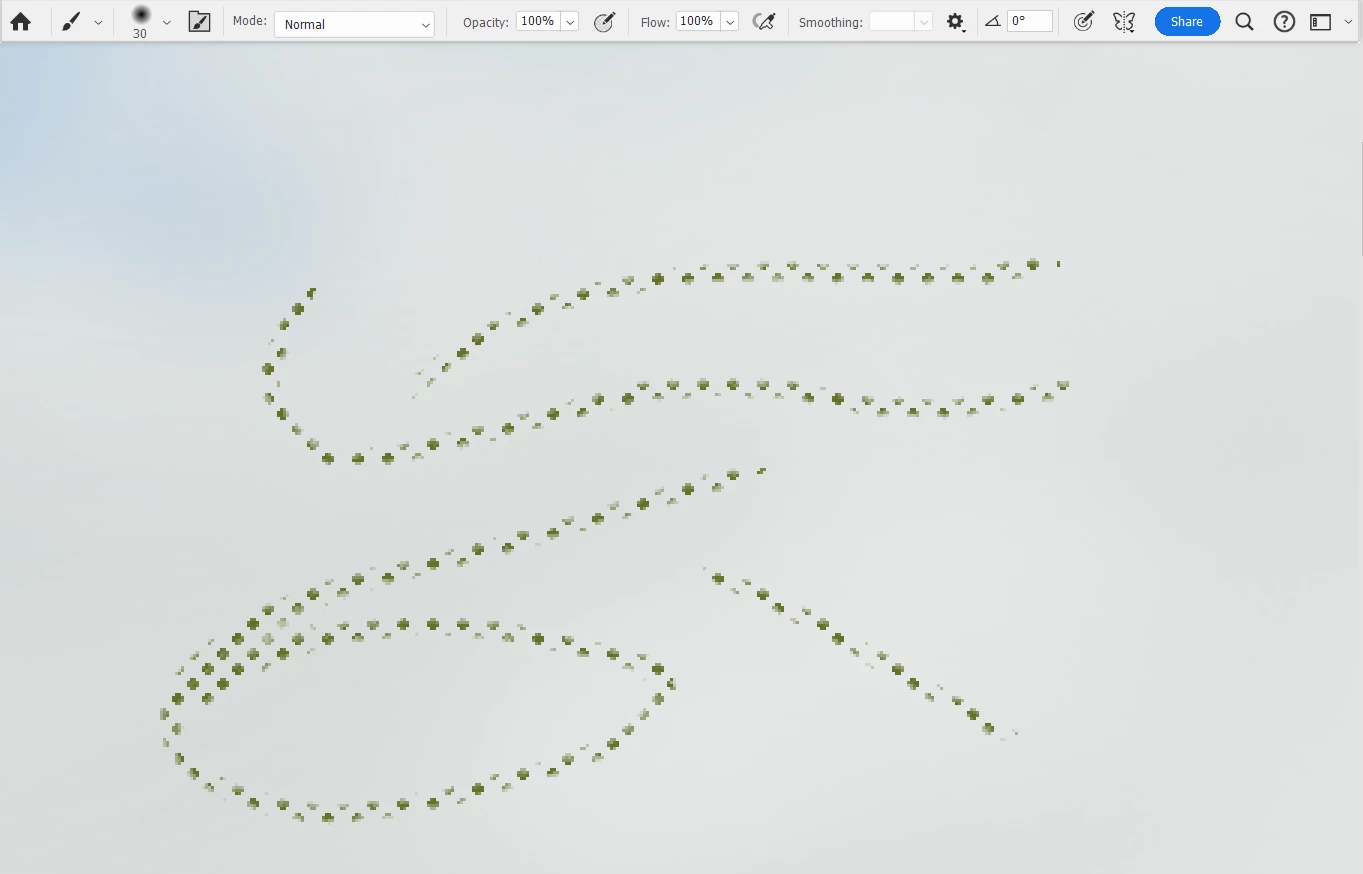
My Brush tool is making little cross shapes
Community Beginner ,
Jan 25, 2024 Jan 25, 2024

Daniel32123676qo0k_0-1706247622914.png

These should be smooth brush lines.  I haven't changed any of my settings as far as I can tell, and I can't find a setting that will make it stop doing this.  It just suddenly started doing this in the middle of a work session.  What's happening and how can I make it stop?

TOPICS
Windows
418
Translate
Report
Community guidelines
Be kind and respectful, give credit to the original source of content, and search for duplicates before posting. Learn more
community guidelines

correct answers 1 Correct answer

Community Beginner , Jan 26, 2024 Jan 26, 2024

Unchecking "Dual Brush" does seem to have mended matters.  I don't know how I managed to check both "Texture" and "Dual Brush" without doing anything.

Translate
Adobe
Community Expert ,
Jan 25, 2024 Jan 25, 2024

Could you please post screenshots with the pertinent Panels (Toolbar, Brush Settings, Brushes, Layers, Options Bar, …) visible? 

Looks like you might have checked »Texture«. 

Translate
Report
Community guidelines
Be kind and respectful, give credit to the original source of content, and search for duplicates before posting. Learn more
community guidelines
Community Beginner ,
Jan 26, 2024 Jan 26, 2024

Daniel32123676qo0k_0-1706256777681.png

"Texture" was checked; unchecking it caused the Brush to do something different (see the new mark above), but it hasn't returned to a smooth line.  Selecting "Soft Round 40" in the Brushes menu switches the tool to the Eraser.

Translate
Report
Community guidelines
Be kind and respectful, give credit to the original source of content, and search for duplicates before posting. Learn more
community guidelines
Community Beginner ,
Jan 26, 2024 Jan 26, 2024

Unchecking "Dual Brush" does seem to have mended matters.  I don't know how I managed to check both "Texture" and "Dual Brush" without doing anything.

Translate
Report
Community guidelines
Be kind and respectful, give credit to the original source of content, and search for duplicates before posting. Learn more
community guidelines
Community Expert ,
Jan 26, 2024 Jan 26, 2024
LATEST

Maybe you used a Brush that included those settings and later changed only the Brush Tip? 


Anyway, those options can be useful for certain effects, so if you should not be familiar with them yet you should check them out further. 

Translate
Report
Community guidelines
Be kind and respectful, give credit to the original source of content, and search for duplicates before posting. Learn more
community guidelines