Exit
  • Global community
    • Language:
      • Deutsch
      • English
      • Español
      • Français
      • Português
  • 日本語コミュニティ
  • 한국 커뮤니티
Locked
0

My entire menu greyed out in Photoshop

New Here ,
Nov 11, 2022 Nov 11, 2022

I just installed Photoshop 2023 and I started facing a problem I have never expeirenced with Photoshop another time. I tried to open a video on Photoshop and sudenly my entire menu greyed out. I closed the video and opened different images, I was not using anything from the options bar and the problem persisted. 

No, it is not possible to reset the preferences settings since the edit menu is not available. The shortcuts are not working either.

I haven't seem anyone reporting this bug online before, I think it might be something with the 2023 version of Photoshop. 
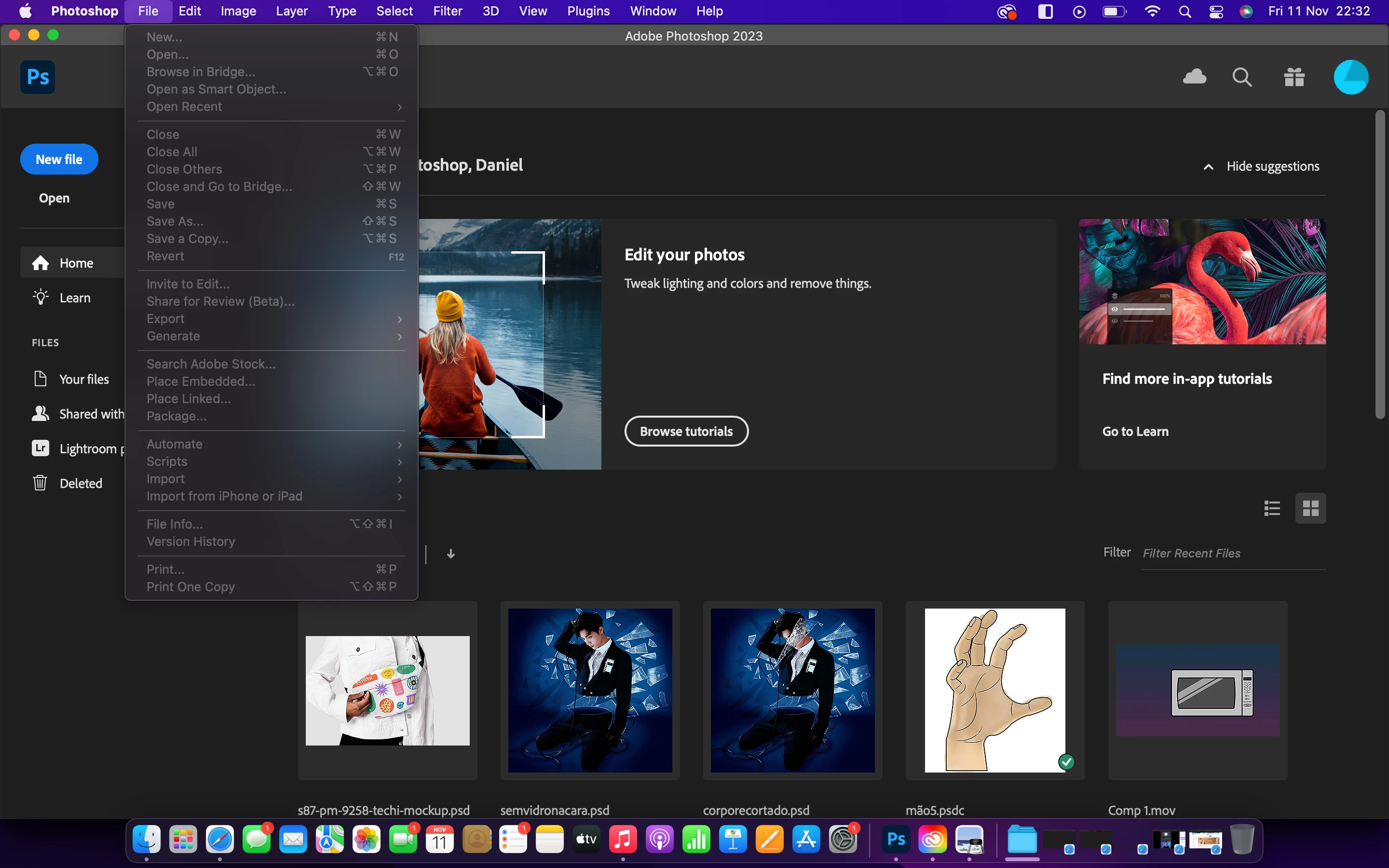
 

Screen Shot 2022-11-11 at 22.32.03.png


Screen Shot 2022-11-11 at 22.32.27.png


TOPICS
macOS
9.9K
Translate
Report
Community guidelines
Be kind and respectful, give credit to the original source of content, and search for duplicates before posting. Learn more
community guidelines

correct answers 1 Correct answer

Community Expert , Nov 11, 2022 Nov 11, 2022

@Daniel23456732z2f0 


First try Quit and Relaunch, then try Shut Down, Reboot, and Relaunch.


If those don't work, reset Preferences this way:

  • Quit Photoshop
  • Hold down Ctrl+Cmd+Opt+Shift and keep holding them down
  • Click PS in the Dock. The shortcut menu will appear. Click Open.
  • When you see the dialog to reset preferences, release the four keys. A new preferences file will be created.


Jane


Translate
Adobe
Community Expert ,
Nov 11, 2022 Nov 11, 2022

@Daniel23456732z2f0 


First try Quit and Relaunch, then try Shut Down, Reboot, and Relaunch.


If those don't work, reset Preferences this way:

  • Quit Photoshop
  • Hold down Ctrl+Cmd+Opt+Shift and keep holding them down
  • Click PS in the Dock. The shortcut menu will appear. Click Open.
  • When you see the dialog to reset preferences, release the four keys. A new preferences file will be created.


Jane


Translate
Report
Community guidelines
Be kind and respectful, give credit to the original source of content, and search for duplicates before posting. Learn more
community guidelines
New Here ,
Nov 11, 2022 Nov 11, 2022
LATEST

It went back to normal after a few hours of closing and reopening... Thanks for your help

Translate
Report
Community guidelines
Be kind and respectful, give credit to the original source of content, and search for duplicates before posting. Learn more
community guidelines