
jessical79681381
Participant
January 13, 2020
Answered

My Photoshop color picker looks different - macOS

  • January 13, 2020
  • 2 replies
  • 943 views

Hi, my Photoshop on my Mac work laptop has a weird looking color picker. It doesn't look like something from Adobe? Does anyone know what this is or how I can get the correct color picker from Adobe? Thanks! 
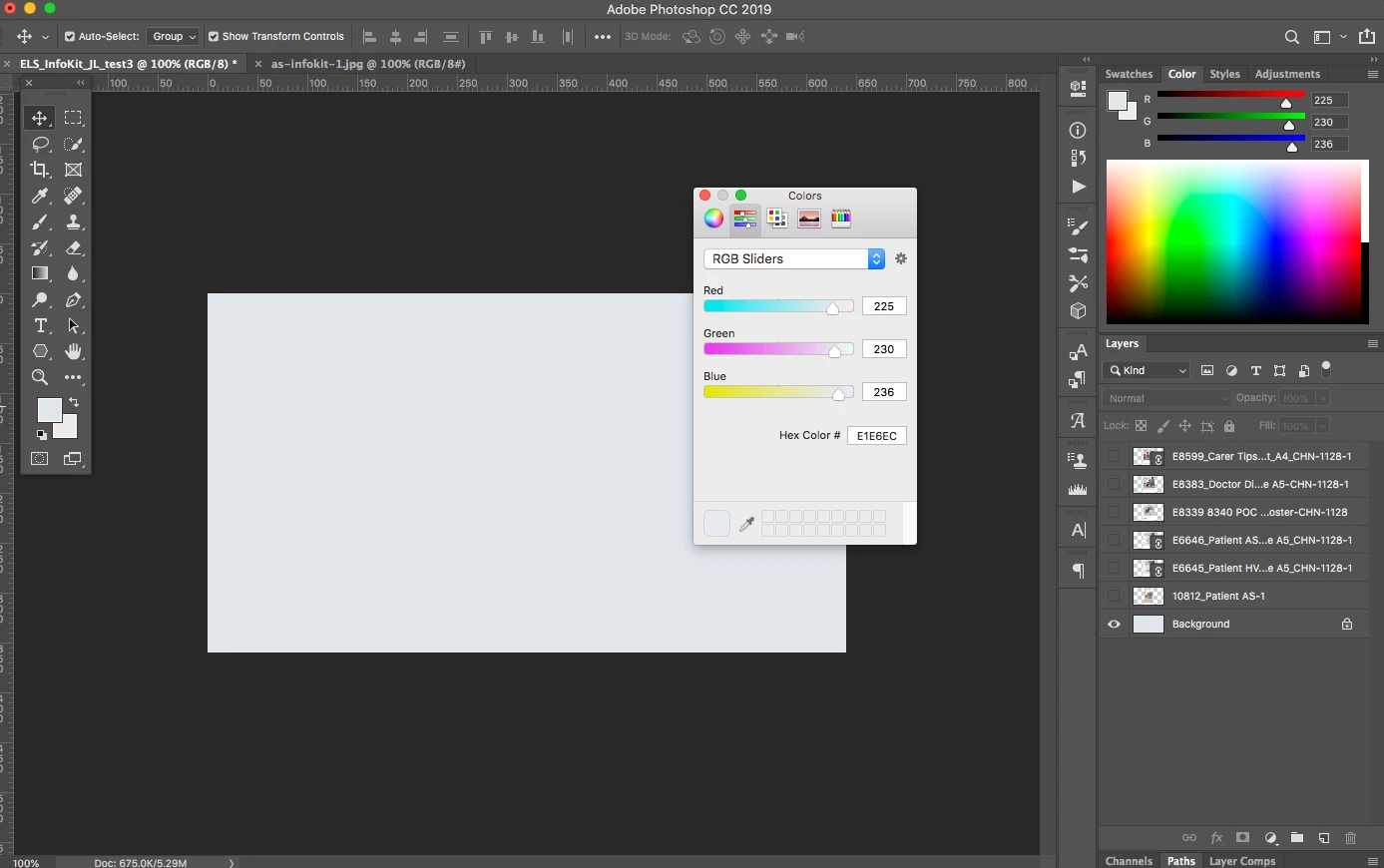
 

{Thread renamed by moderator}

This topic has been closed for replies.
Correct answer jane-e

"Does anyone know what this is or how I can get the correct color picker from Adobe?"


Hi Jessica,

Yes, I see that all the time! Go to Preferences > General and change your Color Picker from Apple to Adobe.

~Jane

2 replies

jane-e
Community Expert
jane-eCommunity ExpertCorrect answer
Community Expert
January 13, 2020

"Does anyone know what this is or how I can get the correct color picker from Adobe?"


Hi Jessica,

Yes, I see that all the time! Go to Preferences > General and change your Color Picker from Apple to Adobe.

~Jane

jessical79681381
Participant
January 13, 2020

That was too easy! Thank you! 

jane-e
Community Expert
Community Expert
January 13, 2020

Hi

Usually when I see that, someone is being pranked, Jessica. I'm glad you are up and running now.

~ Jane

Sahil.Chawla
Adobe Employee
Adobe Employee
January 13, 2020

Hi Jessica,

That does not look right, could you please let us know the version of Photoshop you're working with?
What operating system are you working on?


Could you try changing the screen color profile to sRGB IEC61966-2.1: https://www.lightroomqueen.com/how-do-i-change-my-monitor-profile-to-check-whether-its-corrupted/


Regards,
Sahil