
Participant
July 10, 2023
Question

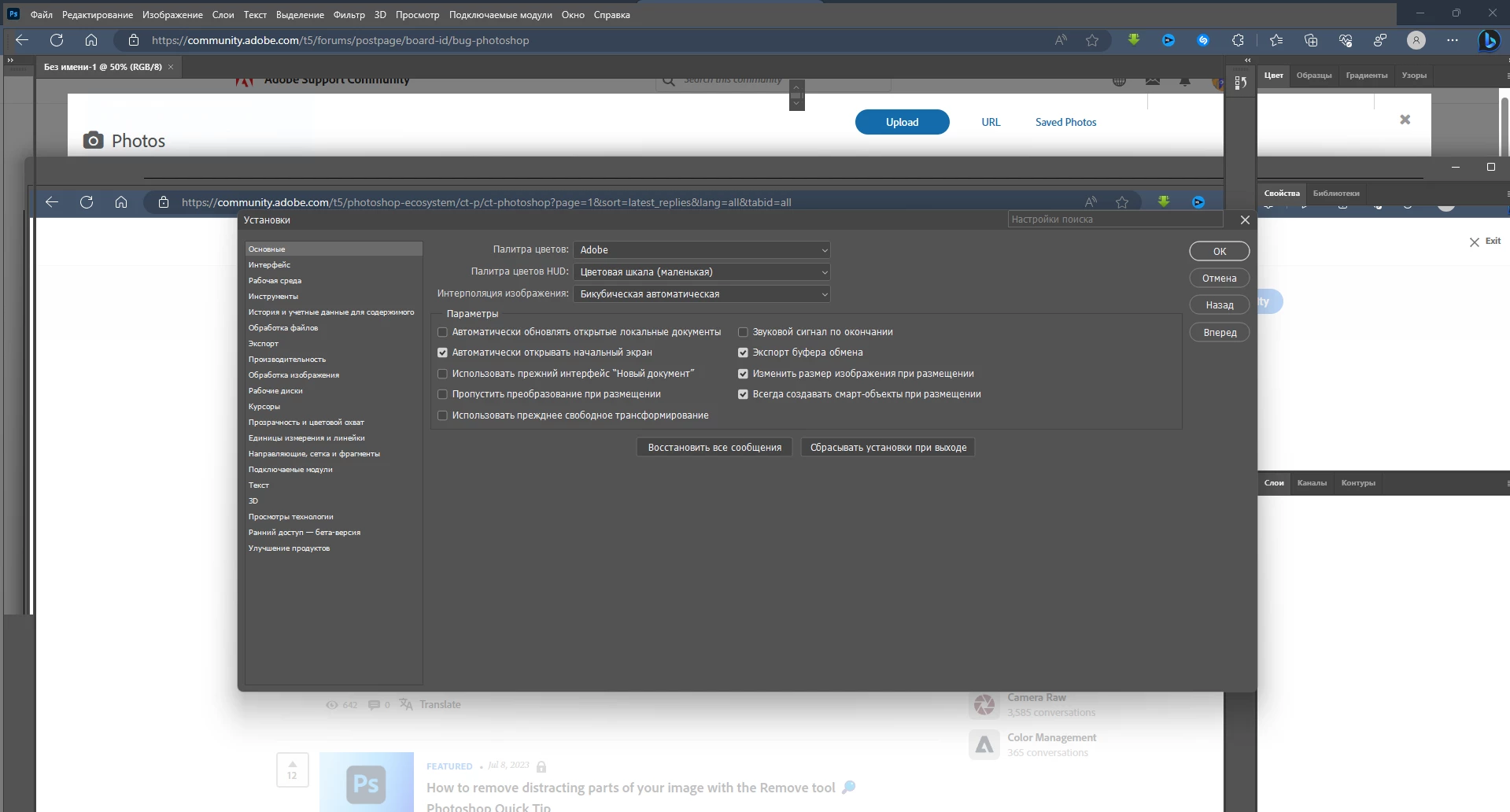
my photoshop interface is broken!
  • July 10, 2023
  • 3 replies
  • 622 views

 
after switching to windows 11, I encountered this problem at first, I managed to solve it by resetting the settings, but after re-entering the program it broke again. I reinstalled the drivers (nvidia game ready and studio drivers) , but nothing works with what the problem is in photoshop, not adobe premier pro, not adobe after effects, there are no such bugs, it's in photoshop, no matter what year and version. please wait for help from you!
This topic has been closed for replies.

3 replies

AxelMatt
Community Expert
Community Expert
July 25, 2023

Install the recent update to photoshop 24.6 and check again.


If this also doesn't help, we need more informations aubout your system. Maybe you can post your Photoshop system info. In Photoshop goto Help > System Info and hit the copy button. Then paste the entire informations into this thread. 


My System: Intel i7-8700K - 64GB RAM - NVidia Geforce RTX 3060 - Windows 11 Pro 25H2 -- LR-Classic 15 - Photoshop 27 - Nik Collection 8 - PureRAW 5 - Topaz Photo
Gold3n27Author
Participant
July 25, 2023

intel i5-9400F - 16GB RAM - NVidia Geforce GTX 1660 - Windows11 22H2 - Adobe Photoshop: 24.3.0


AxelMatt
Community Expert
Community Expert
July 10, 2023

Please try to disable the option to "Use Graphics Procesor" from Photoshop by going to Preferences, then Performance. Once done, quit & relaunch Photoshop to check if that helps. 

If it helps, you can check out the steps suggested here:  https://helpx.adobe.com/photoshop/kb/troubleshoot-gpu-graphics-card.html 


If the issue persists, you can try to reset the preferences of Photoshop using the steps described here: 

Preferences in Photoshop (adobe.com) 

Please backup your settings before resetting the preferences. You can check: 

Migrate presets, actions, and settings (adobe.com) 


Another try is to enable the Older GPU Mode option in "Preferences" > "Technology Previews" > "Use Older GPU Mode (pre 2016)". Then goto "Preferences" > "Technology Previews" and enable "Disable Native Canvas". Restart Photoshop. 


If this all doesn't help, we need more informations aubout your system. Maybe you can post your Photoshop system info. In Photoshop goto Help > System Info and hit the copy button. Then paste the entire informations into this thread. 


My System: Intel i7-8700K - 64GB RAM - NVidia Geforce RTX 3060 - Windows 11 Pro 25H2 -- LR-Classic 15 - Photoshop 27 - Nik Collection 8 - PureRAW 5 - Topaz Photo