

Participant
December 6, 2022
Question

my text does not appear !!

  • December 6, 2022
  • 2 replies
  • 193 views

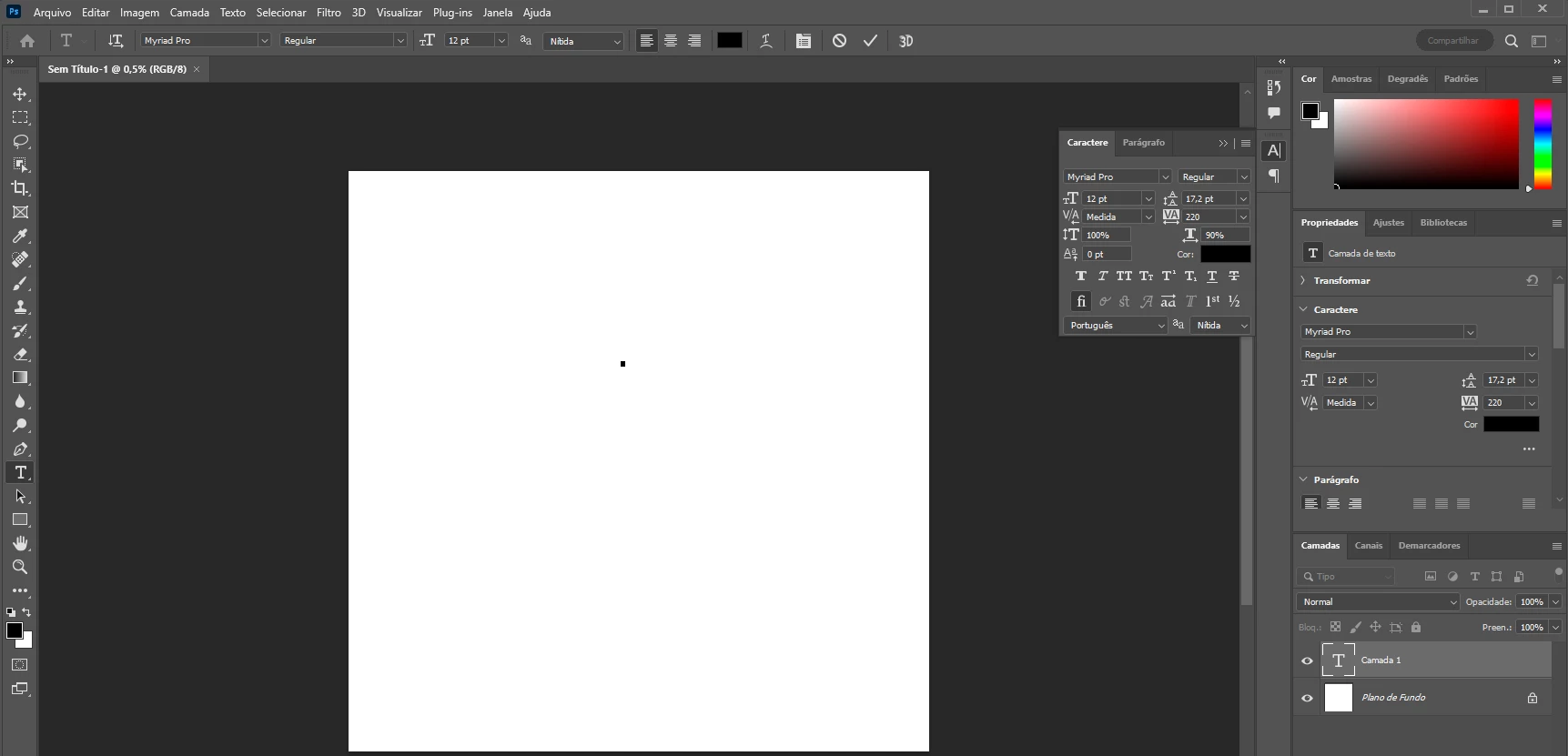
Hey guys, in the text to type option, my text doesn't show up at all.
can you help me ?


This topic has been closed for replies.

2 replies

jane-e
Community Expert
Community Expert
December 6, 2022

@vlk27456295jawz 

Alternatively, you can select your text and make it larger so you can see it. To select the characters, double-the "T" icon in the Layers panel (if you have already exited Edit mode). Then in the Character panel (or Properties or options bar), change the typesize to 200 or 300 to start, and adjust from there. You might need to type in the new size.


Also, is there a reason you have a horizontal scale of 90%? If not, set it back to 100%.


Jane


Kevin Stohlmeyer
Community Expert
Community Expert
December 6, 2022

Your text is there but your document is HUGE. The zoom is 0.5%!

Go to 100% and you will see your 12 pt type.

Why is your file so large?
