

Nano Banana and Flux not working or available as options despite credits available
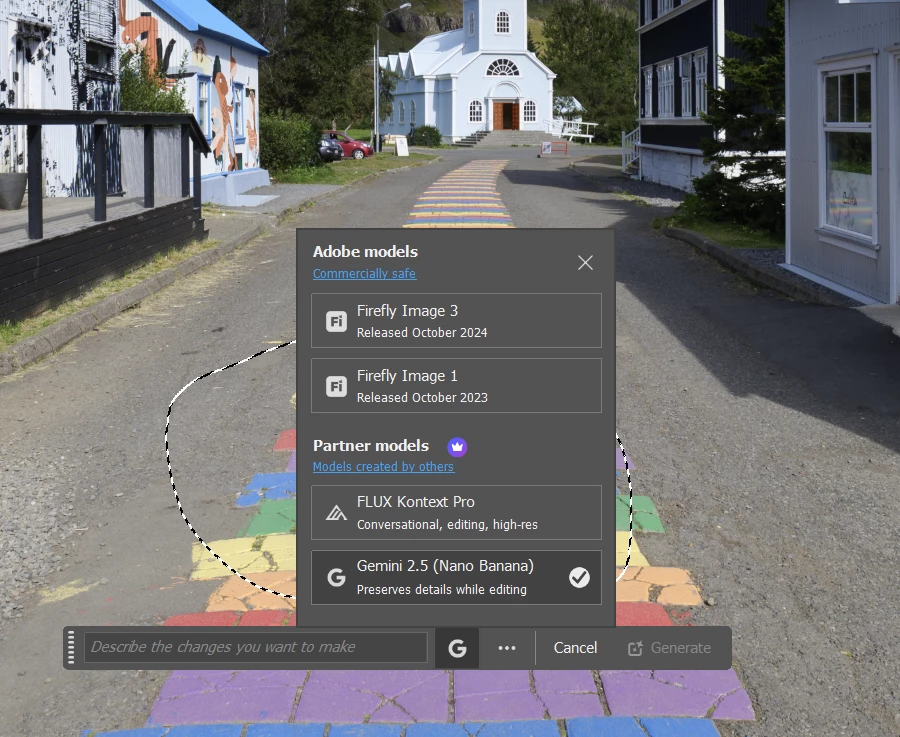
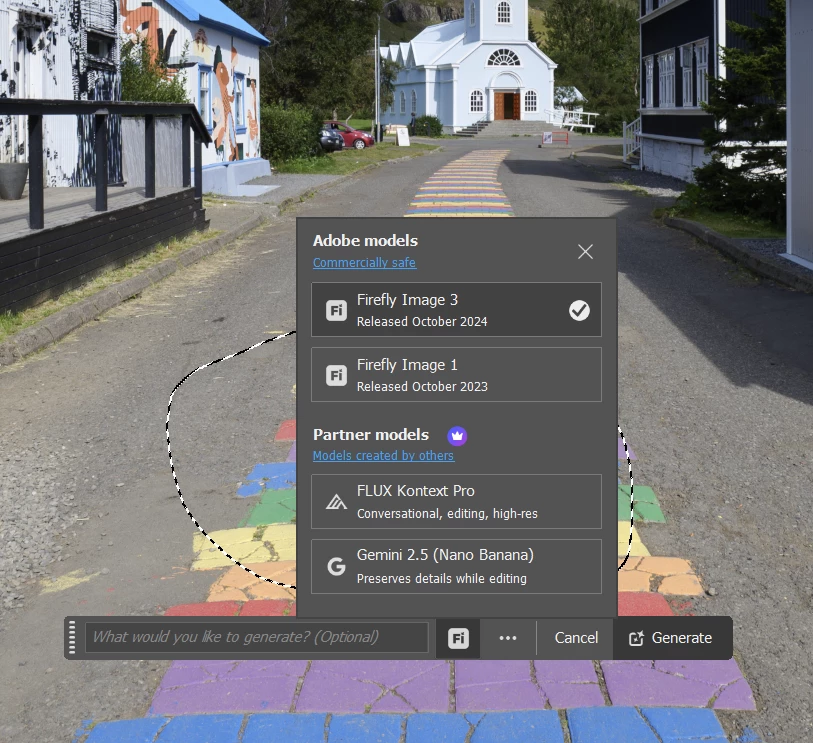
I cannot use nano banana or flux in the generative ai menu, they are both shown there as options but when I choose either of them the option to 'generate' button is greyed out, the only options I can use are for firefly.
I have sufficient credits, in fact I paid for more credits using the Firefly Standard plan which gives you access to both of these additional generative ai options. I suspect this problem occurred after I paid for the new credits as previously I was able to test both nano banana and flux and ran out of credits and then bought more but didn't test immediately to see if it worked or not. I have roughly 2250 credits available.
I am on the Photography Plan as a standard home user. I am not a student account or any other kind of business account with another administrator.
I have tried a chat with Adobe help but that was a waste of time. They had me switching off my firewall and then wanted me to roll back to v26 to see if that would help. I pointed out that that wouldn't work as the flux and nano options only came with the v27 build, which at least they had the good grace to acknowledge but basically I didn't get any help and am stuck at the moment having paid for extra credits and now not able to access them.
I am testing with 8 bit files, jpg, srgb and prophoto files, that are unlocked in photoshop. I am on windows 11. Photoshop v27.0.0
Can anyone help me? I don't know if this is a technical issue or a user issuer but suspect the problem is with my account at Adobe's end.
The first screenshot shows nano selected and Generate button greyed out, and the second shows Firefly selected and now the Generate button becomes active.
 AdChoices