
Nearest Neighbor scaling off by 1 pixel on the edges
I'm a pixel artist who uses Photoshop to create high resolution versions of my pixel art (among other things). To increase the resolution, I typically transform>scale my layers using the nearest neighbor.
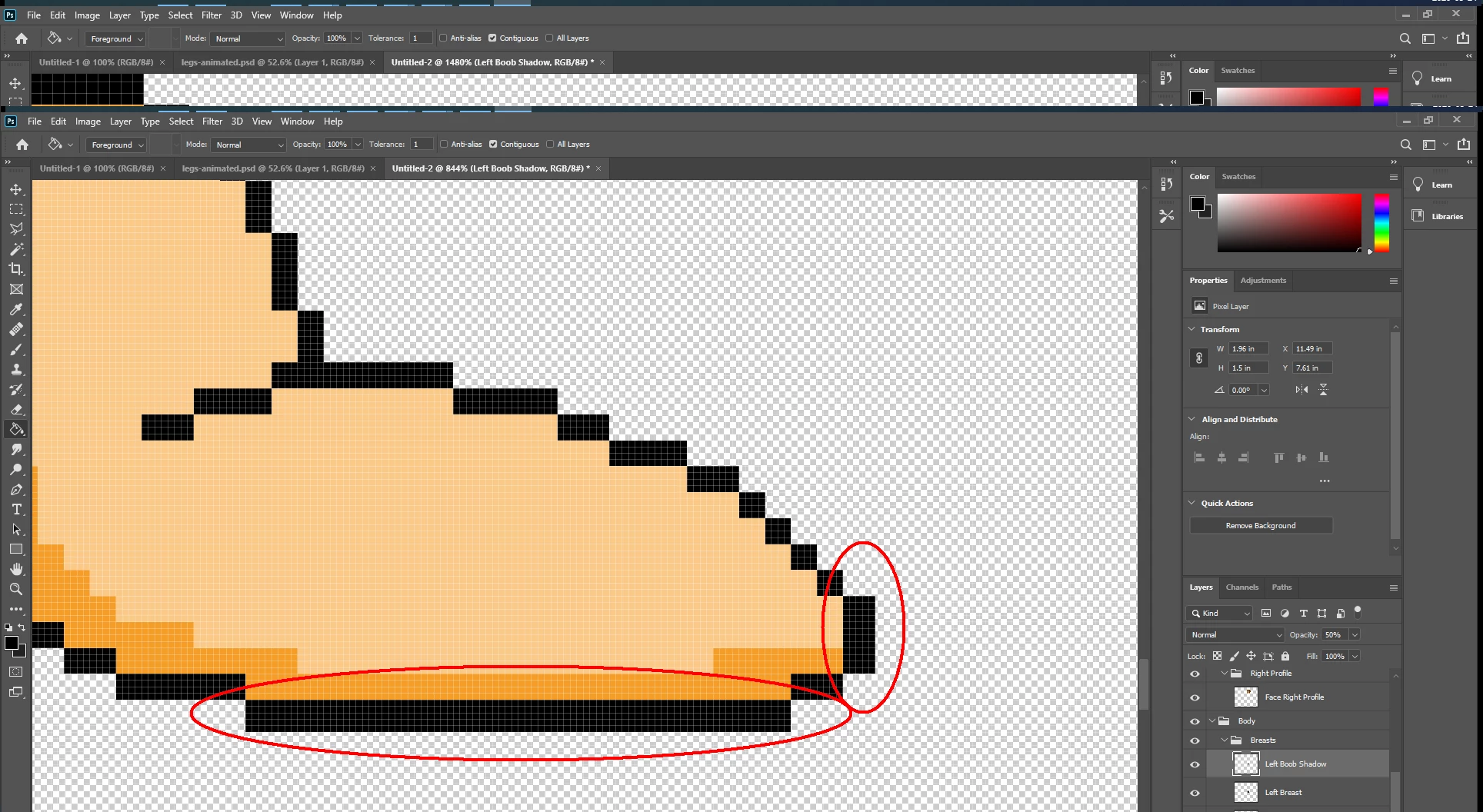
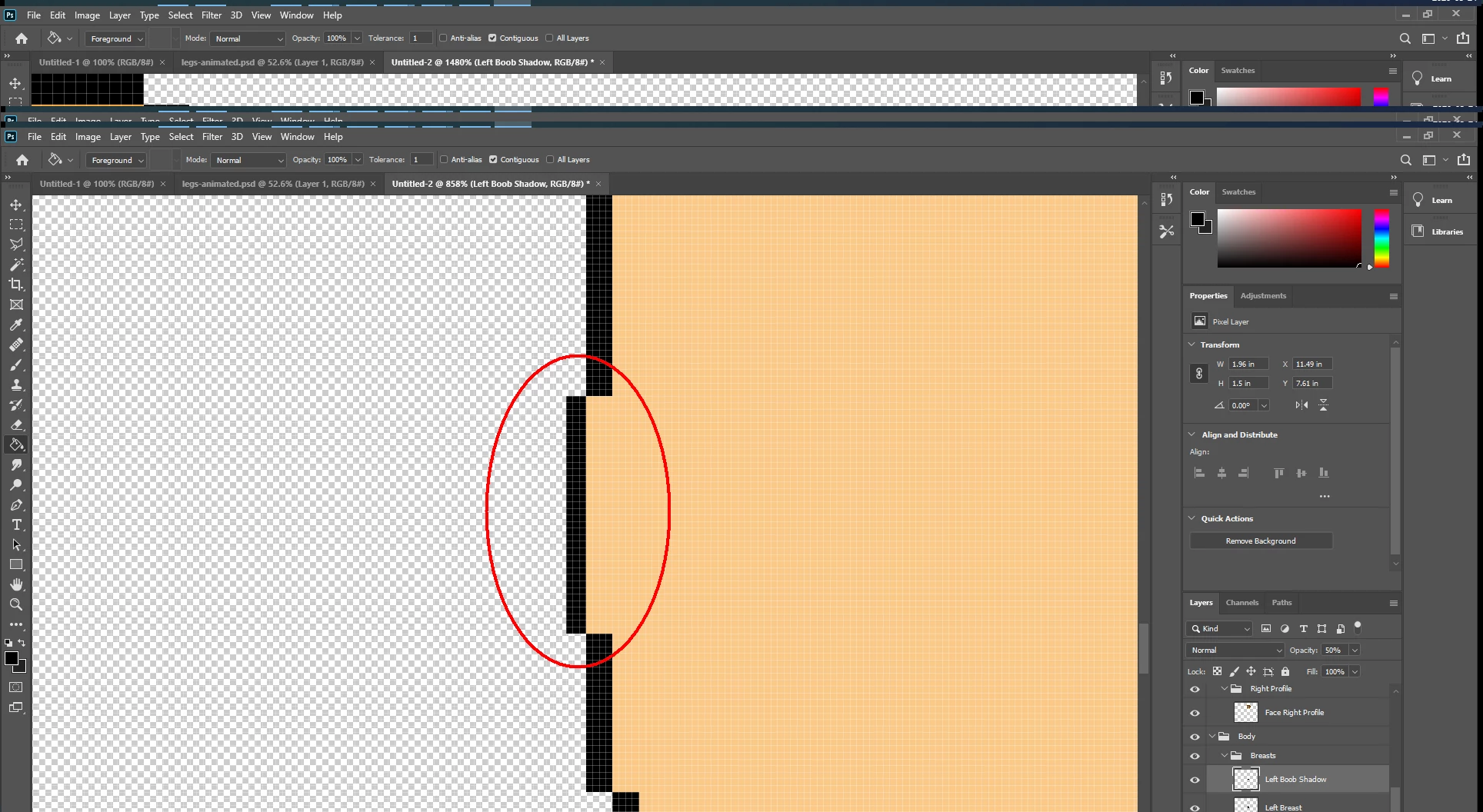
I recently noticed that if you scale everything 400% (where 1 pixel becomes 16 pixels in a 4x4 grid), it breaks a little bit on the edges of the image. It appears as though the top and left edges (user's left) produce an edge that is only 3 pixels wide. Meanwhile, the bottom and right edges produce an edge that's 5 pixels wide.
That small amount isn't breaking any of my printed artwork, but I've begun working on a digital project that's going to be scaled down 50% after this. The idea is that the finished product will be scaled up 200% from what I originally drew.
When I do this, the odd rows of pixels are creating an anti-alias effect that breaks the pixel art effect.
I'm going in and manually fixing the rows manually now, but this seemed worth reporting.
(I know my workflow of scaling up to scale down sounds insane, but I draw some pretty insane pixel art and I need to scale like this to achieve a certain effect in my project)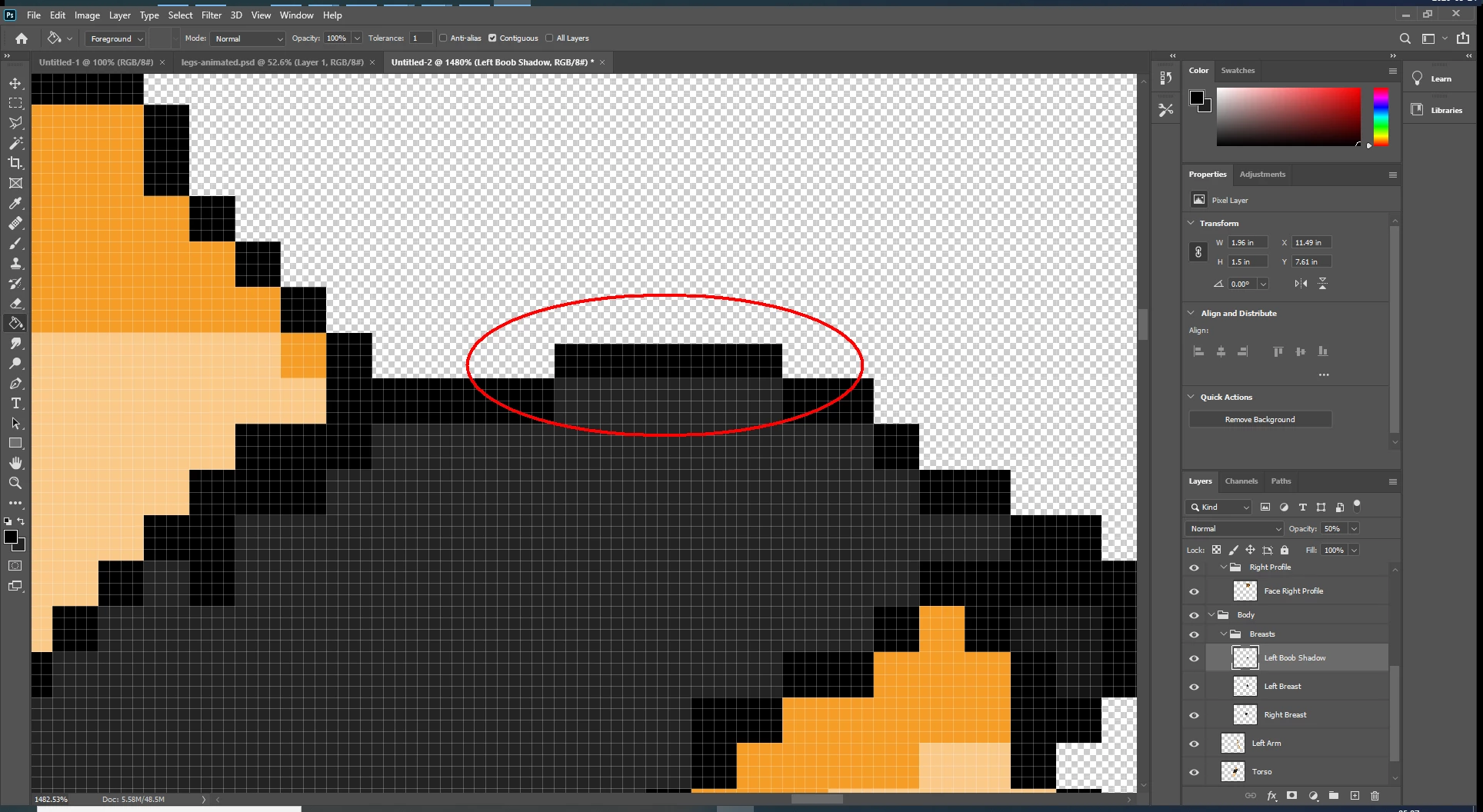
I am assuming this is a bug or some other problem. I'm somewhat new to Photoshop, so this may be a feature I can't wrap my head around. If there's a better way to scale my art up without using nearest neighbor (or settings I need to change in nearest neighbor), please let me know.
 AdChoices