
Participant
February 1, 2024
Answered

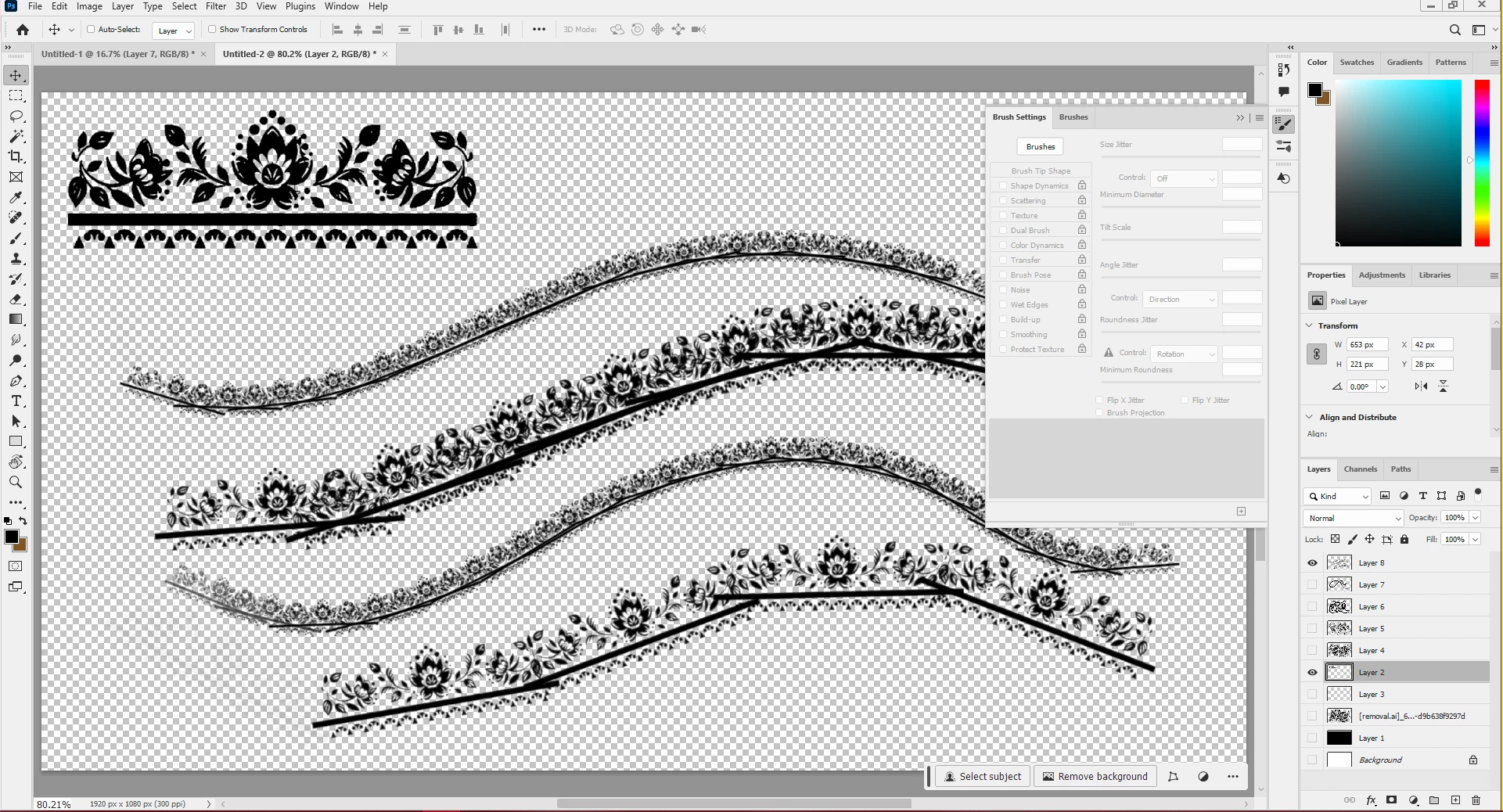
Need help getting my patterns to look smooth when painting curves.
  • February 1, 2024
  • 1 reply
  • 284 views


Hello,

I'm trying to make a brush out of the shape in the upper left corner, but every time I work with longer shapes like this I run into issues where painting curves makes the pattern look jagged and broken. Is there any way to stop this from happening, or a way to optimize the shape so that it makes smoother curves? Or is this just not Photoshop's strong suit?

This topic has been closed for replies.
Correct answer PECourtejoie

Hi, I am wondering if Illustrator would be able to stretch to fit their brushes.

1 reply

PECourtejoie
Community Expert
PECourtejoieCommunity ExpertCorrect answer
Community Expert
February 1, 2024

Hi, I am wondering if Illustrator would be able to stretch to fit their brushes.

BlissG96Author
Participant
February 2, 2024

Yeah, it seems like I might have to use illustrator or something like it to get the effect I want. Thank you for the help. 

PECourtejoie
Community Expert
Community Expert
February 2, 2024

The issue is that Ps treats the brush as a stamp, while Ai makes it flow. I'm wondering about Fresco.