
Participating Frequently
January 31, 2025
Answered

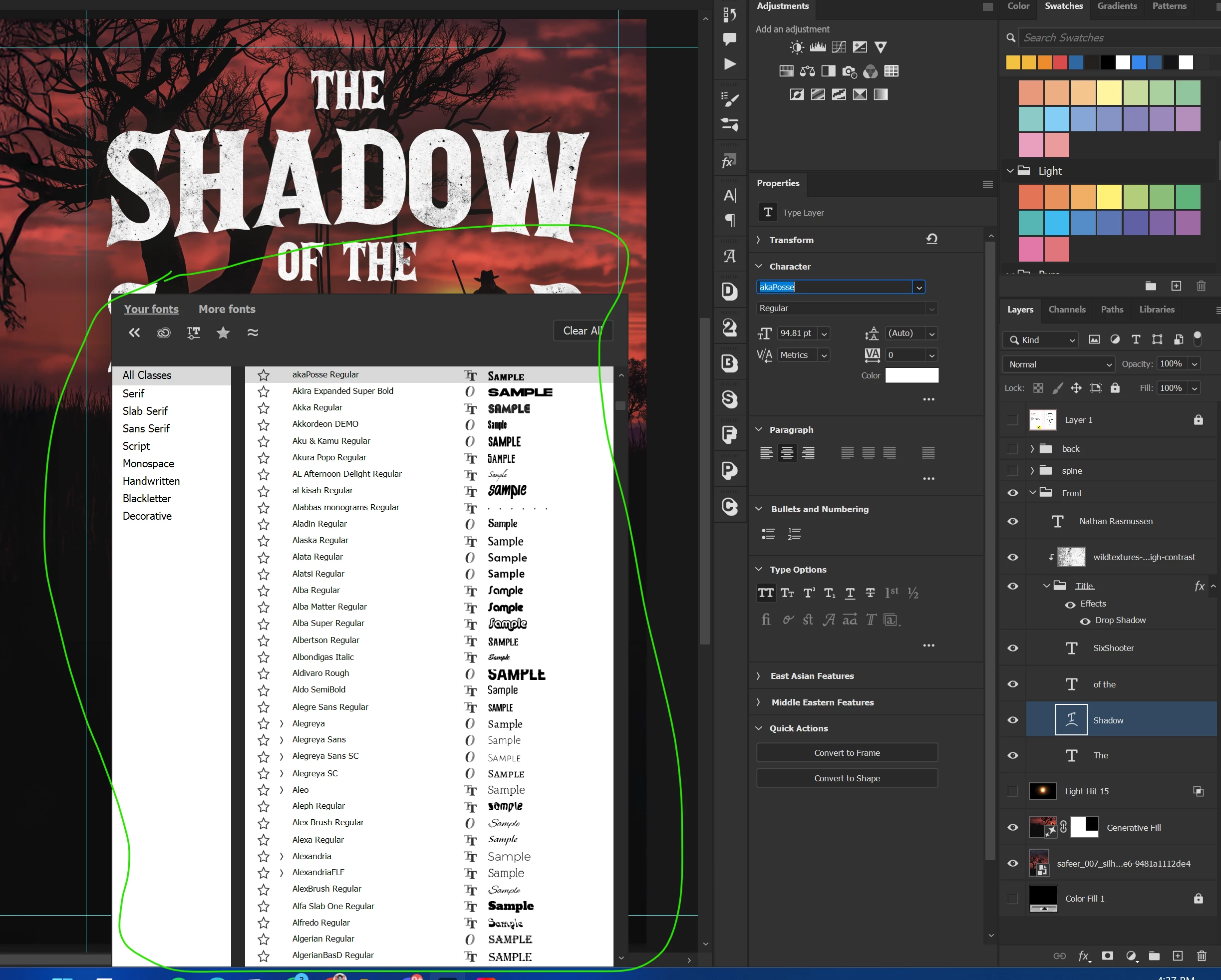
Need Help Moving Font Panel Box

  • January 31, 2025
  • 10 replies
  • 442 views

Hello everyone,


I'm experiencing an issue with the font panel box. It currently opens in front of my workspace, and I’m unable to move it to the right. I've tried dragging it, but nothing seems to work.


Previously, it used to appear alongside the character font selection panel, but I’m not sure how it ended up in this position. Does anyone know how to fix this or move the panel to a different location?

I’d really appreciate any guidance.


Thank you!
 

Correct answer davescm

Given what was said in the other thread, by Adobe staff, about it being fixed in the next release, have you tried Photoshop v26.3 which was released since then?

Dave

10 replies

Participating Frequently
February 2, 2025

Yes! Updated the Photoshop to v26.3 and it got fixed! Thanks a lot, @davescm for the help

davescm
Community Expert
davescmCommunity ExpertCorrect answer
Community Expert
January 31, 2025

Given what was said in the other thread, by Adobe staff, about it being fixed in the next release, have you tried Photoshop v26.3 which was released since then?

Dave

Participating Frequently
January 31, 2025

Thank you for the help.

Ged_Traynor
Community Expert
Community Expert
January 31, 2025
Participating Frequently
January 31, 2025

Nope, resetting the character and preferences still doesn't make a different.

davescm
Community Expert
Community Expert
January 31, 2025

@Safeer_Ahmed  Did you try the two actions I suggested earlier?

Dave

Participating Frequently
January 31, 2025


Even If I collapse the right layer panels, it still doesn't move its position, Still in front of my workplace. Its really annoying 😞

Participating Frequently
January 31, 2025


Here is how it appears with the character panel. Still in front of my workplace.

davescm
Community Expert
Community Expert
January 31, 2025

I've never seen that, but would try two things:


1. Open the character panel and click at the top right and choose reset character.


2. If that does nothing then I would reset preferences, after backing them up first.
The preference files contain a lot more than just the user set preferences and are saved every time Photoshop closes. Any corruption can lead to strange behaviours like this.
https://helpx.adobe.com/uk/photoshop/using/preferences.html

Dave

jane-e
Community Expert
Community Expert
January 31, 2025

@Safeer_Ahmed 


Instead of using the Properties panel, what happens when you use the Character panel (Window menu)?


Jane