
Participant
November 30, 2019
Answered

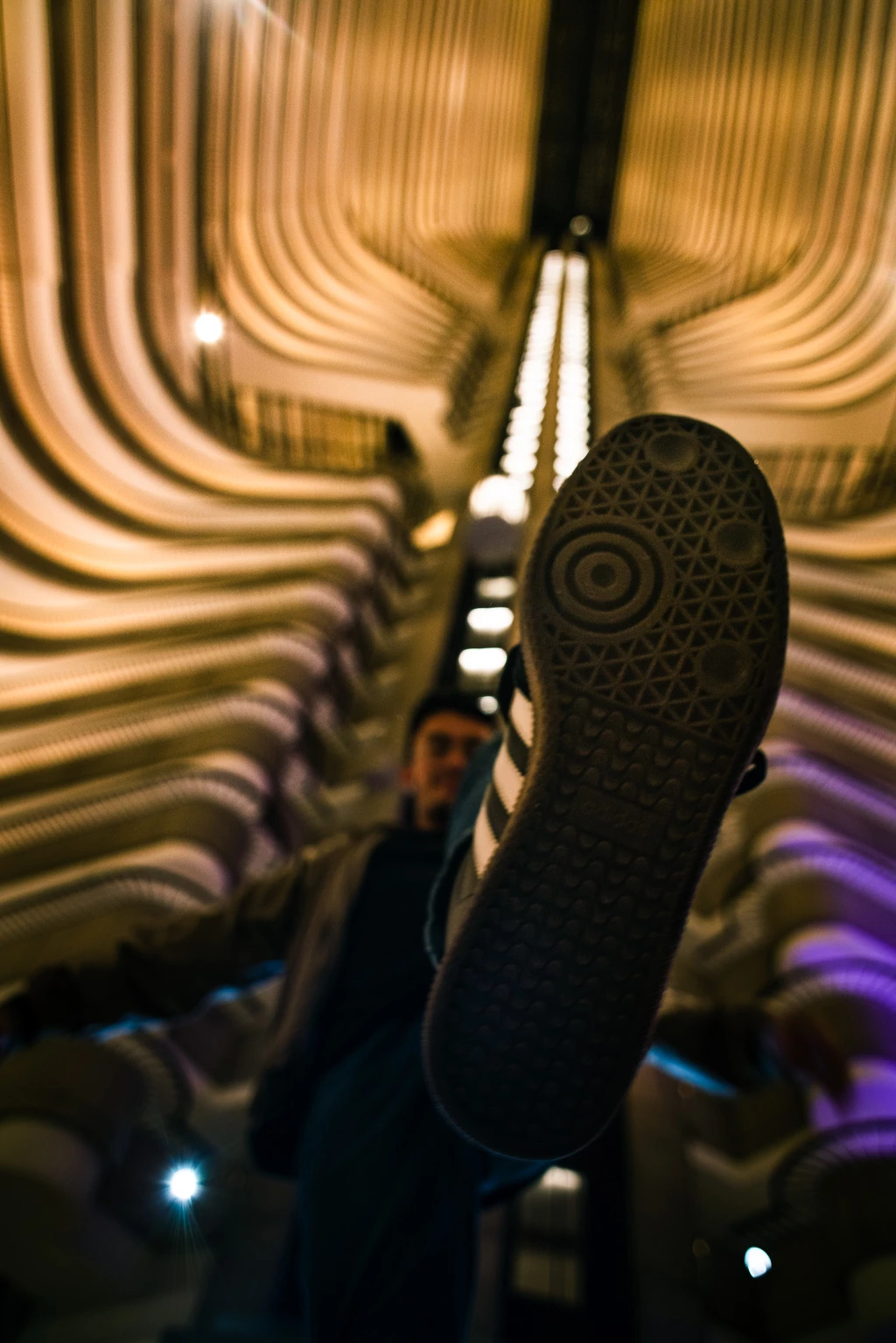
Need help removing distracting purple color from architecture in this photo!

  • November 30, 2019
  • 3 replies
  • 2229 views

In the bottom right of this photo, there is neon purple color that is shining on the otherwise golden architecture of the inside of this hotel (Mariot Marquis hotel in Atlanta, GA). I want to get rid of the purple and replace it with the same color pixels as the rest (orange/gold). I am not sure what tool to use. I tried the healing brush but it changes the pixels and not just the color! And desaturating purple just leaves an unappealing white blob. Please help!


Correct answer Simmer1

Here is a Curves Adjustment Layet technique that will work well: https://www.youtube.com/watch?v=3lL8XUUWg_Q&feature=emb_logo

Even though this is a eye bag tutorial it's great for replacing colours also.


3 replies

Simmer1
Community Expert
Simmer1Community ExpertCorrect answer
Community Expert
November 30, 2019

Here is a Curves Adjustment Layet technique that will work well: https://www.youtube.com/watch?v=3lL8XUUWg_Q&feature=emb_logo

Even though this is a eye bag tutorial it's great for replacing colours also.


davescm
Community Expert
Community Expert
November 30, 2019

An alternative way :

Add a new layer set to blending mode "Color". Then use a soft brush with either low flow (or pen pressure controlling flow). Alt+click to pick up colour from other parts of the image and paint the colour in. This will retain the luminosity of the painted area but replace the Hue and Saturation with that from the brush.

Dave

Participant
April 25, 2025

thank you

Chuck Uebele
Community Expert
Community Expert
November 30, 2019

Zoom into the pixel range, and use select color. Click on the pixels that are the most purple to make a selection. Then use either curves or hue/saturation to neutralize the purple.