
Question
Need help with creating a mockup in Photoshop
Hi everyone! I need your advice. I'm creating a mockup and want to make quick access to editable layers (smart objects layers, color editing layers) on layer panel.
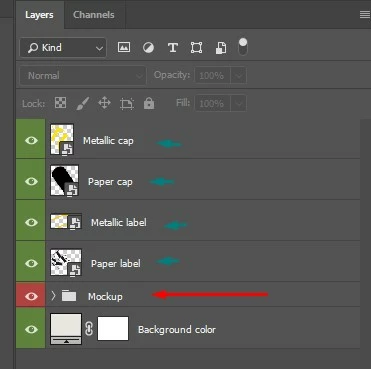
For example, how are organized layers in the mockup - freebie I've downloaded from the internet. There is a mockup folder (red color), that contains all elements and above it - all editable smart object layers (green color) pulled out of the mockup folder. So you have quick access to all of them and you don't need to search them in a long list of layers.
Question: How I can pull them over?
Message was edited by: Akash Sharma
 AdChoices