
Participating Frequently
July 2, 2024
Question

Need help with editing out objects

  • July 2, 2024
  • 3 replies
  • 478 views

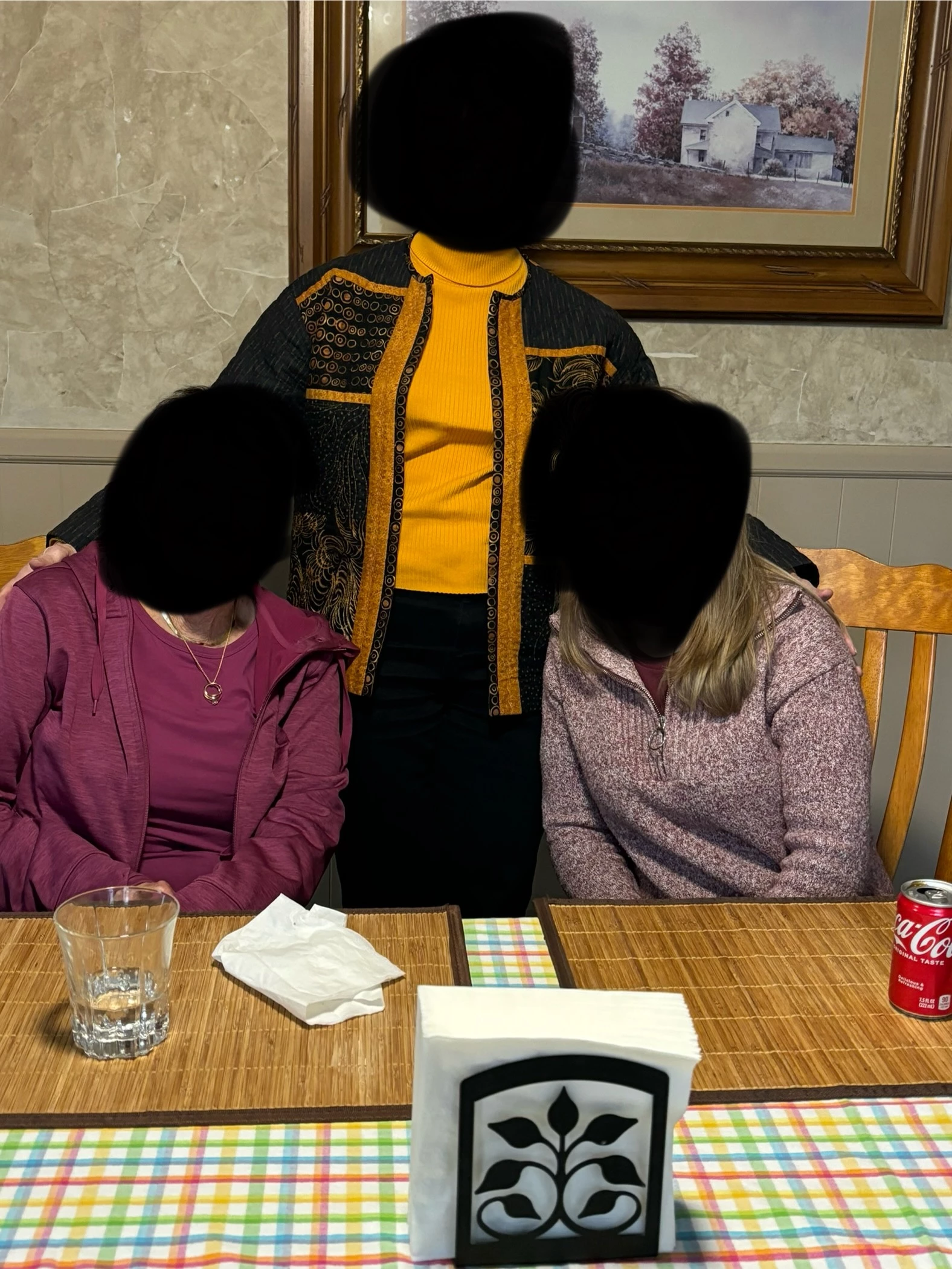
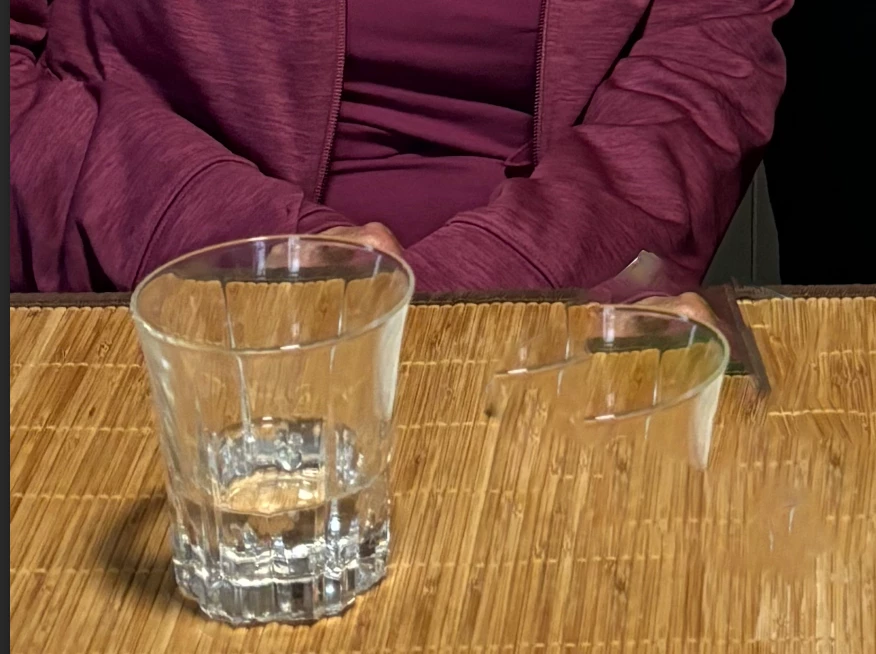
Hi! I’m trying to learn photoshop and this family photo, I want to edit out the glass, napkin next to glass, napkin holder, soda can, and place mats. I want the table to just have the checkered table cloth on it. I’ve tried using the lasso tool and using the fill tool, but it just creates this blurry image or regeneration of another object on the screen. I’ve tried the generative tool, also the spot healing brush, remove tool, and the healing brush tool. Could anyone help me?? Ive attached the original with faces blurred, and another with what’s been happening with the lasso tool and fill. Thank you to anyone who can help.
This topic has been closed for replies.

3 replies

jane-e
Community Expert
Community Expert
July 9, 2024


Since you don't want the placemats and don't have much of the tablecloth, here's a second idea:


Use a layer mask to hide the entire table and everything on it (non-destructive editing). Start a little higher to include the tops of the glass and Coke.  You'll lose a very small amount of their arms, but not much.


Then replace it with a pattern that looks like a table cloth.


Jane


melissapiccone
Community Expert
Community Expert
July 9, 2024

Generative Fill. Just select the parts to remove, leaving the table cloth alone. then click Generative fill, don't type anything and click it again. 

Melissa Piccone | Adobe Trainer | Online Courses Author | Fine Artist
Kevin Stohlmeyer
Community Expert
Community Expert
July 2, 2024

@SunflowerMindGoat try using the Remove Tool. Encircle and remove the glass first, then the napkin. 


Kevin Stohlmeyer
Community Expert
Community Expert
July 2, 2024

Obviously you can do more to blend the areas in to the remaining bamboo but this was a rough proof of concept.

Participating Frequently
July 9, 2024

Thank you!!