

heximatv
Participant
October 10, 2023
Answered

Need help with recreating smooth photoshop brush!

  • October 10, 2023
  • 2 replies
  • 705 views
I am trying to recreate this smooth, flowing brush I downloaded from the internet. It has a perfect gradience, and smooth edges. I for some reason cannot recreate it using all types of transparency gradience. Maybe its not the shape but the settings? Anyone with really good understanding of custom brush design could guide me on what I am doing wrong?
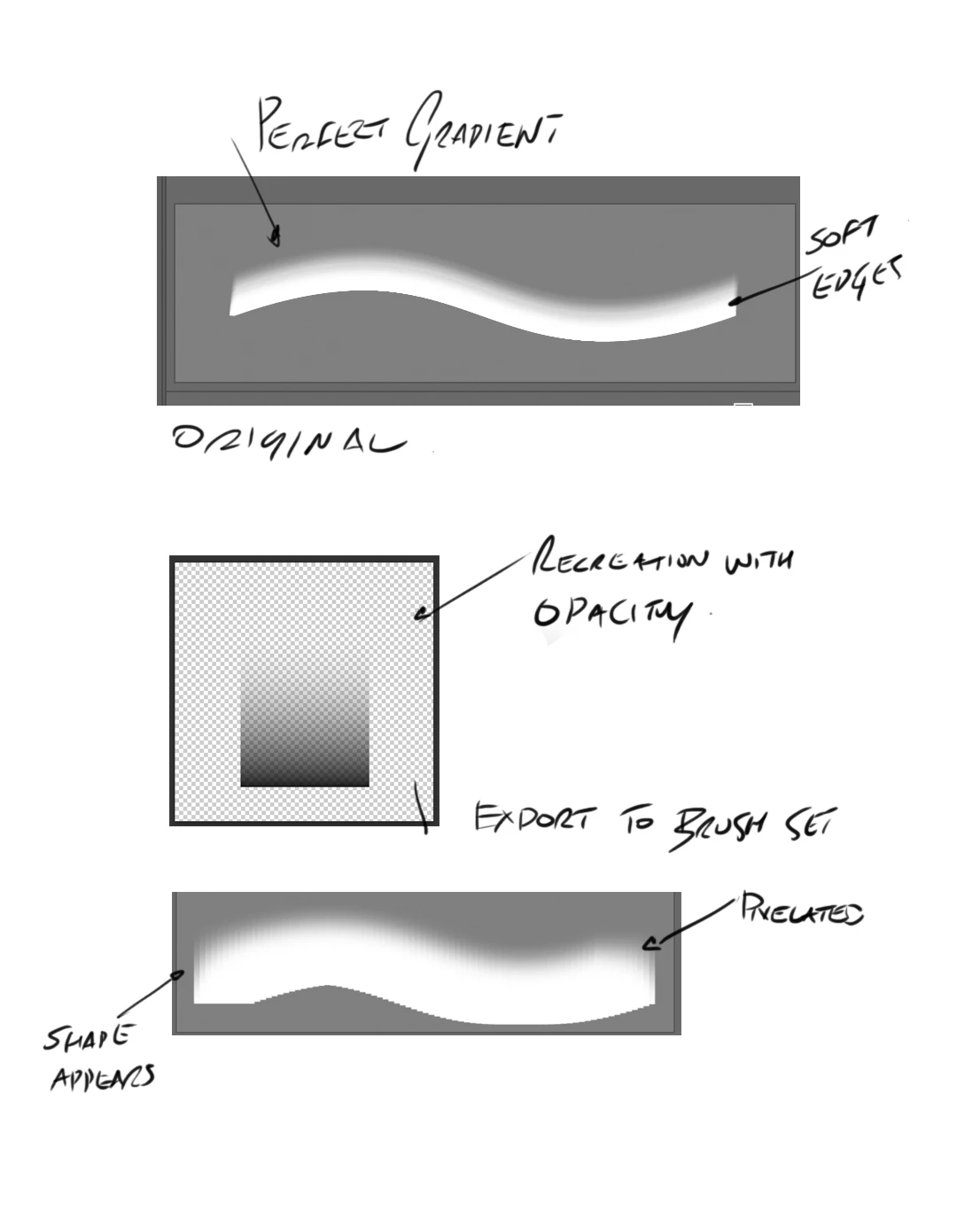
I have attached an image of the original and my attempt at recreating it.
This topic has been closed for replies.
Correct answer Trevor.Dennis

Whoops, I forgot to say that with Color Dynamics, you need to set Foreground and Background colours to something other than black and white.  The brighter and more saturated the better.

2 replies

Trevor.Dennis
Community Expert
Community Expert
October 18, 2023

Start with a fully hard round brush with opacity 100% and space set to 1%

In Shape Dynamics set Size Jitter > Control to 200 (you can try different values later).

On a new layer hold down the Shift key, click and drag up.

That will produce the stroke below.  If it is any longer, check spacing is at 1%.

OK, Define a new brush preset.


That will create a stroke something like this.  Keep spacing low, 1% — 5%

Jazz it up a bit by setting size jitter to Pressure.

Lets go crazy:

In Scattering set Count to 5

in Color Dynamics (Note: Apply Per Tip is a good one to remember as it is make or break with a lot of brush settings.)


Back in Shape Dynamics, Angle Jitter is a good one to play with.  Try adding so Scatter Jitter to this.


And one that is not going to work particularly well with this particular preset, Angle Jitter to Direction.

It worked better than I expected.  I think because Count is set quite high.


Trevor.Dennis
Community Expert
Trevor.DennisCommunity ExpertCorrect answer
Community Expert
October 18, 2023

Whoops, I forgot to say that with Color Dynamics, you need to set Foreground and Background colours to something other than black and white.  The brighter and more saturated the better.

Kevin Stohlmeyer
Community Expert
Community Expert
October 17, 2023

Hi @heximatv go to your brush settings and turn your "smoothing" setting all the way down. Default is 20.