
Need help with select-subject issue!
Hi Everyone:
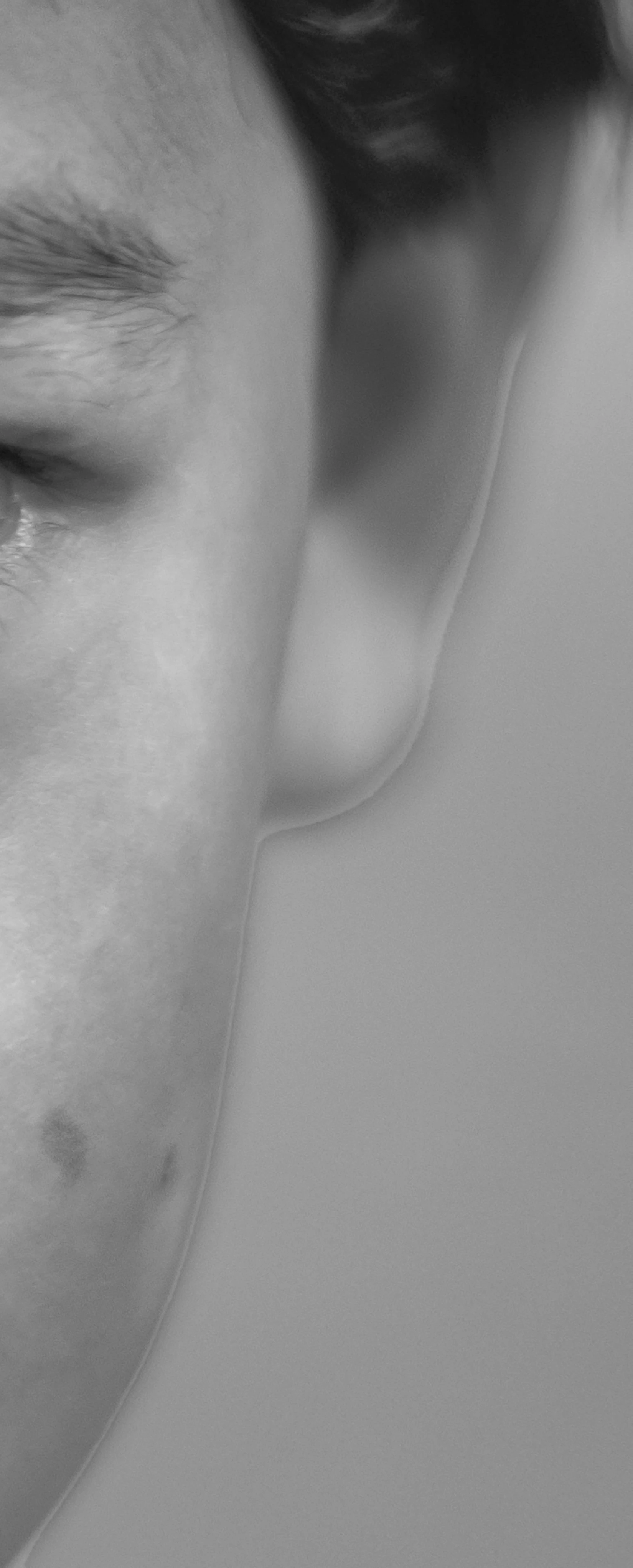
I am having difficulty with the select-subject-invert function in Photoshop. I have portraits whose backgrounds I want to darken, so I isolate the portrait with select-subject, and then invert so that i could manipulate only the background. The problem is that the outline of the select falls short of encapsulating the entire figure so i get an artificial looking border, which is difficult to hide. Please see below (ear mostly, but when enlarged you can also see it at edge of the face). This is very frustrating. I think it is because my DOF is shallow and so the edges of the face look mushy and the select function has trouble knowing where the edges are. The shallow DOF is integral to the types of pictures that i am taking. I would appreciate any help in terms of how I can avoid this problem and possible alternatives if I cannot do anything about it! Thanks a bunch,
-Charles
 AdChoices