
Participant
December 7, 2021
Question

Needs Help - Content Aware Pen Tool turning into a brush stroke

  • December 7, 2021
  • 3 replies
  • 217 views

I had a simple idea in mind and thought I would give it a shot but I seem to be having issues at the first hurdle. Im not an expert in photoshop but I was testing out the 'Content Aware Tracing Tool' thing and was hoping to select the simple outlines (I will use Bender as an example)
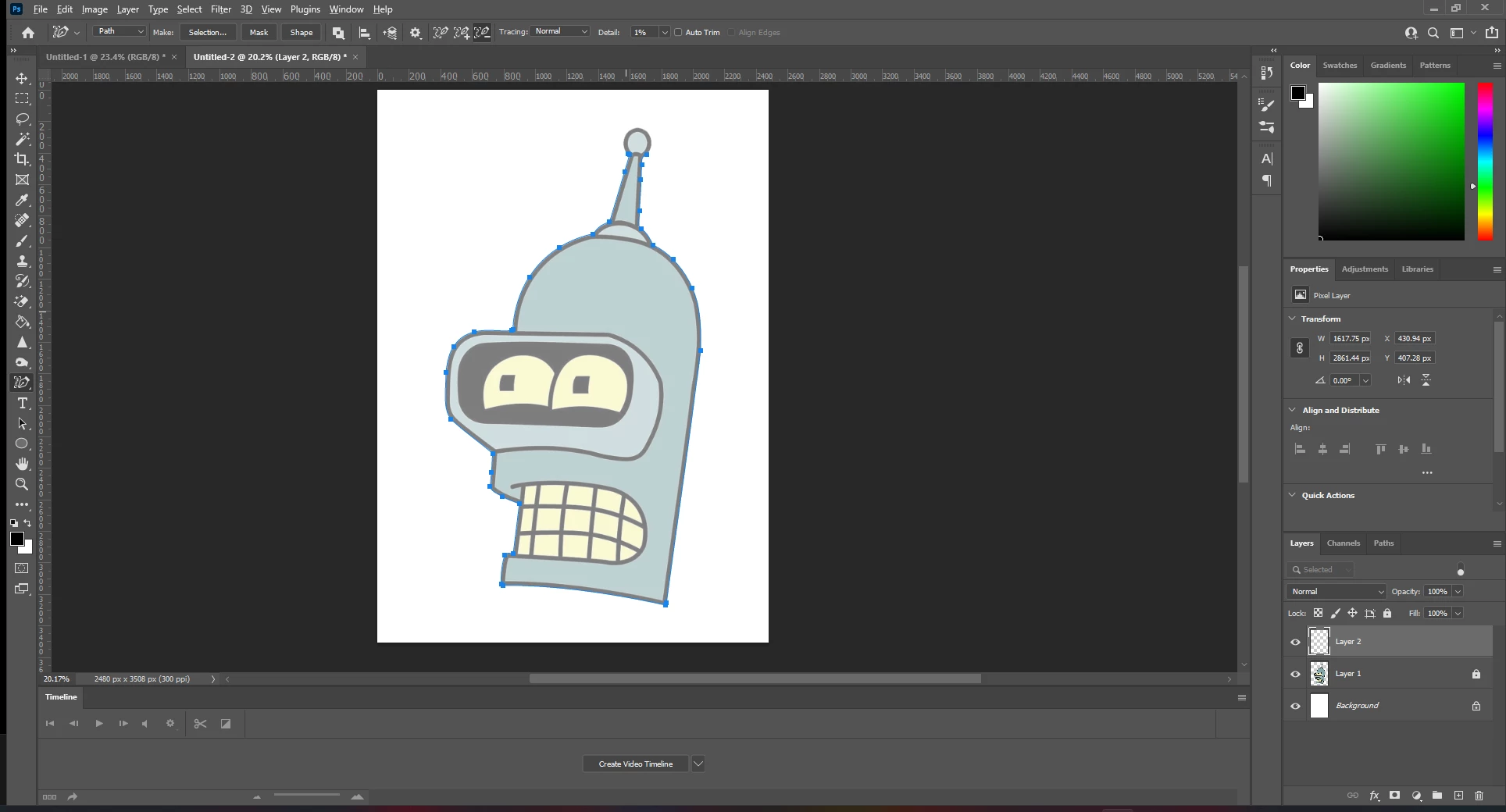
As you can see below, after I used the Pen tool I then went on the Paths layer to hopefully select the outline and add a stroke on it. However -  the stroke option will not show up. I have got it to work once but I'm not sure how?  
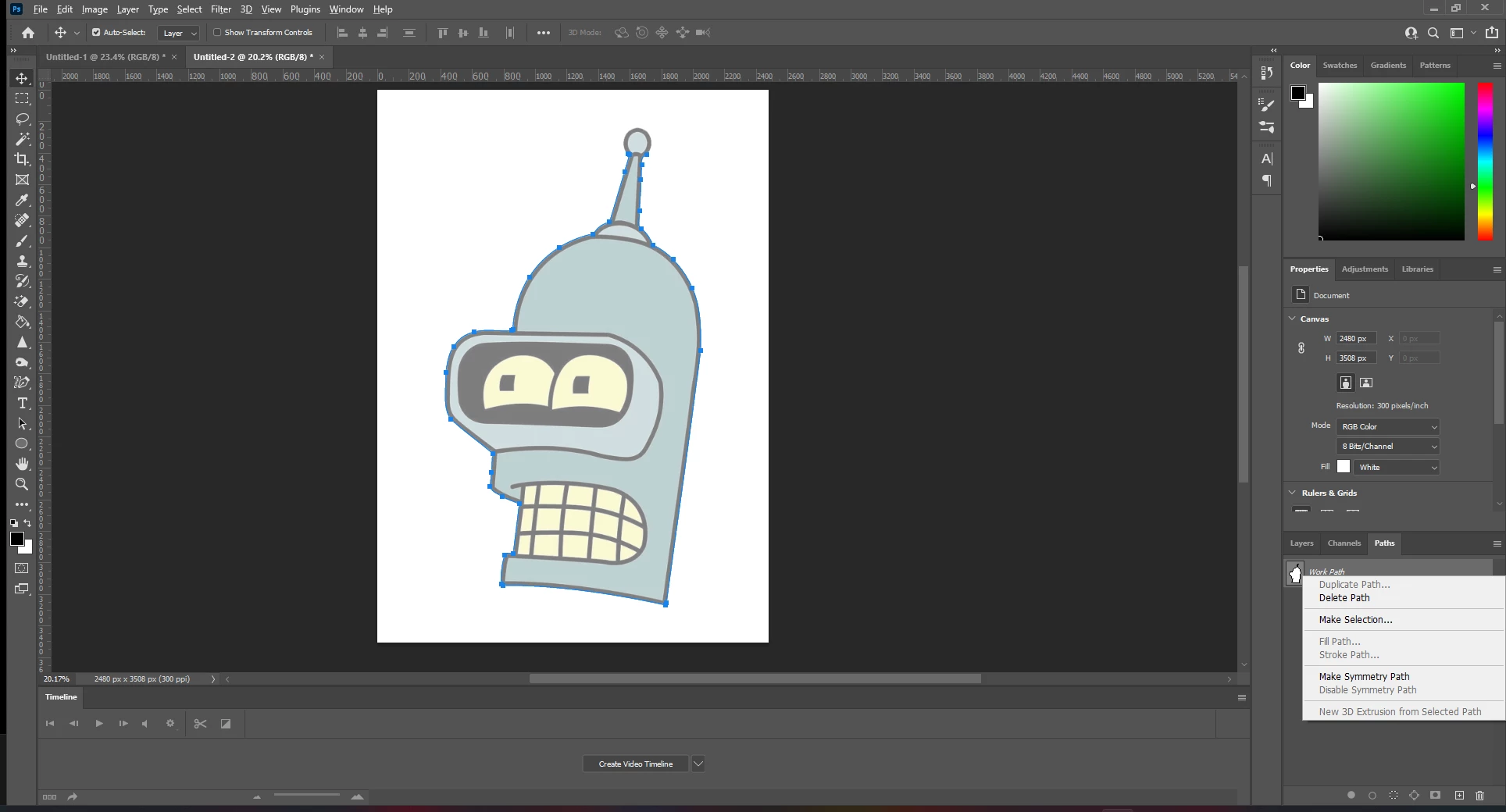
 

Does anyone have any ideas and suggestions or am I just missing something simplistic?

Many Thanks ♥


This topic has been closed for replies.

3 replies

JJMack
Community Expert
Community Expert
December 7, 2021

I think you are describing Adobe Drawing  Pen Tool.  I did not find it very useful and removed it from my tool bar. Contact aware drawing pen tools  It may be my machine is slow so it does not perform the way it is designed to. It seem to be better now in 23 adding a temp level adjustment  to increase the edge contrast help the tool, You should be able to outline what you want  perhaps  with some gaps you can connect  by holding the shift key down.  

JJMack
PECourtejoie
Community Expert
Community Expert
December 7, 2021

Hi, once you have drawn the outline, click on the shape button in the option bar (seen on your first image), then give it a no fill and the wanted stroke, if you want to keep said stroke as a vector.

Ged_Traynor
Community Expert
Community Expert
December 7, 2021

Hi

You need to select the Pen Tool to be able to stroke the Path, select the Pen Tool and just right click to stroke the Path