
Inspiring
June 21, 2022
Answered

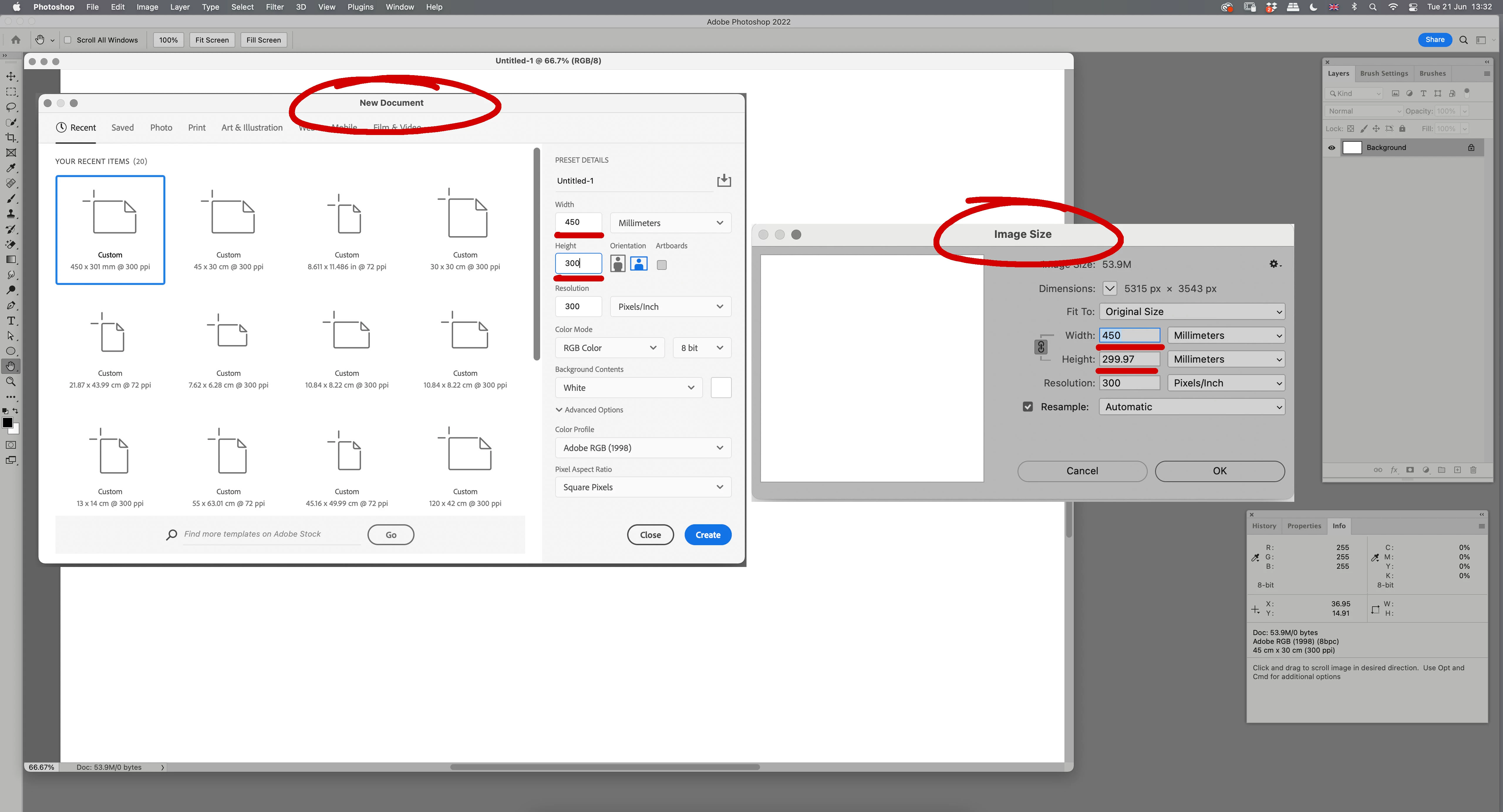
New Document dimensions not the same as Image Size.

  • June 21, 2022
  • 1 reply
  • 332 views
Please can someone clarify this for me.
When making a New Document with specific height & width and then viewing the Image Size in Photoshop, the dimensions are not the same - it is always out by a fraction. (Mac 11.2, Photoshop 2022 fully updated)
This topic has been closed for replies.
Correct answer davescm

Photoshop works in whole pixels. There cannot be partial pixels.  Your document size is 300mm high at 300 pixels per inch.

That means the document would need to be 300 x 300/25.4  = 3543.3 pixels high. Rounded to whole pixels that is 3543 and therefore measures 25.4 x 3543 / 300  = 299.97mm high.

If you are going to work in metric measurements then use pixels /cm to avoid rounding


Dave

1 reply

davescm
Community Expert
davescmCommunity ExpertCorrect answer
Community Expert
June 21, 2022

Photoshop works in whole pixels. There cannot be partial pixels.  Your document size is 300mm high at 300 pixels per inch.

That means the document would need to be 300 x 300/25.4  = 3543.3 pixels high. Rounded to whole pixels that is 3543 and therefore measures 25.4 x 3543 / 300  = 299.97mm high.

If you are going to work in metric measurements then use pixels /cm to avoid rounding


Dave

Inspiring
June 21, 2022

Many Thanks! So glad you confirmed my suspicion.

________________________________

----------------------------------------------------------------------------------
Tshwane University of Technology
----------------------------------------------------------------------------------
This email is sent and received in terms of the Electronic
Communications Policy of Tshwane University of Technology.
In line with this policy, this email is private, privileged and
confidential. The full text of the Electronic Mail Disclaimer
can be seen on the TUT web site at


[Website and phone removed by moderator. Be careful with email replies in a public forum.]