
Newbie question: Change Background colour and keep original shadow
Hi everyone,
I am very new to photoshop and find myself stuck (Even after watching 1million youtube videos)
Can anyone help? (And talk in Newbie Photoshop lingo)
I have an image that I need to change the background colour (This I seem to be able to do) and keep the original shadows (This is what I am struggling with)
Here are the Screenshots of how far I have come:
1. Using the quick selection tool - I then 'select subject'

2. I then use the brush tool to get the best selection of the image
(no image)
3. Then I choose colour adjustment - select 'solid colour'
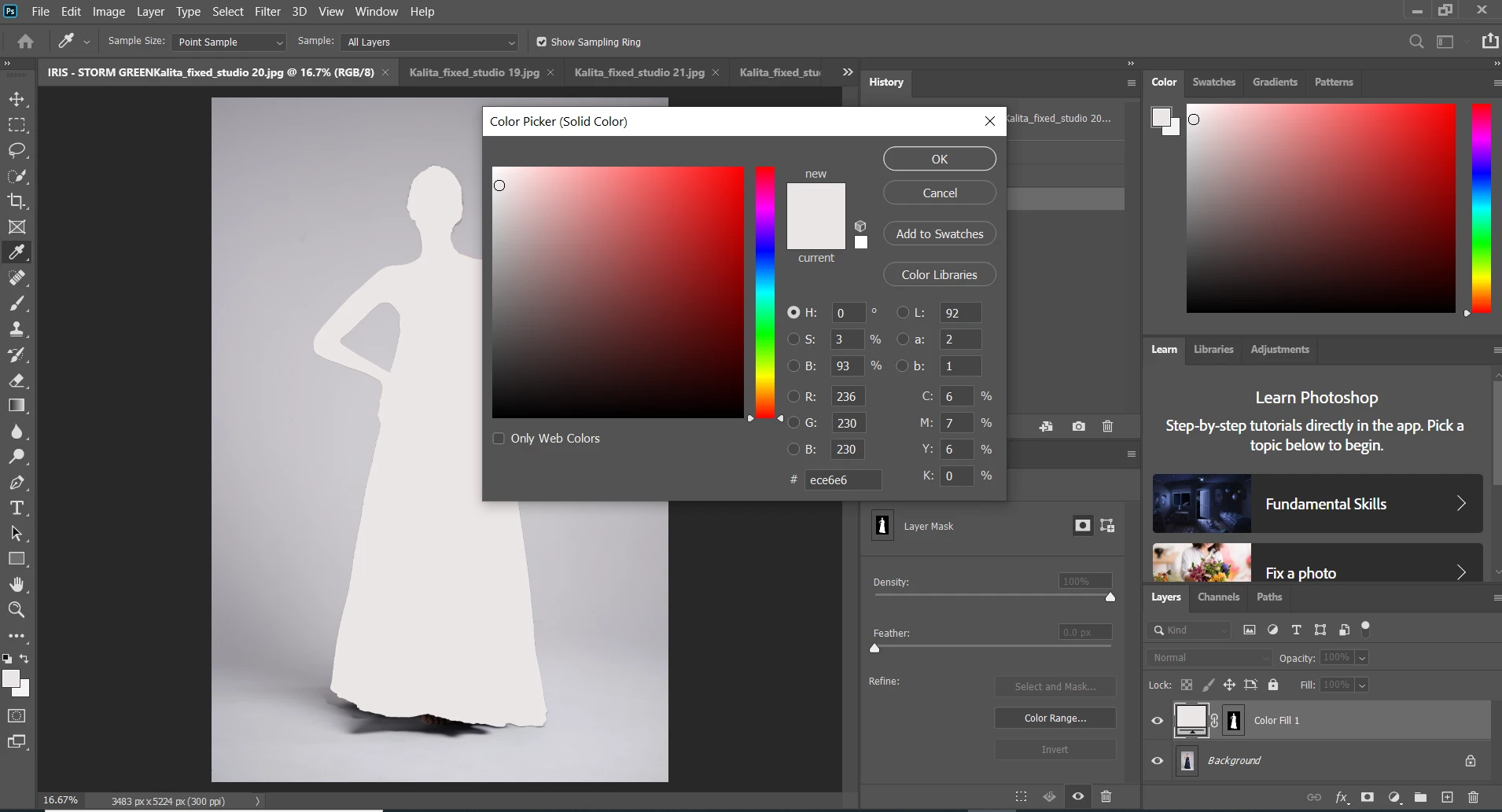
4. I then click on the layer mask - properties - invert.

5. I then go to layers and click on 'Multiply'
- this brings the shadows back, but also the old background colour. So I am back at what looks like the original image.

What am I missng here?
Can anyone help?
Thanks a million!
 AdChoices