Participant
December 28, 2020
Resuelto

No colors in photoshop

  • December 28, 2020
  • 2 respuestas
  • 725 visualizaciones

Hey,

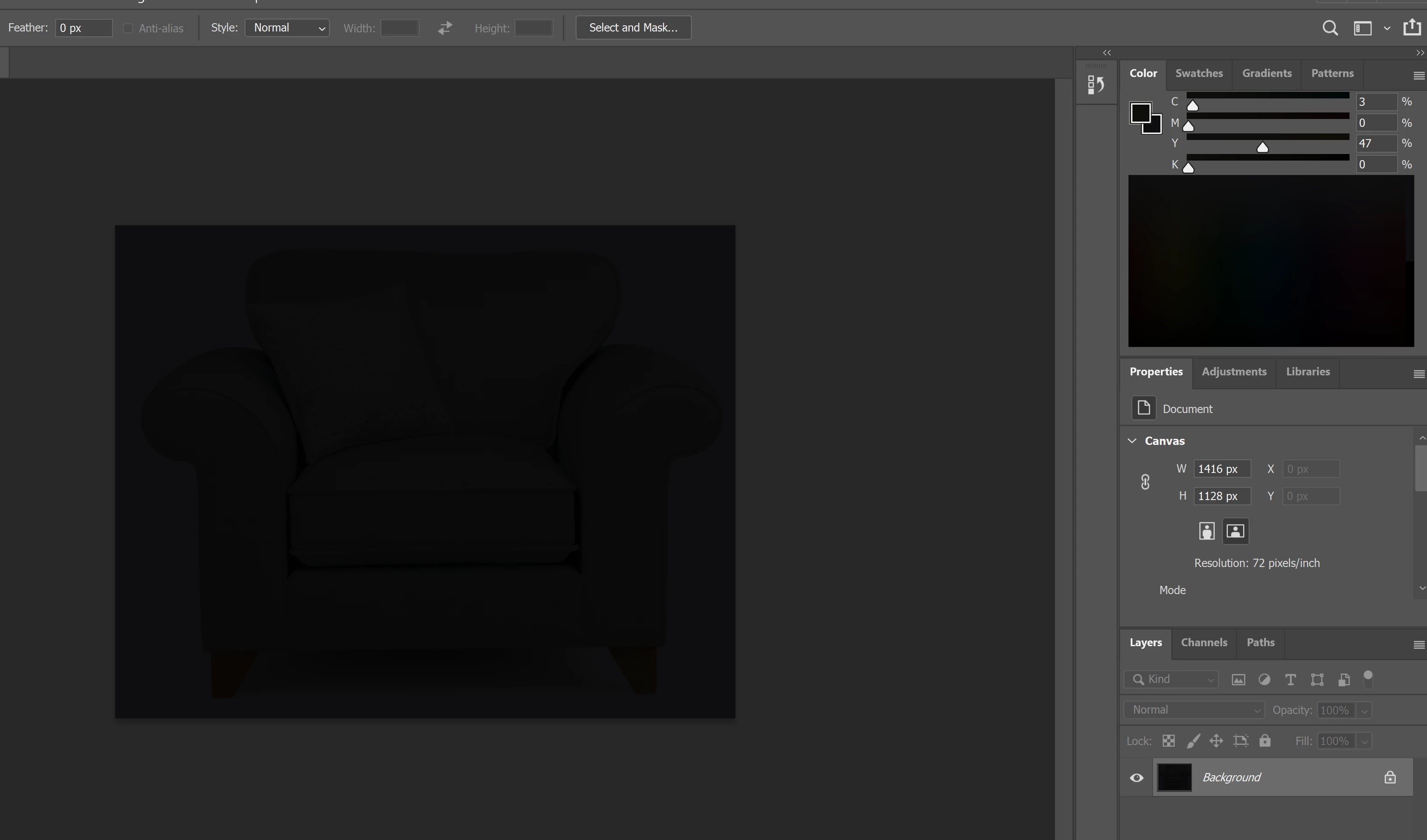
I have a problem with PS, that all the colors are black (screenshot is attached).

If I'm trying to open a photo, for example, there is a black shade on it and the photo is hidden in the background. 

I checked the setting several times and compared it to other working PS on other computers and everything is as it should be.

Also, I uninstalled it a few times and nothing has changed.

Any help will be great!
 

Este tema ha sido cerrado para respuestas.
Mejor respuesta de D Fosse

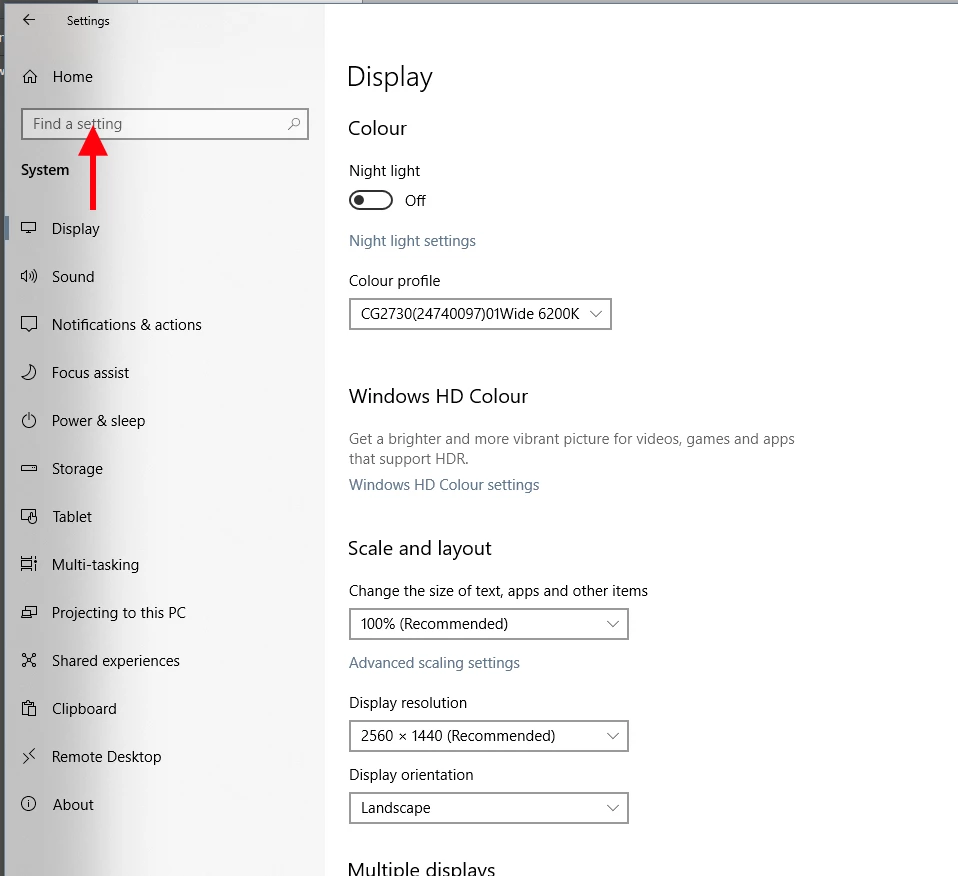
Ah, yes, they seem to be migrating everything from the old "control panel" to the new "settings" interface.


To get to the dialog I posted, open Settings > System > Display and type "color management" - or colour management if UK English, or whatever language you're in - into the search box. Then it comes up:


You can change monitor profile directly from the Settings rolldown above - but you (still) can't add profiles by browsing, and you may need to do that. But if sRGB IEC61966-2.1 is in the color profile rolldown, you can just set it here. All this will probably be better integrated in the future.

2 respuestas

D Fosse
Community Expert
Community Expert
December 28, 2020

Most likely a defective monitor profile.


If you're not using a calibrator (which is the optimal way to deal with this), many laptop/monitor manufacturers distribute their own monitor profiles through Windows Update, and these profiles are very often defective/incorrect in various ways.


Replace your current monitor profile with sRGB IEC61966-2.1. It won't be entirely accurate, but better than a broken profile. Relaunch PS when done, it loads the profile at application startup.

Participant
December 28, 2020

Hey!

Thank you for the reply, unfortunately, I didn't manage to change it. It seems different on my computer.

I'm attaching a screenshot maybe you'll be willing to explain to me how to do it 🙂

Also, I don't know if it makes any difference but other Adobe programs work normally with the colors and everything. 

Thanks a lot! 

D Fosse
Community Expert
Community Expert
December 28, 2020

Thank you so much!!! it's working now 🙂

I was trying to fix it for a while now!

Thanks again !!! 


🙂


c.pfaffenbichler
Community Expert
Community Expert
December 28, 2020

Does turning off »Use Graphics Processor« in the Performance Preferences (Photoshop > Preferences > Performance > Graphic Processor Settings) and restarting Photoshop have any bearing on the issue? 


What have you done for trouble-shooting so far? 

Restoring Preferences after making sure all customized presets like Actions, Patterns, Brushes etc. have been saved might be a good starting point:

https://helpx.adobe.com/photoshop/kb/basic-trouble-shooting-steps.html

Participant
December 28, 2020

Thank you, unfortunately, it's not the problem, already tried it before.

Thanks a lot anyway!