
jaswinder0D45
Participant
May 10, 2021
Question

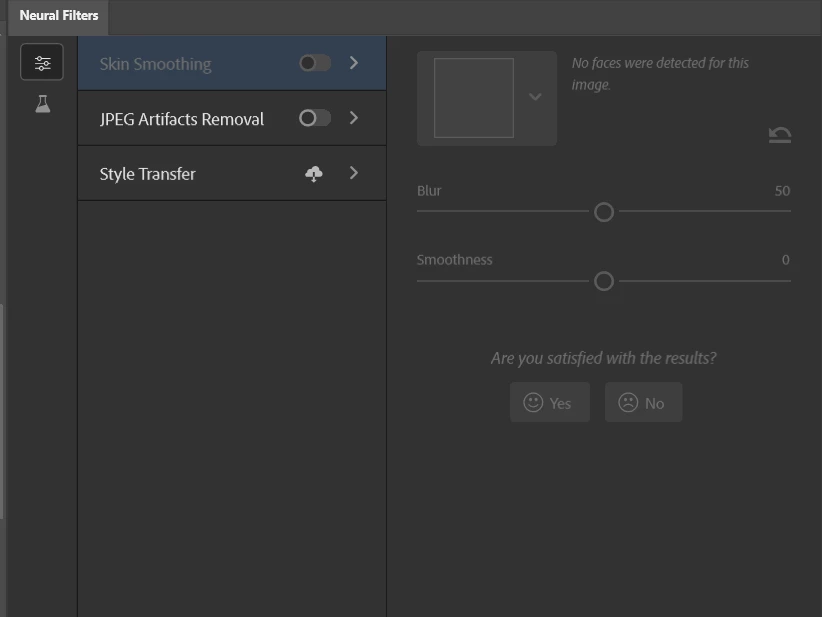
No faces were detected for this image - Skin smoothing-Neural filter
  • May 10, 2021
  • 2 replies
  • 13653 views

Please help me to solve this issue. It's a clear portrait photo.


Thanks 

This topic has been closed for replies.

2 replies

Participating Frequently
September 3, 2021

I can't find the skin smoothing neural filter in Photoshop under filter.  How do I get it?  I have the latest update in creative cloud.

JJMack
Community Expert
Community Expert
September 3, 2021

Photoshop 22.5

JJMack
Participating Frequently
September 10, 2021
I don't see the neual filter option under my filters!
How do I get it?
JJMack
Community Expert
Community Expert
May 10, 2021

Where is the Image? Let us see your clear portrait image so we can test if Photoshop's neural filter will detect a face on our machine. Is your a global problem for all image on your machine or that image or a problem on machines like yours? Is it you Image content? It finds faces on my machine.

JJMack
jaswinder0D45
Participant
May 10, 2021

I edited with luminar AI. it detected very perfectly and accurate

JJMack
Community Expert
Community Expert
August 12, 2021

I'm having issues with the Neural Filter also.  It's not detecting everybody in the shot.

If I crop in a bit tighter, it works, but when done like the example shot, it doesn't find everyone.

And I had another pic where the lady on the left was not found.


Any ideas?  Or are there still some bugs and kinks to work out?


Face detection is not perect and image content and quality  is important . I used neat image to remove some noise and sharpen your image.  then all faces were detected. by Photoshop.


The image you posted unaltered that face was detected on my machine


JJMack