
Participant
May 4, 2024
해결됨

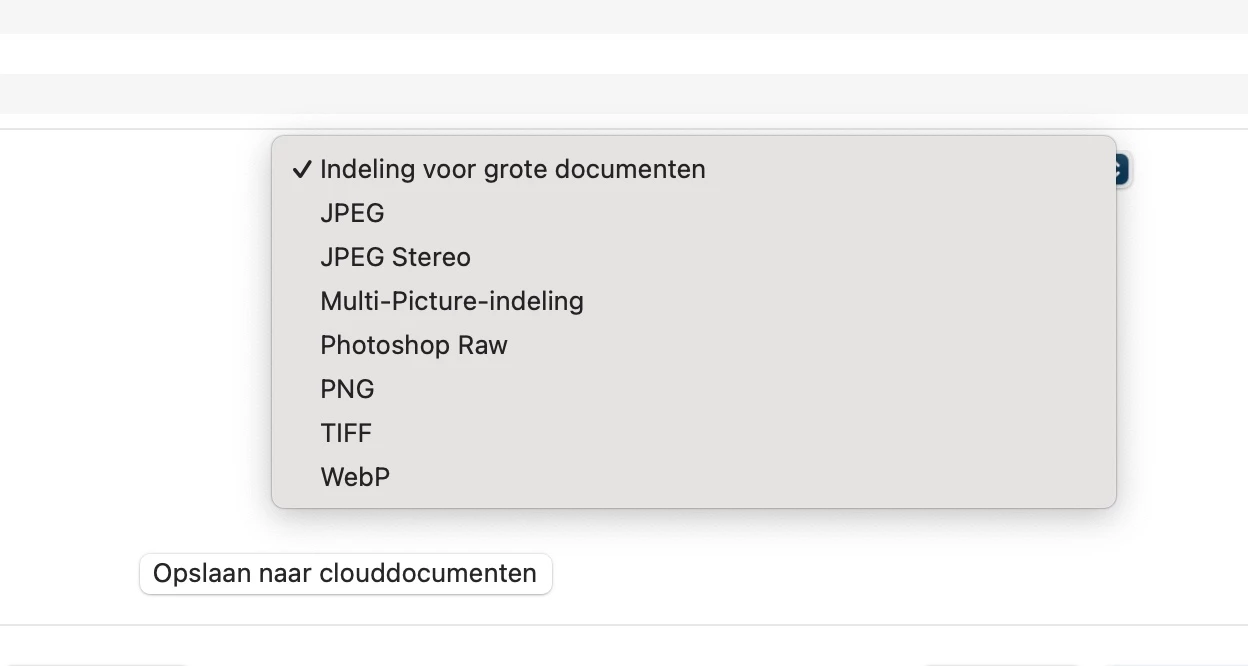
no option to save file as photoshop pdf

Hi, i just got a new mac desktop and installed the newest photoshop. No i dont have the option to save a file as a photoshop pdf anymore. I think its because the files are to big? But i didnt have this issue before. I could save every document as a photoshop pdf file. I allready set the settings to an older version but that doesnt change anything. I use photoshop to make my files smaller, they have to many pixels. Does anybody have a tip to make the pixels less without loosing quality or how to fix the problem that i have?  Sory for my english. Im dutch. Thanks 
이 주제는 답변이 닫혔습니다.
최고의 답변: jane-e


@Laura24354732q75s 


You can either use "Save a Copy" or you can make a change in Preferences.


As of 22.4.1, you can find png, jpg, pdf, etc., in Save a Copy.
As of 22.4.2 you can revert to the previous behavior in Preferences > File Handling > File Saving Options:

  • Enable Legacy Save As
  • Do not append Copy to filename


 Jane 


3 답변

Stephen Marsh
Community Expert
Community Expert
May 5, 2024

Also ensure that there are no greater than 30,000 pixels on the longest edge.

Peru Bob
Community Expert
Community Expert
May 4, 2024

The solution given by jane-e is correct, and the "why it was done" is here:

https://petapixel.com/2021/05/18/photoshops-save-as-function-has-changed-on-mac-heres-why/ 

jane-e
Community Expert
jane-eCommunity Expert답변
Community Expert
May 4, 2024


@Laura24354732q75s 


You can either use "Save a Copy" or you can make a change in Preferences.


As of 22.4.1, you can find png, jpg, pdf, etc., in Save a Copy.
As of 22.4.2 you can revert to the previous behavior in Preferences > File Handling > File Saving Options:

  • Enable Legacy Save As
  • Do not append Copy to filename


 Jane