
Answered
not compatible
I am currently running the newest update from windows yet cannot update to the current photoshop as it tells me my computer is not running the current release. So confused. Can anyone guide me?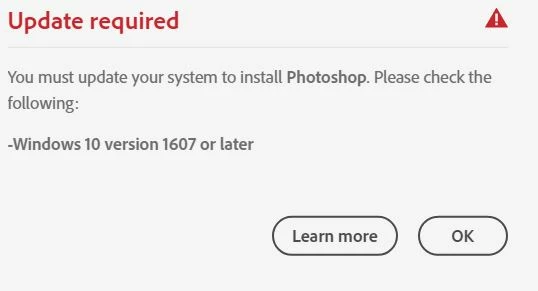

I am currently running the newest update from windows yet cannot update to the current photoshop as it tells me my computer is not running the current release. So confused. Can anyone guide me?
Is your system up-to-date. All patches and updates installed?
I suggest a complete and clean reinstallation.
Please follow the steps below:
if you're unable to install the cc desktop app at this stage, use an administrator account (solution 4 here, https://helpx.adobe.com/creative-cloud/kb/creative-cloud-missing-damaged.html)
Thank you everyone for your help! Remote Adobe tech helped and has resolved my issue..Evidently I was corrupt! 🙂
Already have an account? Login
Enter your E-mail address. We'll send you an e-mail with instructions to reset your password.
 AdChoices