Participating Frequently
January 7, 2019
Answered

Novice Question - How do I add a Tool to the Toolbar?

  • January 7, 2019
  • 3 replies
  • 2063 views

I want to add the Spot Healing Brush but don't know how the heck to do so.  I have CC 2019...  Thanks.

    This topic has been closed for replies.
    Correct answer Trevor.Dennis

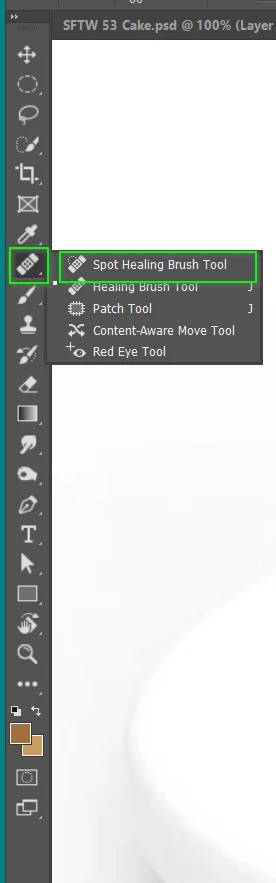
    In the Essentials workspace, the Spot Healing brush is the fly-out list
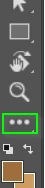
    You can edit the tool bar by clicking on the three dots towards the bottom and clicking on Edit Toolbar
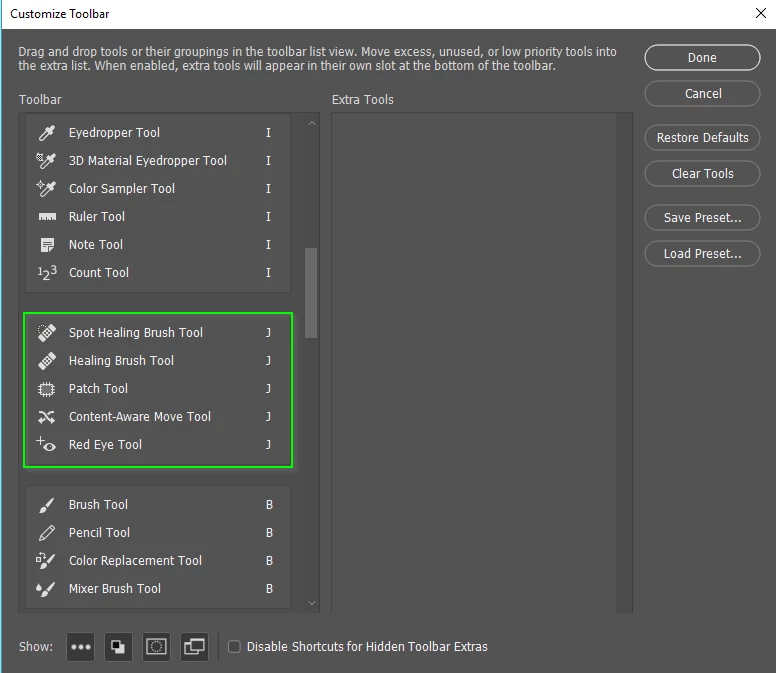
    You can see the spot healing brush in its group
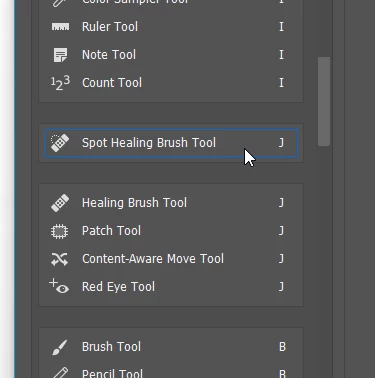
    Or you can drag it out of its group so it shows as not part of a group
    With your new toolbar, make a New Workspace, and check all the options. 
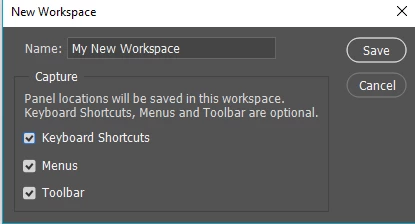
    This is my own default custom toolbar saved with my triple monitor workspace

    3 replies

    Sebastian Bleak
    Community Expert
    Community Expert
    January 7, 2019

    Check out this video by Terry White

    How to Customize the Tool Panel in Adobe Photoshop CC - YouTube

    Hope you find this helpful

    Trevor.Dennis
    Community Expert
    Trevor.DennisCommunity ExpertCorrect answer
    Community Expert
    January 7, 2019

    In the Essentials workspace, the Spot Healing brush is the fly-out list

    You can edit the tool bar by clicking on the three dots towards the bottom and clicking on Edit Toolbar

    You can see the spot healing brush in its group

    Or you can drag it out of its group so it shows as not part of a group

    With your new toolbar, make a New Workspace, and check all the options. 

    This is my own default custom toolbar saved with my triple monitor workspace

    Participating Frequently
    January 9, 2019

    super and thanks.  Being new to PS, I was not aware of the flyout option.  Thanks again!!

    Sjaani
    Community Expert
    Community Expert
    January 7, 2019

    The Spot Healing Brush Tool should already be in your toolbar.

    If not, or you want to move it, click on the three dots at the bottom of the toolbar (hover over and it says Edit Toolbar)

    Any tool which isn't already in your toolbar will be in the Extra Tools list. Select the one you want to add and drag it across.

    If there are tools in groups which you want to separate out, again just drag them. You'll see a blue line showing where it will end up.