
chrisp63308387
Participant
May 25, 2020
Answered

Numbers stuck in superscript

  • May 25, 2020
  • 1 reply
  • 6256 views

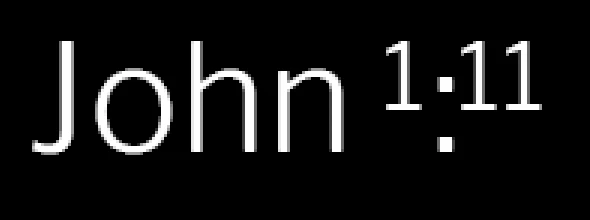
I've got this weird thing going on where any number I type starts in superscript, and sometimes the number glyph popup doesn't appear. Any ideas how I can get my numbers to start as normal again?

  • Superscript is not enabled in the character panel
  • I've reset the type tool in the options bar
  • I've gone to Preferences > Type > and tried checking and unchecking "Enable type layer glyph alternates".


Still it looks like this:

Thoughts?
This topic has been closed for replies.
Correct answer jane-e

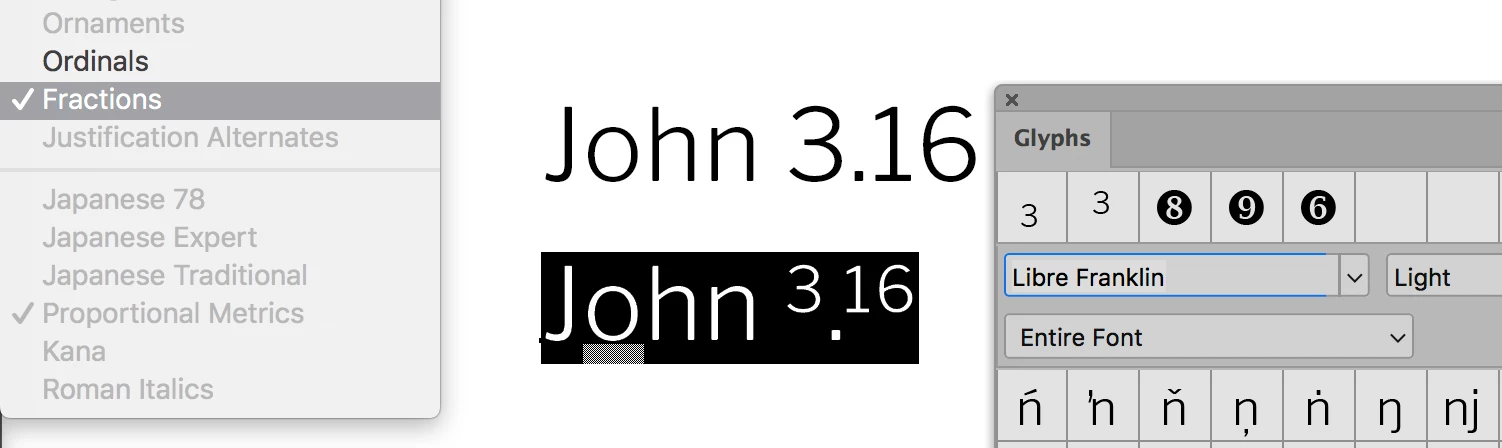
Select your text, then go to Type > OpenType and uncheck "Fractions".

~ Jane


1 reply

jane-e
Community Expert
Community Expert
May 25, 2020

Hi

Open the Character panel from the Window menu and turn off superscript from the row of buttons at the bottom. If you need to reset the Type tool, then do this:

  • Select the Type tool in the Tools panel
  • Confirm that you are not on a Type layer that is formatted correctly — any other layer is fine
  • Right-click the Type tool in the options bar (not the Tools panel) and choose Reset tool

This will set the Type tool back to its defaults.

~ Jane

chrisp63308387
Participant
May 25, 2020

Hmm... I tried that but it didn't work.

Superscript is not enabled in my character panel:

Tye type tool is reset to default:

But still my numbers do this by default:

And the glyph pop up box is not appearing!


It's driving me nuts!

jane-e
Community Expert
jane-eCommunity ExpertCorrect answer
Community Expert
May 25, 2020

Select your text, then go to Type > OpenType and uncheck "Fractions".

~ Jane