
Cerezine
Known Participant
April 23, 2024
Answered

Object Boundaries and Layers Highlights feature

  • April 23, 2024
  • 3 replies
  • 1120 views

Hi!

Just got the last update (25.7), and the new "enhancement" of object boundary/outline and highlight in the layers panel is driving me crazy.

I don't know if it affects performance overall, but it seems laggy, the outlines are confusing since it mix with multiple ruler guides I use in my workflow, and it's very very distracting.

I searched through all preferences and panels options and didn't find how to disable this "function".

Am I missing something or this is another feature that barely no one asked for, they implemented it anyway and we will have to wait weeks for an update to turn this thing off?


Sorry if I sounded rude, and thanks in advance.
This topic has been closed for replies.
Correct answer johng44721896

I updated to 25.7 just to see this.

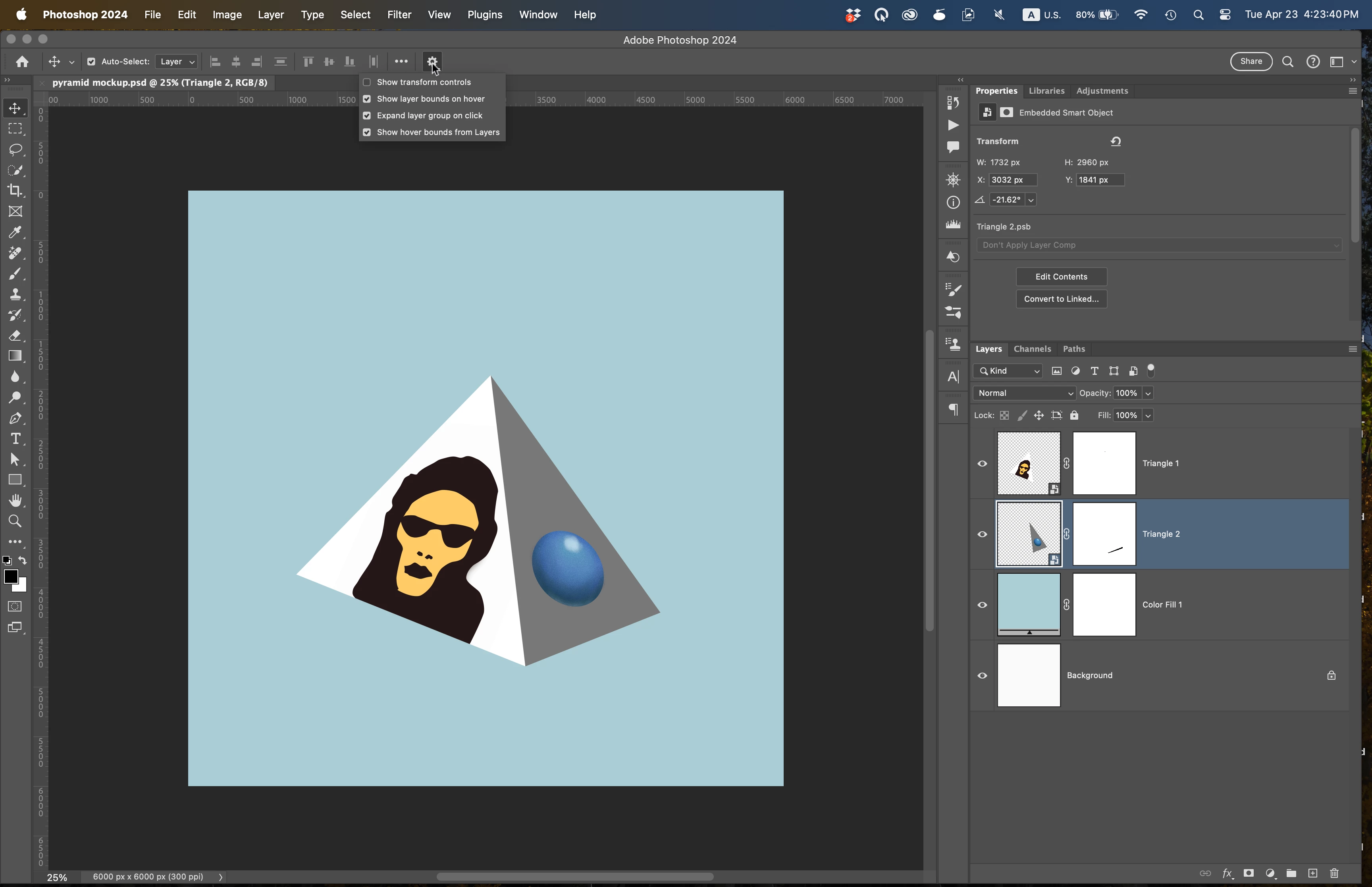
If we activate the Move tool and click the settings gear button, we can untick all the things that we might not like about this feature.

3 replies

johng44721896
Community Expert
johng44721896Community ExpertCorrect answer
Community Expert
April 23, 2024

I updated to 25.7 just to see this.

If we activate the Move tool and click the settings gear button, we can untick all the things that we might not like about this feature.

Participant
July 16, 2024

thank you  thank you thank you!!!!

Legend
April 23, 2024

View->Extras will toggle it on and off along with everything else.

Preferences->Guides, Grid & Slices gives some control over presentation, you can set the line to 0.5px and choose colors which at least helps. This SHOULD be a menu item to show/hide under Extras.

Apparently the background layer is not affected by this feature.