Copy link to clipboard
Copied
Hallo.
I'm trying to use PS to retouch textures in 3D. The textures of a 3D object are usually very fragmented and look something like this:
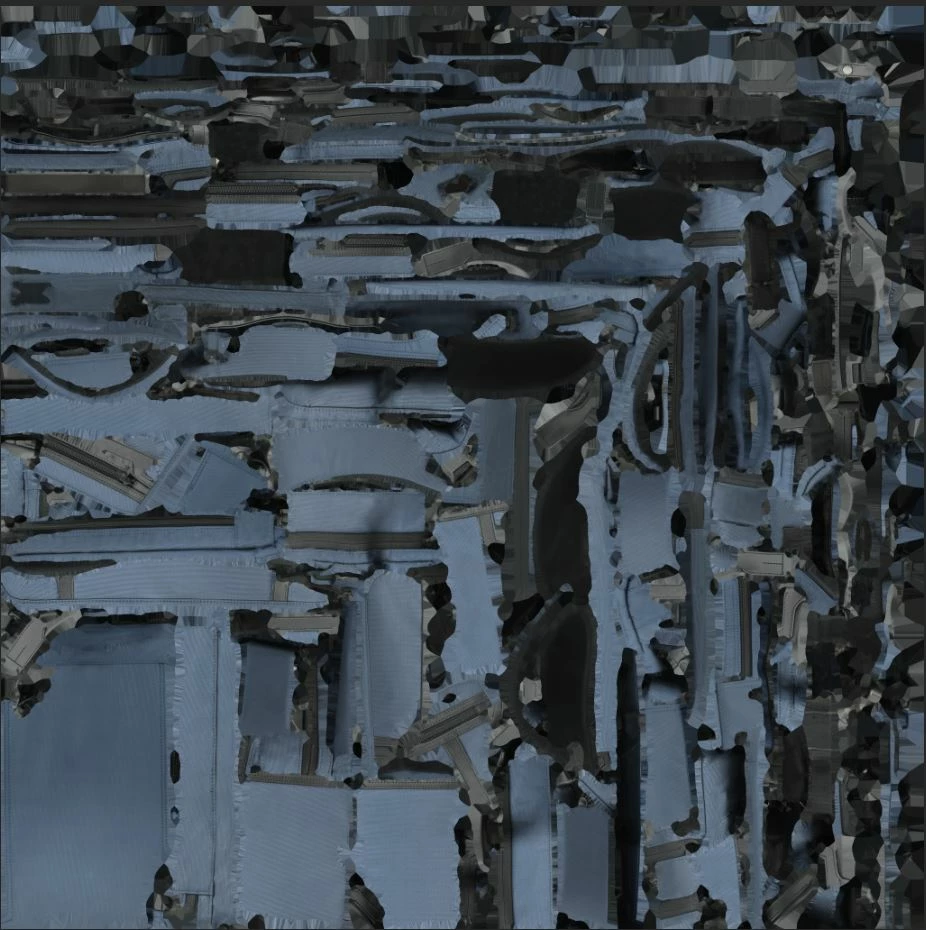
Texture of 3D object
Therefore, retouching in 2D is very complicated. I would therefore like to retouch textures in 3D.
The problem is that in the 3D view, the texture on the object is blurred. It is probably not displayed in full resolution
This is what an object looks like in another program
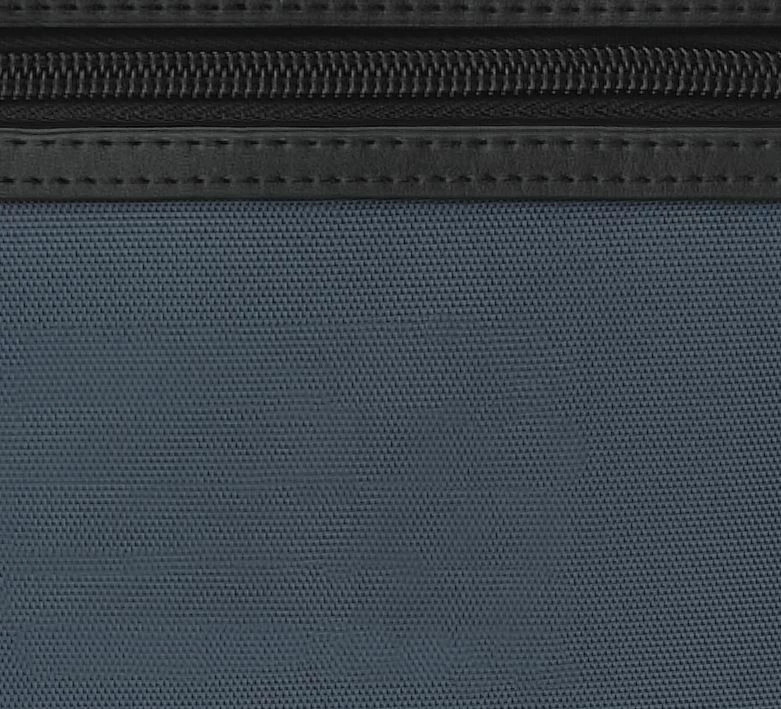
full res in another program
and thus in PS.
low res 3D in PS
This display makes it virtually impossible to retouch in 3D. Is it possible to somehow set the display in full resolution?
Thanks a lot.
Copy link to clipboard
Copied
Without any system info one can't be sure, but you may indeed simply exhaust the limits of PS' implementation. You may indeed need to use Mari, Substance Painter or whatever...
Mylenium
Copy link to clipboard
Copied
Thanks for answer
Non of other software have advance retouching algoritms like PS as I know.
My system is something like
Windows 10
i7, 32GB Ram, Geforce 1060 6GB.
It was always difficult with Adobe. Iam scared You are right.
Copy link to clipboard
Copied
How did you create the 3d Object. The 3D surface UV must be quit uniform if you want to be able to edit surfaces using Photoshop. You need to fill the UV triangles for the different surface plains. complex surfaces will be to hard to deal with in Photoshop. Its 3d editing is basically 2d editing with 3d UV overlays.
Copy link to clipboard
Copied
I think I would be looking to unwrap the UVs with the seams in a more controlled and ordered fashion which would make retouching in 2D/3D easier.
Also have you got the texture maps in the right place - it looks like the height map is not being used in the PS example
Dave
Copy link to clipboard
Copied
Object is from scan and texture also. Texture must be fragmented for maximal utilization of space.
Retouching in 2D is no way because seems between islands.
Texture is shown in 2D in proper resolution, but in 3D is downscaled.
Texture map is selected by this way:
Copy link to clipboard
Copied
The texture needs to be placed into the surface UV Overlays and if the is a repeating pattern they would need to align. Photoshop is not a 3D application and a 3d Application would need to create the object so the different surface areas could be recognized when unfolded into 2d Plane so you can work on the different surface areas. I do not do 3D work. I would think a 3d Applications would have surface tool the would enable you to sculpture surfaces and paint and replace surface content. Look at what happens in Photoshop when to create a 3D layer from a image layer using a preset mesh.Double click one a surface to open it in 2d in Photoshop. Some surfaces I think you would be able in edit as a flat layer in Photoshop and replace the surface content others you will not be able too. Even some some simple geometric object surfaces will be to complex to work on in 2d with UV overlays.
Copy link to clipboard
Copied
Thanks JJMack.
Lets follow your way.
Here is texture Iam speaking about in full ress.
Open it in PS
Now over
3D / New mesh from layer / Mesh preset / Cube Wrap
Create cube that will look like this
Zoom to left flat blue area on cube. Marked on the picture with arrow
And you will see blurred texture like this
compare with original texture
Seems like original texture 4096x4096 px was downscaled to 2048x2048 resolution.
Copy link to clipboard
Copied
My way is to use 3d object layer surface UV overlays. Where are you showing your 3d object layer surface overlays? That Photoshop overlays on surface 2d material image. When you open it in Photoshop... You know the UV triangles that map to surface areas in the 3d object.
Find more inspiration, events, and resources on the new Adobe Community
Explore Now