
Object selection tool: How do I a) merge selections b) save all selections as images?
Hello, I'm new to Photoshop so any advice appreciated
My dad scanned in about ~1800 pages of photos from my grandmother's albums I’d like to separate for uploading to google photos. Unfortunately he didnt scan them in at super high resolution but it took him a week to do and isn't something I'll be able to redo.
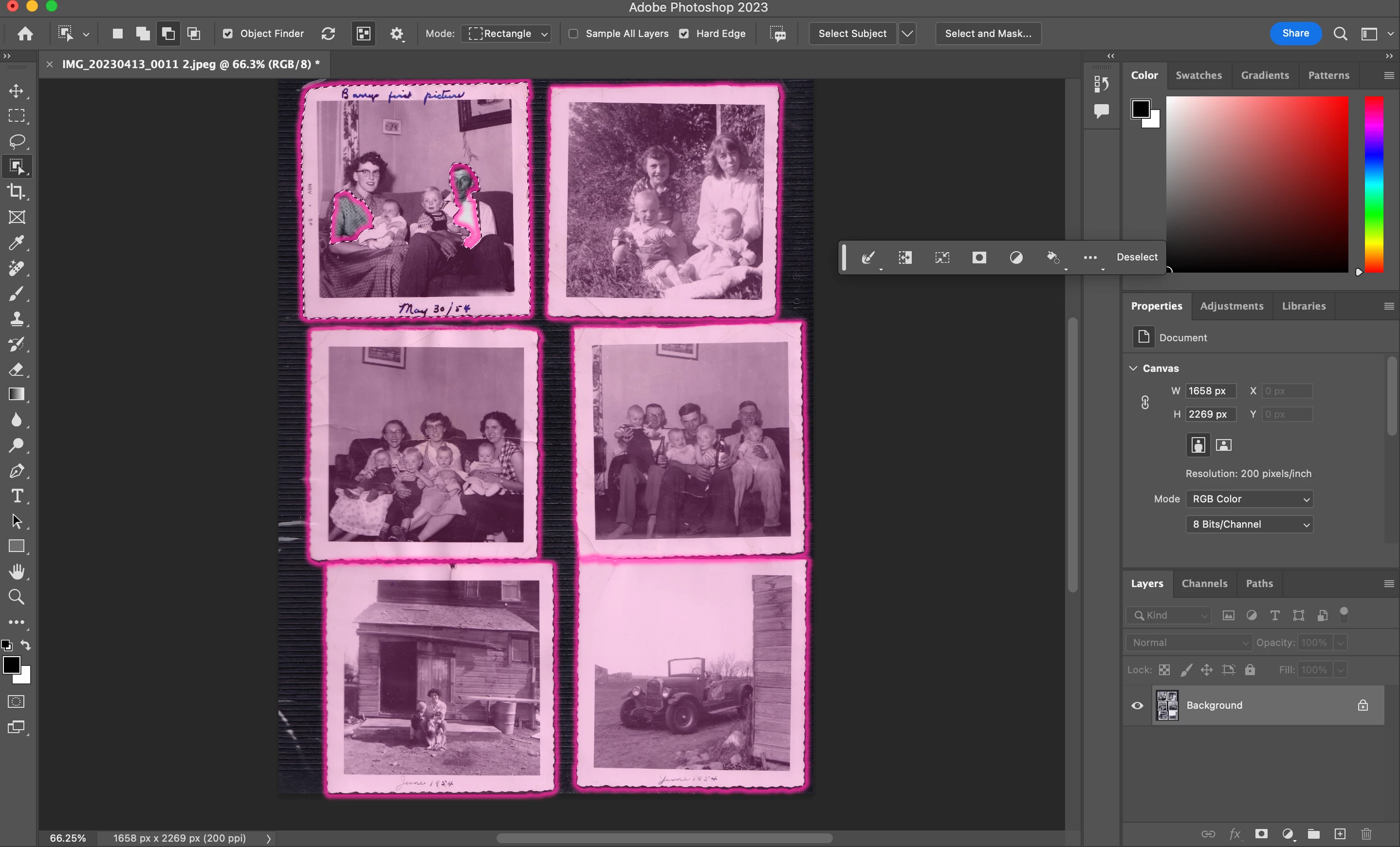
The majority look like this with 4-6 photos per page with this textured background. Some of the albums are black background and some are white but nearly all are textured like this.
Have tried the Automate > Crop and Straighten feature but I think the background of the photos breaks it and it doesn’t work.. It also doesnt work when I remove the textured background.
Interestingly, the object selection tool is able to outline all of these just fine. Using the object selection tool, I'm looking for a way to:
a) merge selections (note in the top left it incorrectly made a few selections that should all be apart of the same selction, and
b) save all these selections as individual images. I'll have to go back and straigthen all of them which is another task I'll have to figure out how to do.
If anyone has advice on a better way to do this alltogether I'm all ears.
Thanks!
Danny
 AdChoices