
Offset filter is pushing the image outside the canvas area
Hi there,
I am making a pattern for a step and repeat board and my images are being shunted outside of the canvas when I start creating a tile to repeat. I'm not really sure what is causing it to happen as near as I can tell there is nothing else when I reveal all and the images are edge to edge with no hidden pixels or crops. However upon wrapping it when I apply an offset filter it goes outside the boundaries for the canvas.
Latest PS CC - if anyone can help I would appreciate it. I have provided visual examples below. I have also tried with a smart and rasterized object just in case that makes a difference. Settings for the filter are below.
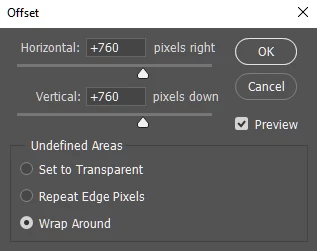
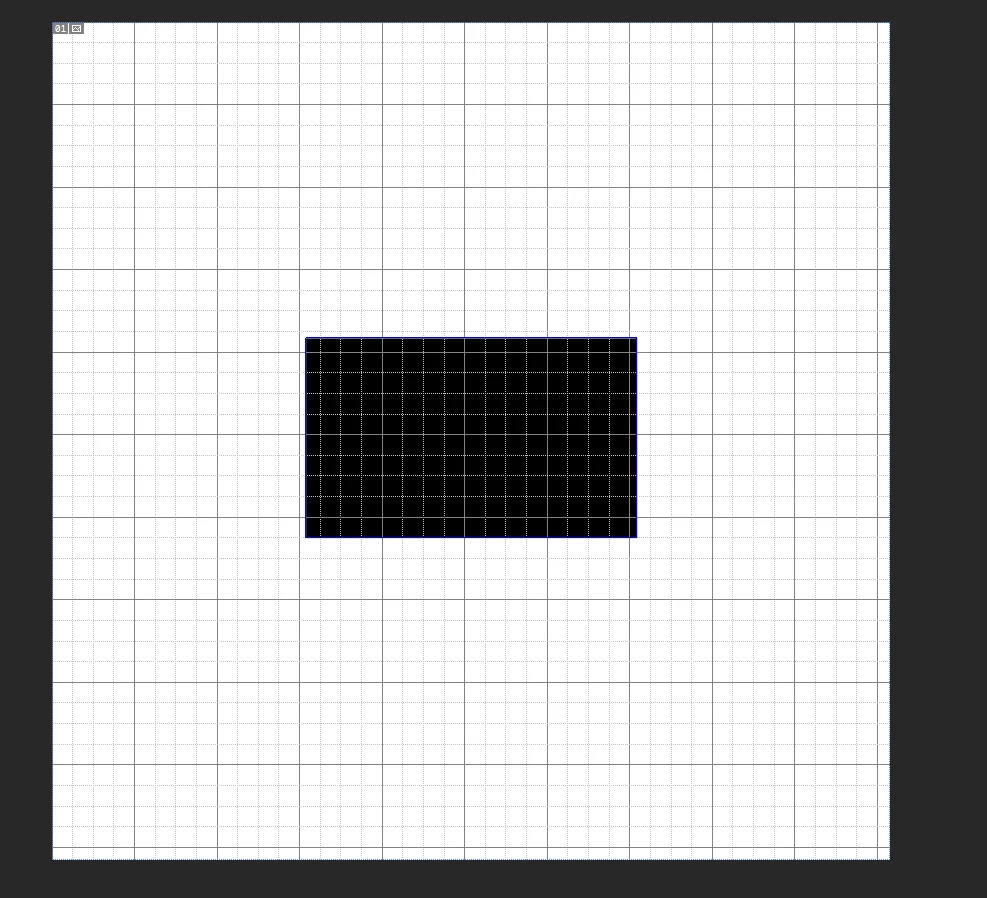
This is the base image on a new sheet - 1520 pixels x 1520 pixels and i'm off setting the drawn shape by +760 on each dimension with wrap and it lines up edge to edge fine.
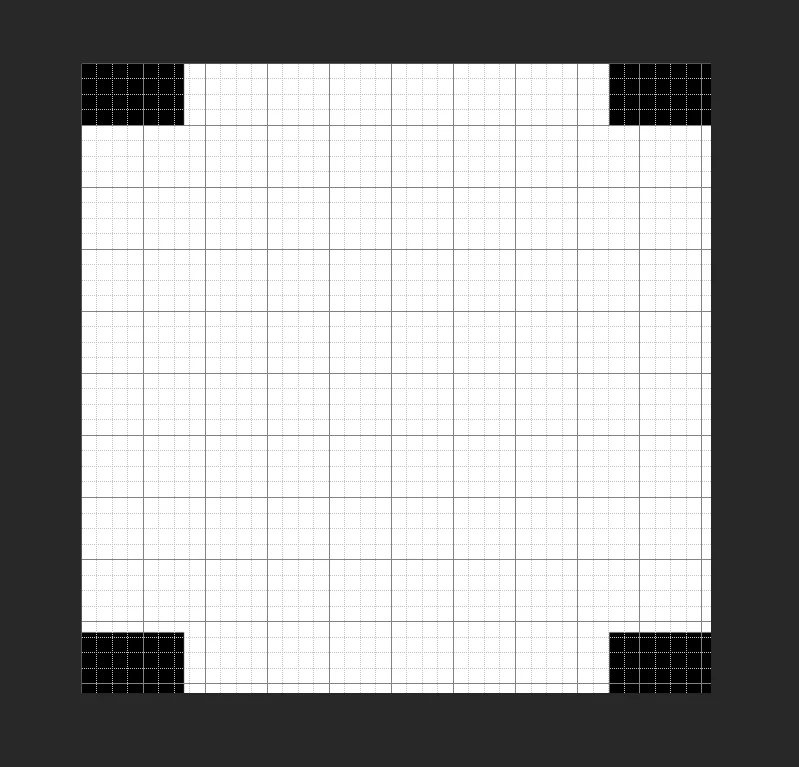
its even and has placed all of the original image exactly where I expected it to, however upon doing it with an actual logo/image I want to use for the pattern, with exactly the same settings. This is what I am being left with.

Or alternatively it works as expected with some of it off the canvas area. Some searching yielded little in the way of a solution and I have checked for cropped edges etc. but by using the selected area of the original image and just filling the layer in prior to the filter (see above) the black area is filtered perfectly in the way I would like but the image is always out of bounds.
Any assistance is greatly appreciated.
 AdChoices