


Known Participant
March 28, 2020
Question

Older versions as tutorials

  • March 28, 2020
  • 3 replies
  • 1216 views

Hello


I am trying to learn PS. I'm stuck now because these tutorials are antiquated. Not updated. I have put both screen shots the first is the older version and the last one is the current look.  Swatches is the tab the video is talking about
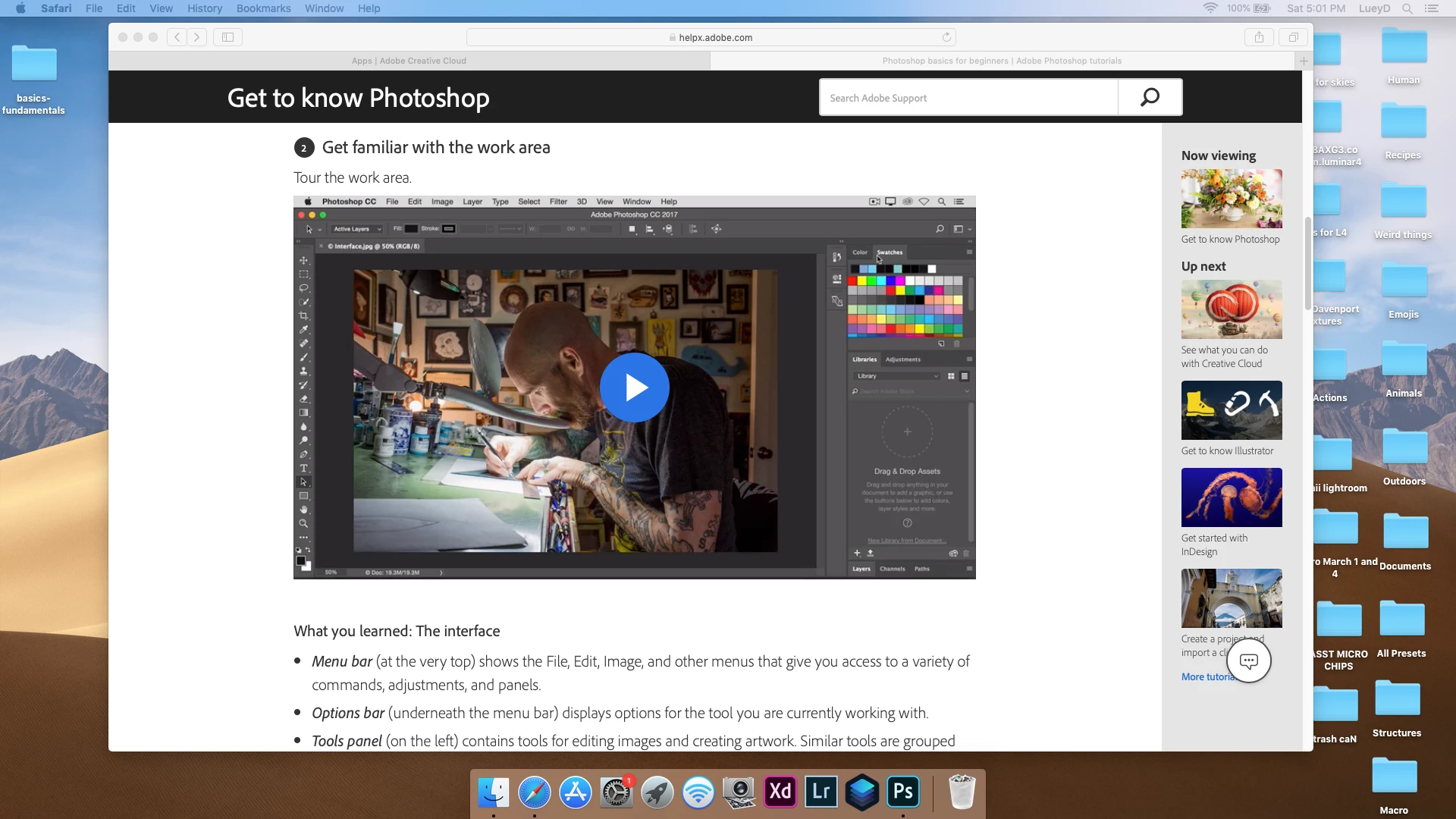
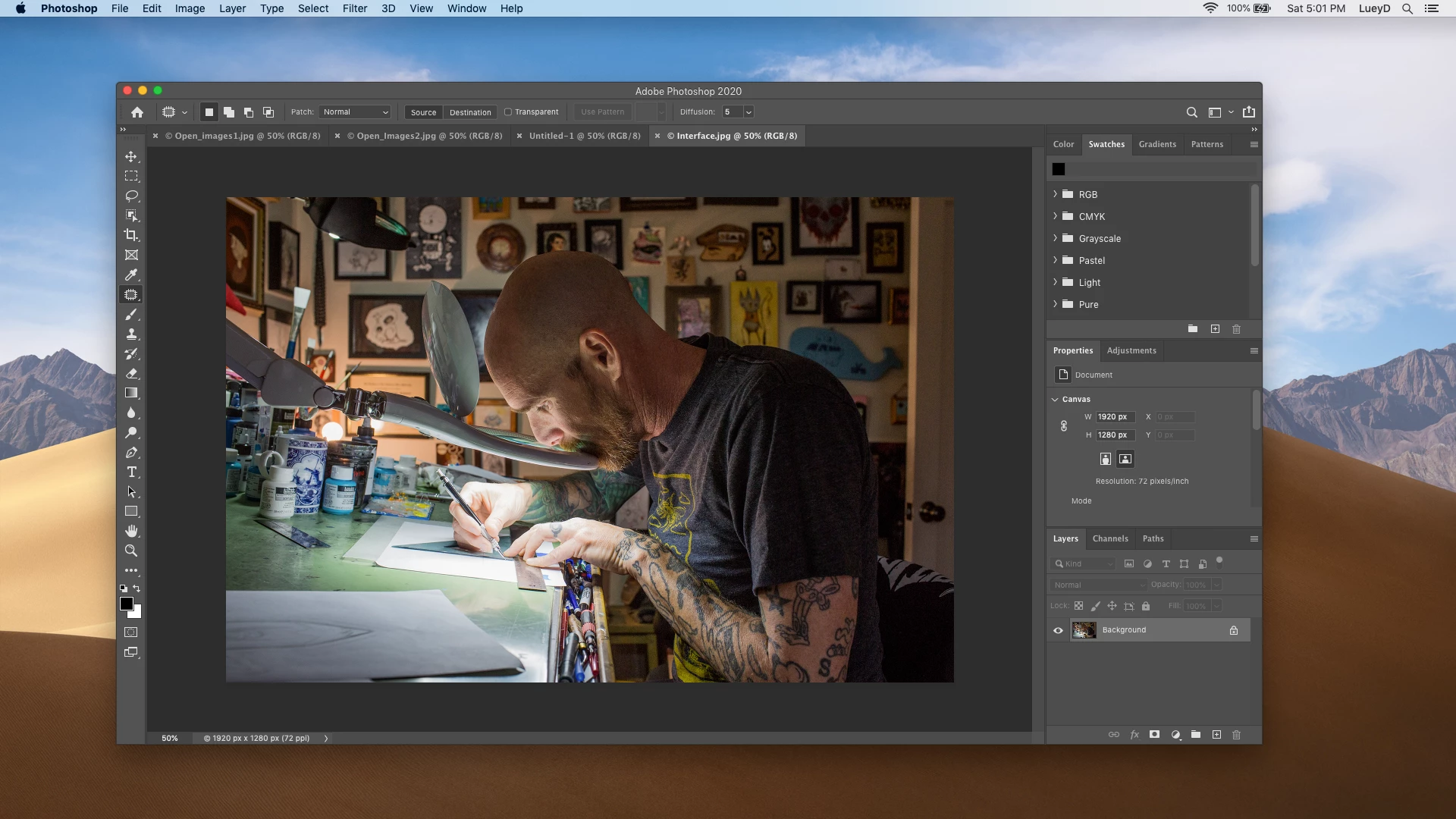


Thank you,

Luey

This topic has been closed for replies.

3 replies

Semaphoric
Community Expert
Community Expert
April 1, 2020

I don't know why they would stop at a particular position like that. Like I said, I thik this panel is kind of half-baked. As I was preparing this response, I tried cleaning up some unused and duplicate swatches, and thing got quite messed up, and I had to re-build it. It's very fiddly, and often swatches don't go where you meant them to.


There is a thread on the Feedback forum, https://feedback.photoshop.com/photoshop_family/topics/swatch-list-update-nov-2019, and people are divided on are the folders/groups a good thing or not. I'm a die-hard grid fan myself.


You can get it to work, but it's WAY more effort than it ought to be

LueyDAuthor
Known Participant
April 1, 2020
  1. Thank you and I agree it shouldn't be this hard....  I don't know if the 2019 version would be the same as 2020 version.  At least I didn't have that problem back in 2019.  I also tried that and I eplained I can't get the blue line to go further and it wants to dump these folders into the leageacy folders. still not the grid view and still not the answer.  You are very kind with your assistance
Semaphoric
Community Expert
Community Expert
April 2, 2020

For whatevever reason, my grid came into the update intact (which I then mucked up), but other people's seem not to.


Go figure.

LueyDAuthor
Known Participant
April 1, 2020

Thank you but that isn't what I'm after. Watching the tutorials that are antiquated is hard enough but now to having to stop and play with this is ridiculous

jane-e
Community Expert
Community Expert
April 1, 2020

Can you post a link? We can report them and (hopefully) Adobe will make the updates.

~ Jane

Semaphoric
Community Expert
Community Expert
March 29, 2020

You can get the Swatches panel to look more traditional like so: Open the Swatch folders from "RGB" thopugh "Pale" (nine folder altogether). Click on the first swatch (RGB Red) to select it, then Shift+Click on the last swatch (Darker Warm Brown), to select the whole lot, and drag justbeneath the top of the panel - you should see a blue line, similar to the ones seen when docking panels, and drop them there.


Most of the changes to the panels make sense to me, but this one leaves me alternately scratching and shaking my head.

LueyDAuthor
Known Participant
March 31, 2020

Hello and thank you


So when I drag it stops right at legacy swatches, It doesn't seem to work,  All I want is to have grid so I can go back to learning from the tutorials...  ADOBE employees I can't be the first to ask for this.


Luey