

yonemye
Participant
November 26, 2022
Answered

Only one font appears

  • November 26, 2022
  • 1 reply
  • 2241 views

Version: Photoshop 2022 (23.4.2)

Platform: Windows 11 (Desktop)

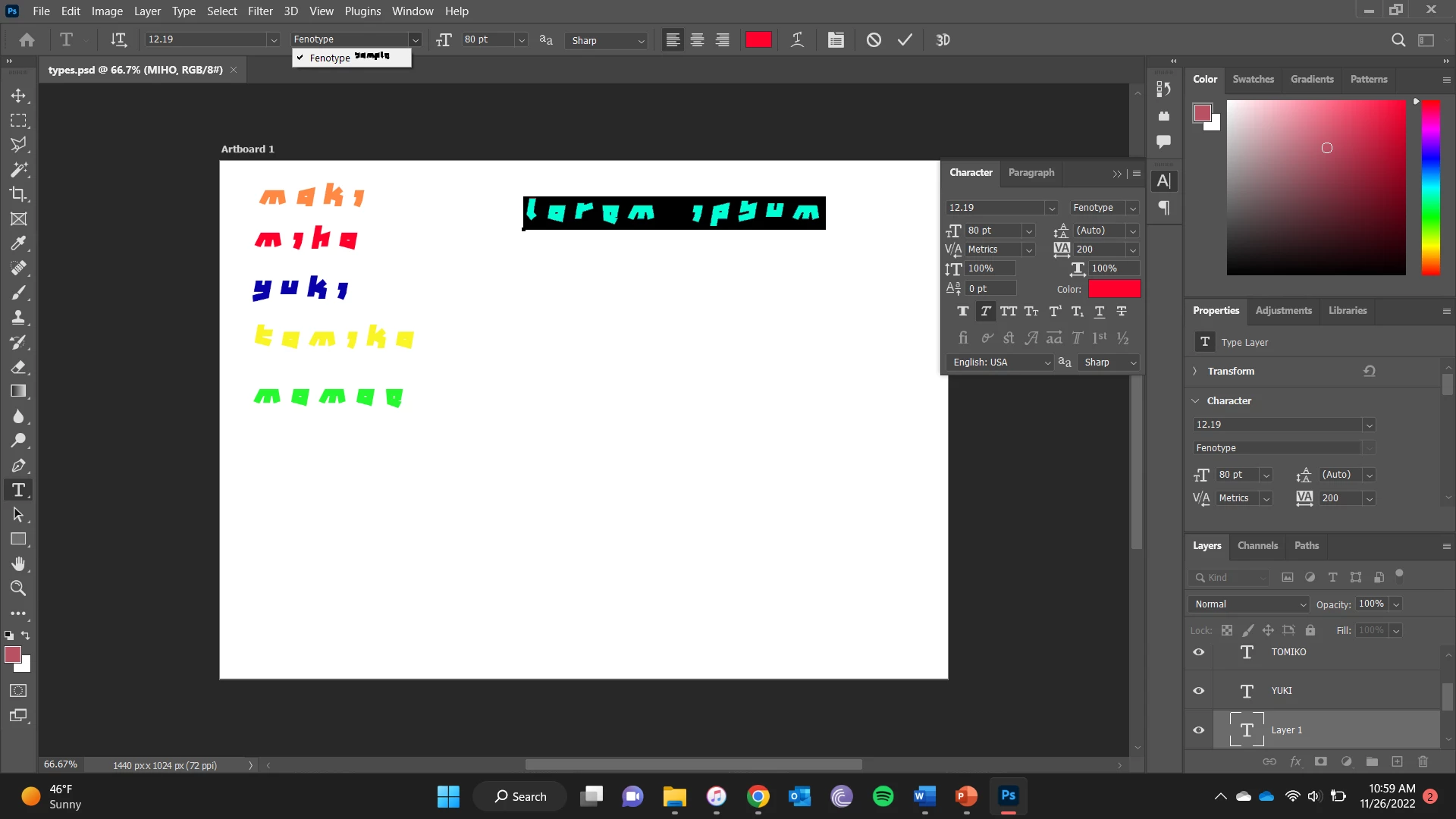
The problem I'm having is that when adding a text box, and try to change fonts, only the currently used font appears in the dropdown menu. The font is one I installed myself. I have tried to open up different projects and create new ones, but the problem continues. Attached is a screenshot
This topic has been closed for replies.
Correct answer jane-e

@Mylenium wrote:

"given how annoyingly ugly the font looks I'm pretty sure this is a case of 'bad font' with all its ill side effects"


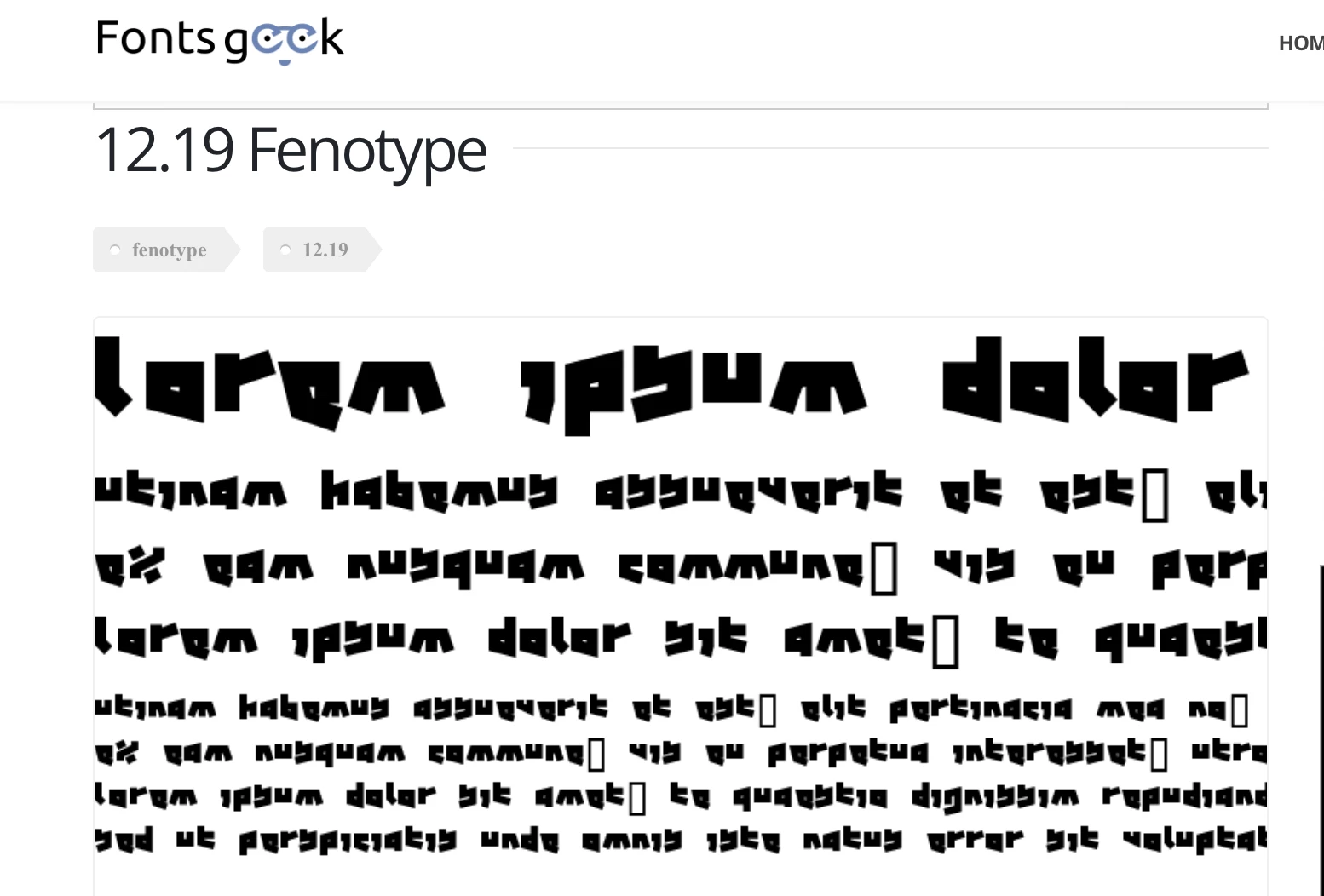
Here's how the typeface appears on the website. It looks pretty much the same to me as it does in the OP's screenshot.


@yonemye 


First try this:

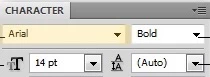
The name of the typeface is always on the left and the typestyles that are available are to the right.


Therefore, 12.19 is the name of the typeface and it comes with one style. Instead of Bold or Italic, it comes with Fenotype. What happens when you click the dropdown for 12.19? Do the other typefaces now appear?


Jane


1 reply

Mylenium
Legend
November 26, 2022

You kind of answered your own question, I think:


quote

The font is one I installed myself.


Uninstall the font and clean out your system's font caches. given how annoyingly ugly the font looks I'm pretty sure this is a case of "bad font" with all its ill side effects, meaning some poorly designed free font is messing up your whole system.


Mylenium

jane-e
Community Expert
jane-eCommunity ExpertCorrect answer
Community Expert
November 26, 2022

@Mylenium wrote:

"given how annoyingly ugly the font looks I'm pretty sure this is a case of 'bad font' with all its ill side effects"


Here's how the typeface appears on the website. It looks pretty much the same to me as it does in the OP's screenshot.


@yonemye 


First try this:

The name of the typeface is always on the left and the typestyles that are available are to the right.


Therefore, 12.19 is the name of the typeface and it comes with one style. Instead of Bold or Italic, it comes with Fenotype. What happens when you click the dropdown for 12.19? Do the other typefaces now appear?


Jane


yonemye
yonemyeAuthor
Participant
November 30, 2022

Ah that was it! Thank you so much, and apologies for the late reply!