
Participating Frequently
March 20, 2024
Question

Open multiple stacks from Bridge as layers in Photoshop

  • March 20, 2024
  • 1 reply
  • 619 views

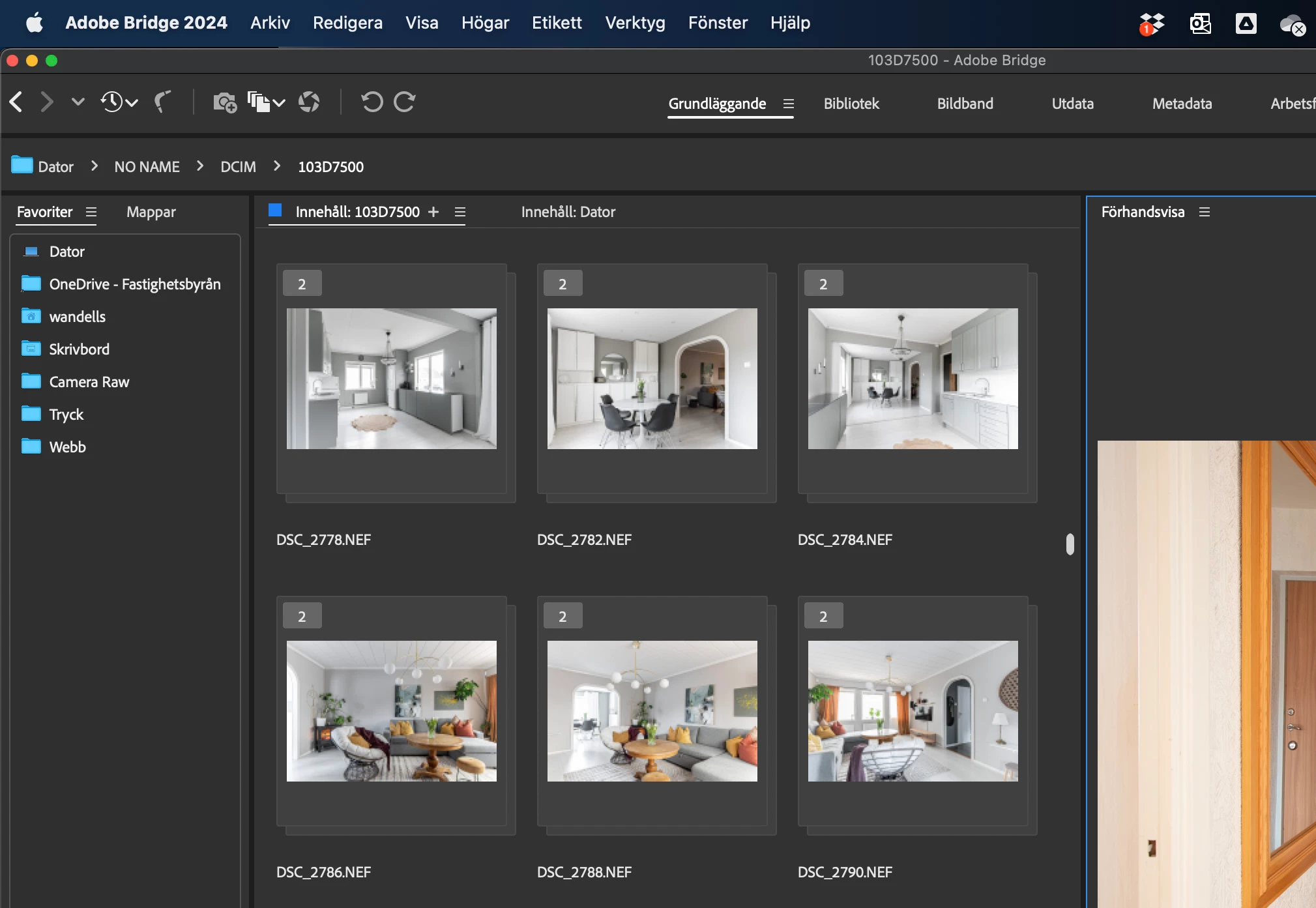
Need help how to select and open multiple stacks as layers in Photoshop. I want to open 6 documents with 2 layers each. If I select all stacks, only one document with 12 layers is opened, even though they are stacked two or two.
 

This topic has been closed for replies.

1 reply

Stephen Marsh
Community Expert
Community Expert
March 20, 2024

I'm not sure about using Bridge stacks with scripting...


What are the filenames of the stacked files? How did you determine what constitutes a stack? Is it based on filename, metadata or some other criteria that could be automated via a script?

fotoceaAuthor
Participating Frequently
March 20, 2024

Bridge can automatically read images and stack them. These are multi-exposures with tripods. The file names are directly from the camera.

fotoceaAuthor
Participating Frequently
March 21, 2024

I don't know how to script this from Bridge using stacks.


So I am hoping that you can clearly explain how the stack was generated, what criteria does Bridge use? I don't see auto-stacking mentioned here (I don't think that these are panoramic or HDR files):


https://helpx.adobe.com/au/bridge/using/stack-files-bridge.html


The filenames aren't visible in the stack, however, I doubt this is as simple as sets of 2 consecutive filename numbers...


Please provide the filenames in each stack so that it is clear if the auto stack is based on consecutive filename numbers or something else such as metadata.


I don't know how criteria in Bridge work. The pictures are taken a few seconds apart and are exactly the same subject. The file names are consecutive. For exampel one stack is DSC_2278 and DSC_2279.