
Participant
December 5, 2024
Answered

Open Photoshop in Photoshop

  • December 5, 2024
  • 1 reply
  • 231 views

A bit of history. I dropped my subscription to Photoshop for a couple of years to try and find something cheaper. I didn't happen so just signed up again for Bridge (BIG fan of Bridge) and Photoshop. I have used Photoshop from V5 but treat me like a newbie here.

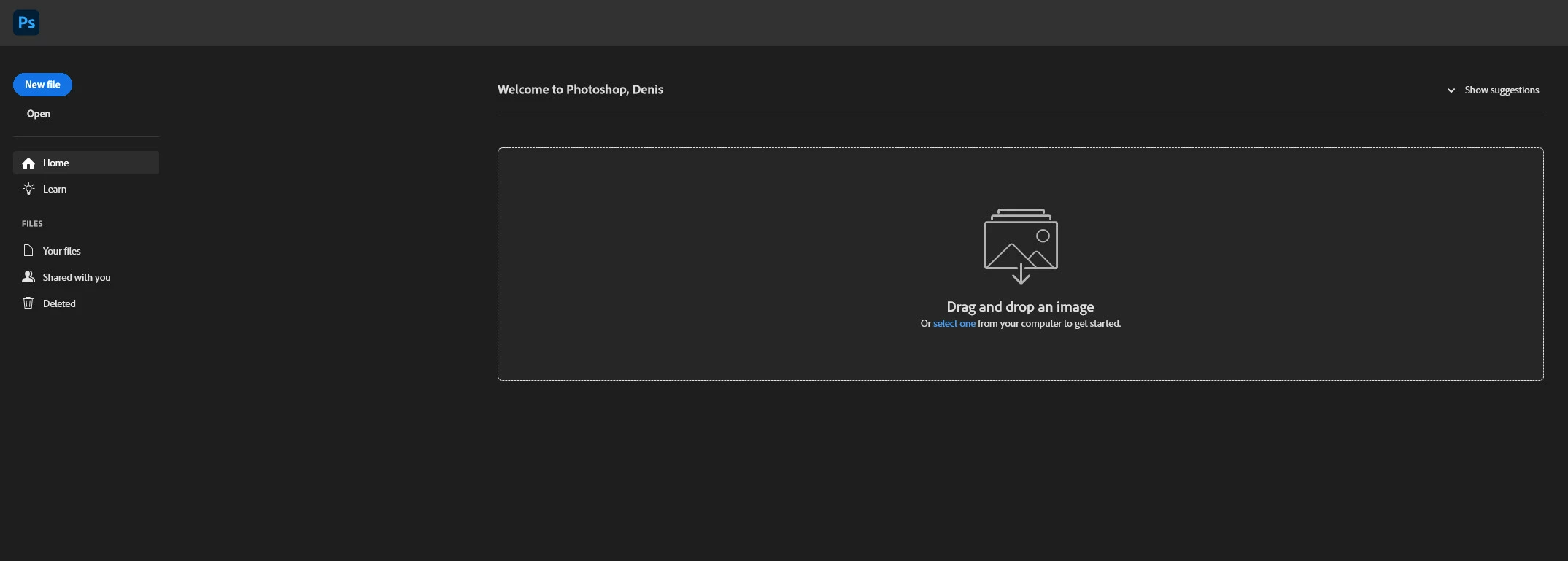
My computer is on W10, I have installed Photoshop and upgraded my standalone version of Bridge. From the desktop Bridge works fine. Booting Photoshop though has me confused. All I get is a drag or drop/computer file box. Any file I place in there is opened in raw. I can't seem to be able to get out of this and into Photoshop itself.

Basically I want to just boot into actual Photoshop and open files or whatever from there. What am I doing wrong here as I can't seem to find any settings in PS, Br or raw to change this.
This topic has been closed for replies.
Correct answer Ged_Traynor

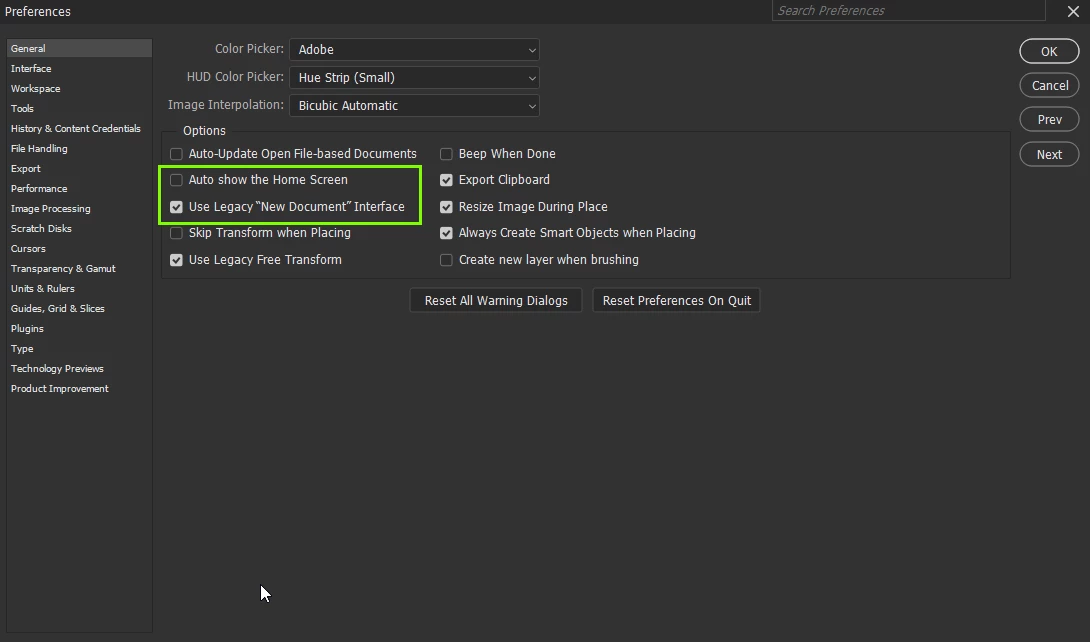
@Denis1710 open up the preferences by hitting Ctrl + K

Disable and enable these two options and then go to File > New, to open a new document, restart Photoshop

1 reply

Ged_Traynor
Community Expert
Ged_TraynorCommunity ExpertCorrect answer
Community Expert
December 5, 2024

@Denis1710 open up the preferences by hitting Ctrl + K

Disable and enable these two options and then go to File > New, to open a new document, restart Photoshop

Denis1710Author
Participant
December 5, 2024

Thanks Ged. I initially ticked both which I thought was in line with your "enable these two options" which didn't work but when set as per your screen shot it worked a treat. Pretty much back to as I remember it, thank you So much.

Denis.

Ged_Traynor
Community Expert
Community Expert
December 5, 2024

You're welcome