Originally, this wasn't really a vector job at all. It was an illustration where I was mainly using the brush. However, once I hit the hair, I needed long smooth lines, so I switched to the pen tool to do this work. I got this idea from a youtube tutorial, and the girl on that particular vid uses the pen tool to do exactly that. She's using the pen tool in path mode, and the tool is working as if it were the brush tool, i.e. she's simply drawing lines, the lines are automatically stroking with a 3pt round brush as she clicks away, just single lines, all on one layer. I asked her HOW DID YOU DO THAT AMAZING THING? She said, "Huh? That's how the pen tool works. It's just like the brush tool, but you click."
Here's the video if you're at all curious: Hair Tutorial: Art Nouveau Style - YouTube
The inking portion starts about 5.30 into the video. You can clearly see she's somehow doing what I'm talking about, but I can't figure out HOW! haha!
Thanks again for your responses!
Morning, Mike. She is using the technique I mentioned earlier with paths. She is drawing paths and then stroking them, but instead of clicking on the Stroke Path button in the Paths panel, she is
- drawing a path
- right-clicking on the page > Stroke Path
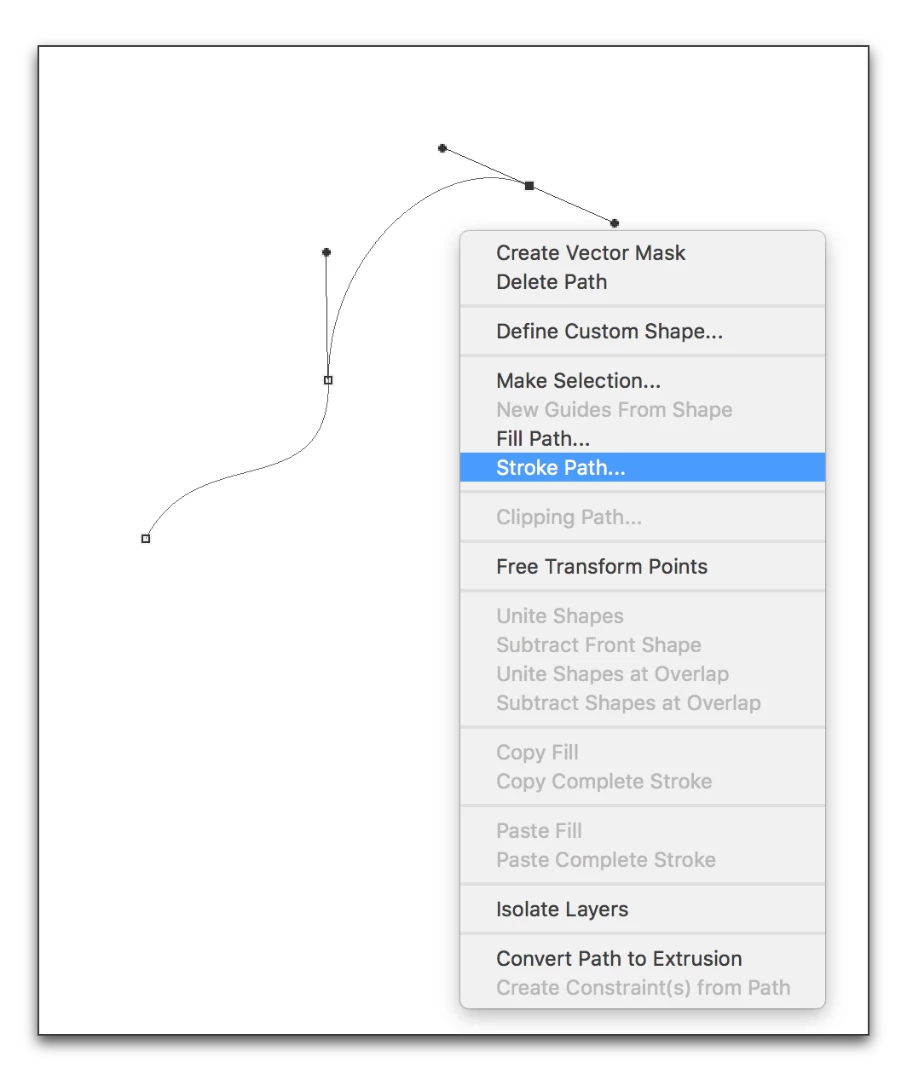
- She previously set the brush size, hardness and color, and she previously choose Brush here:
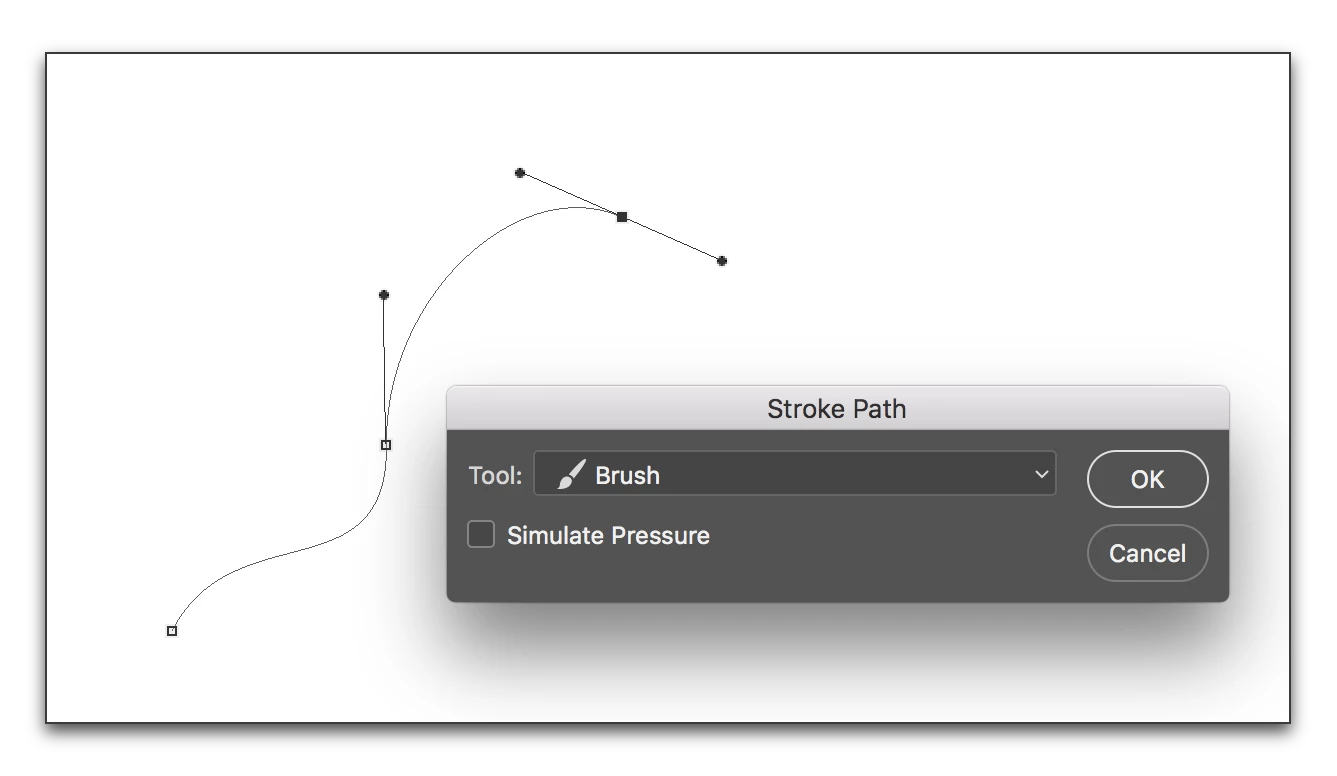
- So that all she has to do is press Enter/Return:
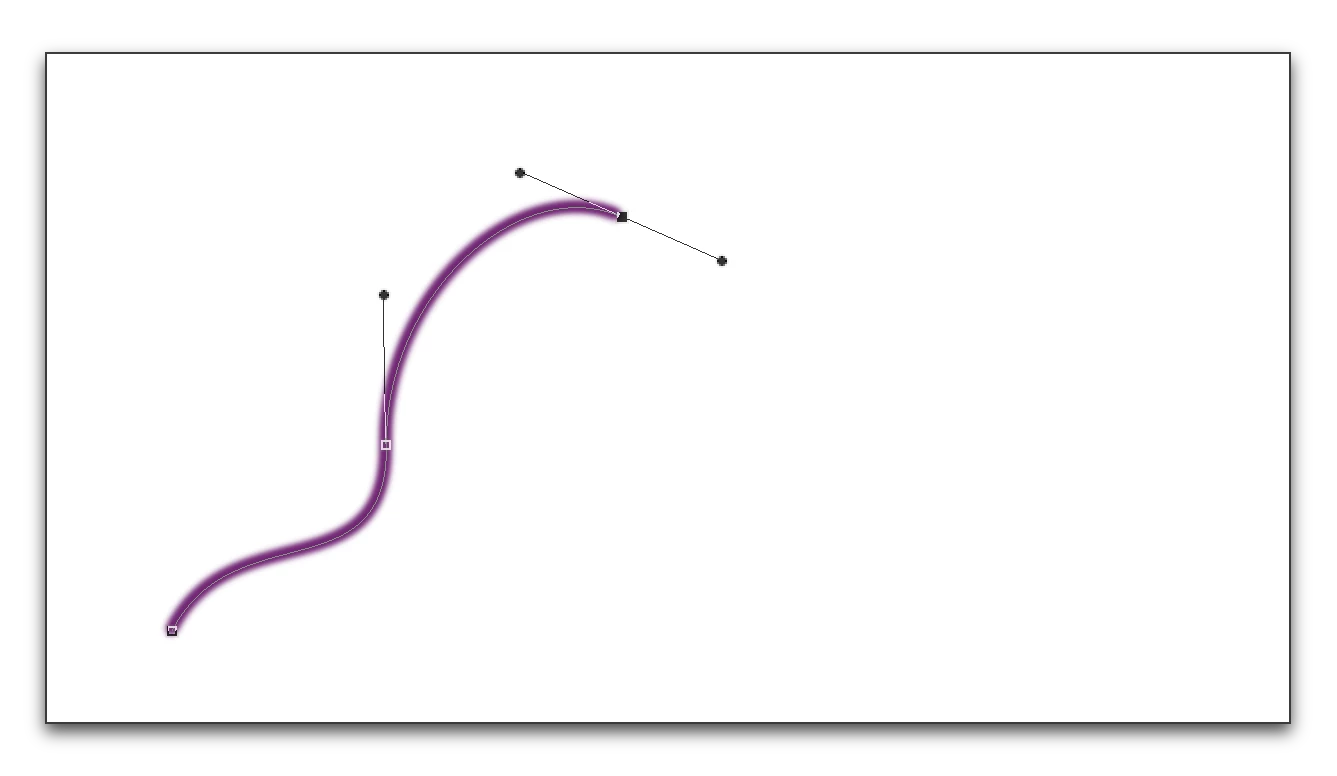
She explains this technique slowly in the lineart video she referenced (Quick Lineart Tutorial - Snow White Art Nouveau Style - YouTube) and then she is speeding up that part of the video. Go back and watch that one section again (starting around 6:02)—you can see the context menu and the dialog box flashing by once you know to look for them. I'll admit, I didn't see it the first time, either.


 AdChoices