

Mark Holley
Known Participant
July 26, 2020
Answered

Opening to straight Photoshop rather than "Camera Raw 12.3"

  • July 26, 2020
  • 2 replies
  • 832 views

Good morning,


I would like to double click RW2 files in Windows 10 file explorer and have them open up directly in Photoshop without opening in a separate Camera Raw window, (which requires me to click Open a second time - see screen capture).


The extra step is slower and more annoying and I'm not interested in adjusting any of the sliders or gizmos in the Camera Raw 12.3 window. If anyone has a workaround, I'd appreciate that. 🙂 
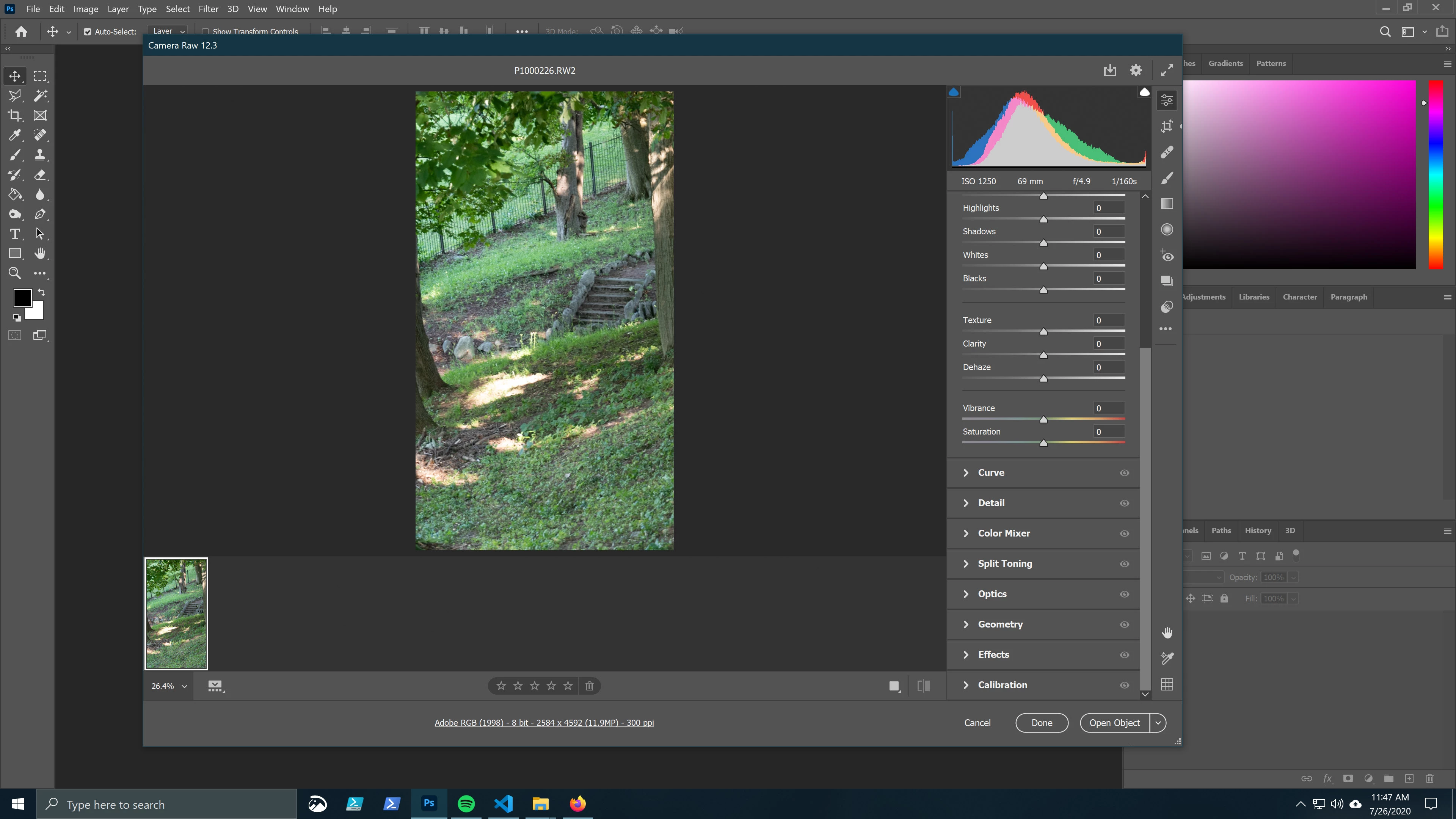
This topic has been closed for replies.
Correct answer Per Berntsen

Only raw converters can open raw files, and Photoshop uses the Camera Raw plugin (ACR) for that.

A raw file is a dark, one channel greyscale file, and ACR renders it into an RGB image.

When you click Open in ACR, a new file, rendered from the raw file, opens in Photoshop.

It may display with an RW2 extension, but this is highly misleading.

This new file is not a raw file, in fact it doesn't have a file format until you save it.


2 replies

davescm
Community Expert
Community Expert
July 26, 2020

Be aware that the adjustments are designed to be used. The default position of those adjustment sliders is rarely the best position to get the most from a raw image when converting to an RGB image.

If you make no adjustments you image might be worse than an out of camera jpeg. If you use the adjustments you can usually make it better than the out of camera jpeg. 


Dave

Mark Holley
Known Participant
July 26, 2020

I would vastly prefer making adjustments in Photoshop proper rather than the ACR bridge. I'm a 20-year graphic design and Photoshop veteran and a newbie photographer, so adjustment layers and myriad image modifications in Photoshop are second nature to me while twiddling ACR sliders is all new to me. I wasn't expecting to need to learn anything new here, but if I can get RAW stuff to be better than out-of-the-camera JPG then it might be worth it. My photography skill level at present is almost nonexistent so any bump I can get is welcome.

Mark Holley
Known Participant
July 26, 2020

There are a few differences.

In ACR/Lightroom the adjustments are parametric i.e. the base raw image is never altered and the adjustments are just stored as data alongside the image (similar to using non-destructive adjustment layers in Photoshop).

Using the Raw file and ACR allows a degree of adjustment that is not possible once the file is converted to RGB. For example, if areas of the image are slightly over-exposed in one raw channel then ACR can sometimes recover detail from the other raw channels. This cannot be done after conversion to RGB.  White balance is also much more effective at the raw conversion stage.

Camera raw files normally contain 14 bit data. This contains many more levels than the 8 bits in an out of camera jpeg, so much more scope for extreme adjustments.


In my view, the best photographic worksflow is to use ACR, or Lightroom, to get the image as close as possible to what you want using the RAW file then take it to Photoshop as a smart object and use a 16 bits/channel workflow in Photoshop to complete any pixel editing e.g cloning etc. If you need to go back to the camera raw adjustments , you just double click the smart object and they are there to tweak and readjust as required.


Dave


Thank you so much for the clarification. 🙂

Per Berntsen
Community Expert
Per BerntsenCommunity ExpertCorrect answer
Community Expert
July 26, 2020

Only raw converters can open raw files, and Photoshop uses the Camera Raw plugin (ACR) for that.

A raw file is a dark, one channel greyscale file, and ACR renders it into an RGB image.

When you click Open in ACR, a new file, rendered from the raw file, opens in Photoshop.

It may display with an RW2 extension, but this is highly misleading.

This new file is not a raw file, in fact it doesn't have a file format until you save it.


Mark Holley
Known Participant
July 26, 2020

Ah. So basically the ACR is a necessary conversion bridge so that Photoshop can render a RGB image. That's not what I was hoping to hear, but I'm better off knowing it. Thank you. 🙂