
Participant
March 15, 2023
Answered

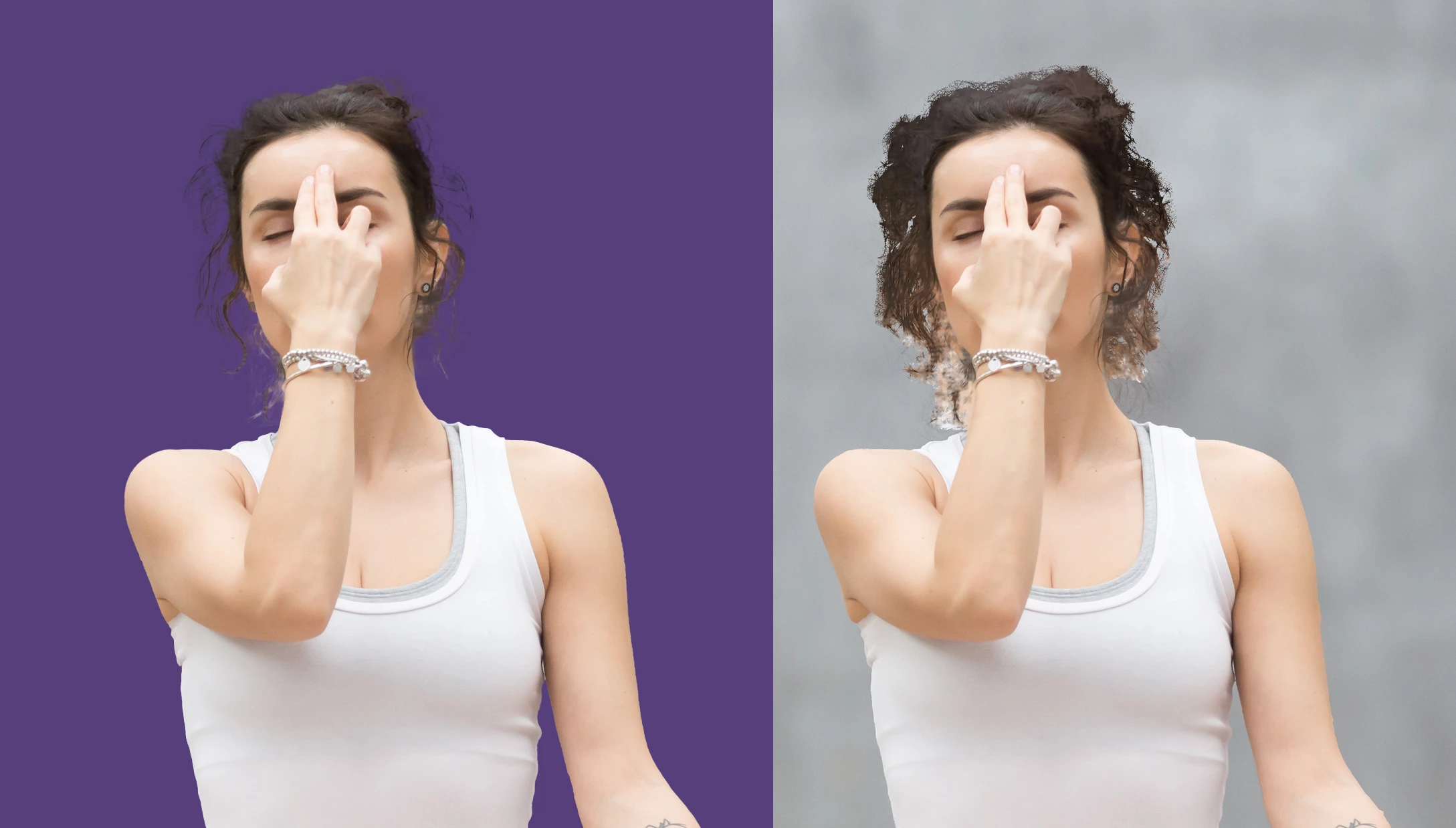
Original picture destroyed after using refine edge mask technique.

  • March 15, 2023
  • 2 replies
  • 914 views

Hello, I have problem with my masking technique. I did some masking on image bellow, it look okay but when I turn mask off I can see that original picture is destroyed. Any ideas what am I doing wrong? I did Select subject, then Select and mask and all other work was done in this mode ...
This topic has been closed for replies.
Correct answer c.pfaffenbichler

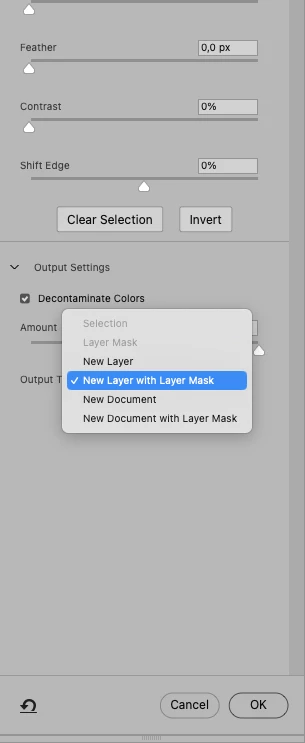
Apparently you did output to »New Layer with Layer Mask« so it is technically not destructive, because the original Layer still exists. 

But on that new Layer the decontaminated pixels are indeed different than in the original. 

2 replies

c.pfaffenbichler
Community Expert
Community Expert
March 15, 2023

Could you please post screenshots with the pertinent Panels (Toolbar, Layers, Options Bar, …) visible? 

c.pfaffenbichler
Community Expert
Community Expert
March 15, 2023

Do you mean the edges of the hair? 

If so I supsect you used »Decontaminate Colors« and, if necessary, you need to insert those areas from the original image. 

Participant
March 15, 2023

Yes, I indeed used Decontaminate - is it destructive action? I am posting screenshot with layers, it contains original image - masked image - image with mask off

c.pfaffenbichler
Community Expert
c.pfaffenbichlerCommunity ExpertCorrect answer
Community Expert
March 15, 2023

Apparently you did output to »New Layer with Layer Mask« so it is technically not destructive, because the original Layer still exists. 

But on that new Layer the decontaminated pixels are indeed different than in the original.