

Answered
Other brightness level while editing a photo
Hello there,
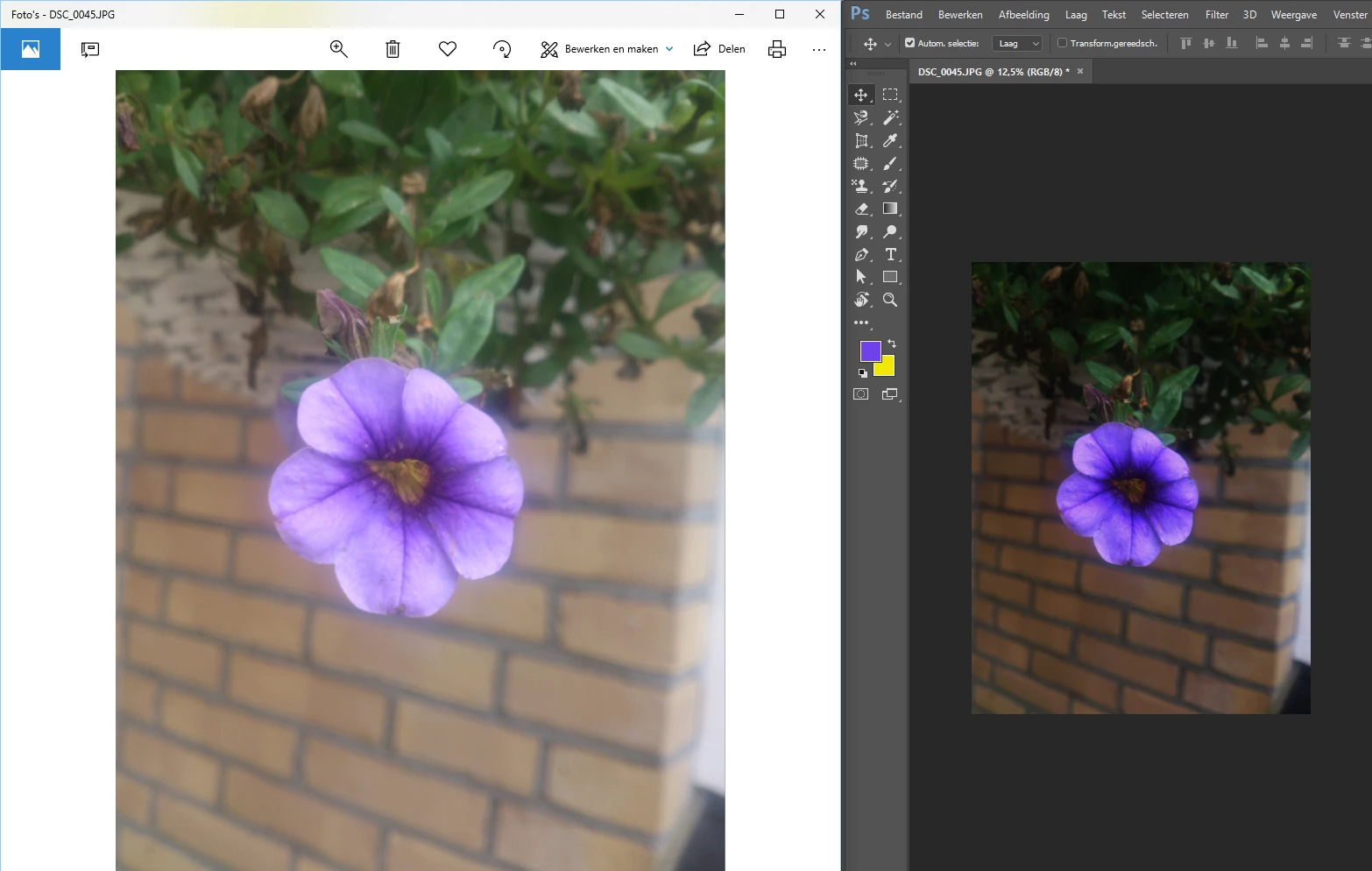
When I open a file in Photoshop or Illustrator, the file is darker than the original file. When I export it as a jpg or png or what else, it has de same colors as the original. It looks like both programms, Photoshop and Ilustrator shows me other colors than they exactly are. Like the brightness or contrast is different during the programm. It is very annoying because while editing photo's, the original colors/contrast etc. is difficult to see.
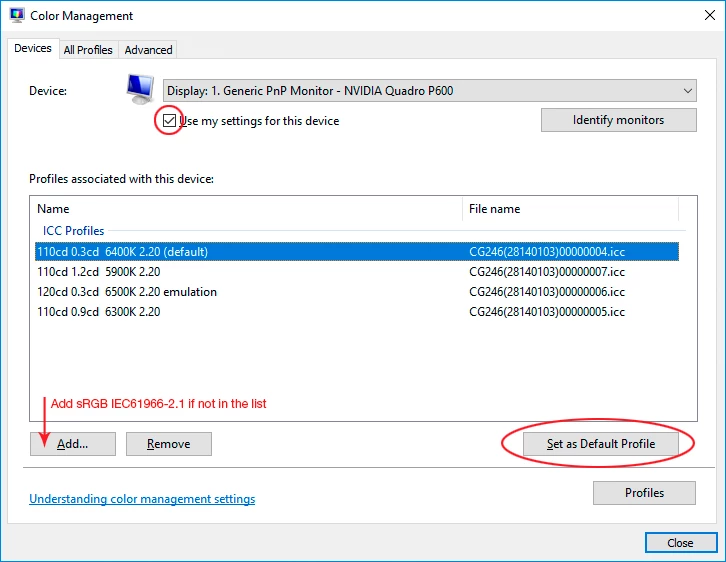
Is there a solution for this problem or is this something I can change in my preferences? Couldn't find anything yet
I've got a simple test with a flower. I only opened the picture, I didn't edit anything yet.
 AdChoices