
Copy link to clipboard
Copied
I have an issue I don't understand. I've been using a glow effect on a piece of text, but when I do, the glow comes out in lines of lighter and lighter color rather than a gradual move from color to transparency.
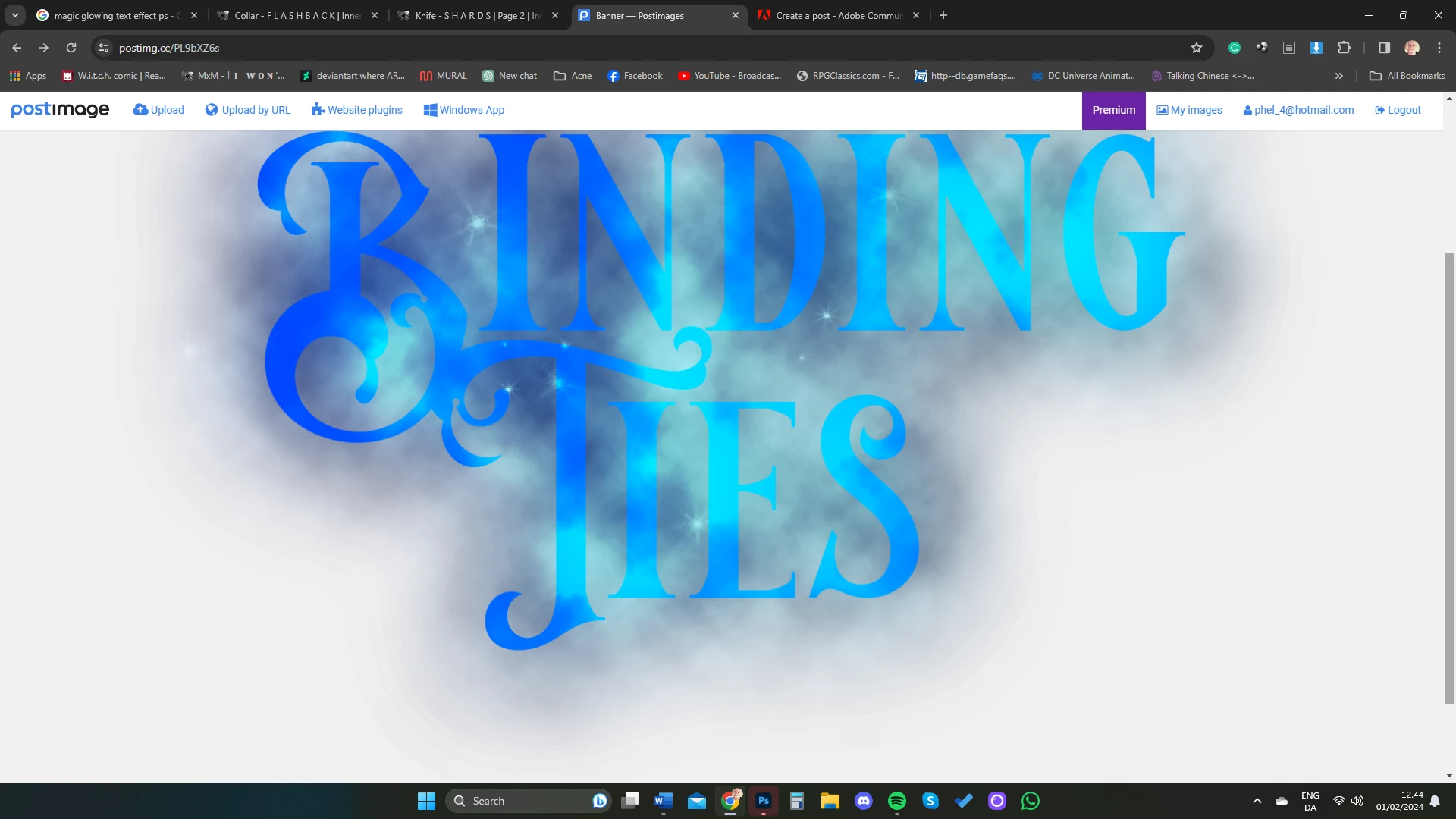
As shown in photos (ignore the other issues with the photo) there are harsh lines where the glow should be. The glow was created by copying the text layer and using gaussian blur on it.
Does anyone have any clues as to how to fix this?
Copy link to clipboard
Copied
Hi, did you apply the glow on a clouds layer?
Which blending mode is used?
Remember to post the full interface of Ps when asking a question.
Copy link to clipboard
Copied
The glow effect is on the text layer. All modes are on normal.
Copy link to clipboard
Copied
Thank you for the screenshot, can we see the image without the two top layers?
Copy link to clipboard
Copied
Absolutely, here you go:
Copy link to clipboard
Copied
Hi again, I see that the file has no color profile, so I'm wondering if it is showing properly.
Also, I did not ask it previously, is it the case when showing the image at 100% magnification? (it might be a resizing artefact)
How's the binding tiles layer created? a rasterized text layer? are you sure there is no leftover areas not 100% transparent?
Copy link to clipboard
Copied
I don't know what a color profile is, so I don't know if it has one, sorry.
Here is a screenshot of the magnification at 100%:
Yes, the title is a rasterized text layer. If I select all the pixels it only picks up the words. There shouldn't be any pixels that aren't 100% transparent.
Get ready! An upgraded Adobe Community experience is coming in January.
Learn more