
Answered
Outline a shape in photoshop cs6
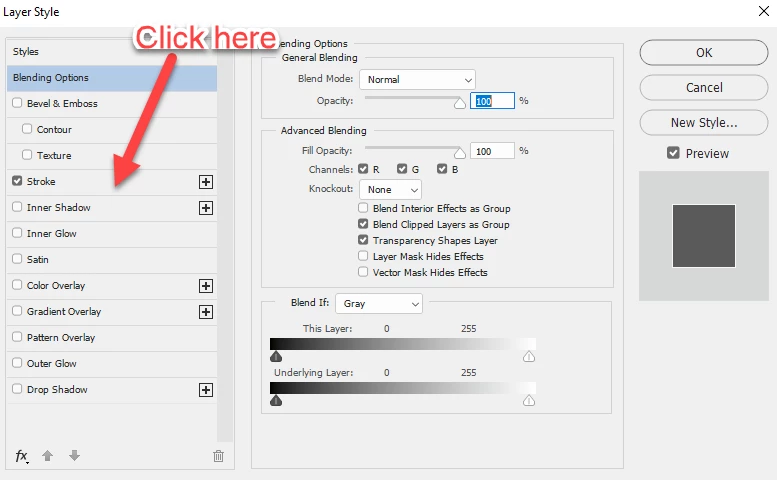
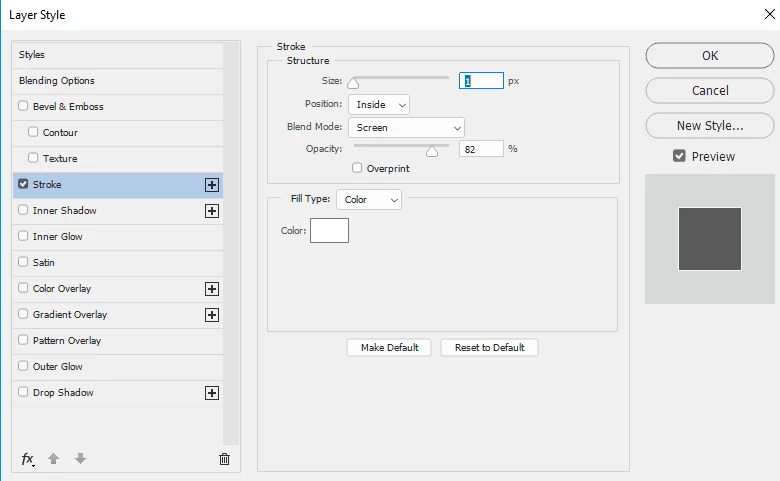
I'm just getting my feet wet with photoshop so my question may sound amateurish. I wanted to outline an object from a document so I opened the document and used the quick selection tool to select the object. but from there things got a bit dodgey. I created another layer and then right-clicked and selected the blending option and a window opened and I selected stroke and on all the videos I watched it changed from blend mode to change size option but that didn't happen for me so I don't have anyway to control the thickness of the line. I've watched several videos on youtube to no avail. I realized that I'm doing something wrong but I can't for the life of me figure out what it is. Please help!!! Thanks.
Manny
 AdChoices