claudiop42841845
Known Participant
May 28, 2018
Answered

Outline text in correct form!!

  • May 28, 2018
  • 2 replies
  • 1343 views

Hi all,

I have a question about the outline in the Hyperspin logo.
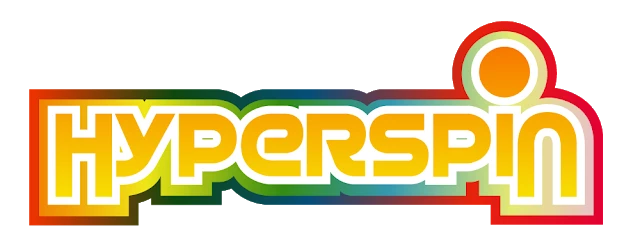
or


If I use "Stroke" or "Normal Outline", I can not leave it straight, like in example above.

Look, they get rounded and I wanted straight, just like original.


What is the correct procedure?
Is there any extra procedure to be done?

How to recreate "Hyperspin/Unified upper" outline/stroke for any text??

Thanks in advance.


Claudio
    This topic has been closed for replies.
    Correct answer Chuck Uebele

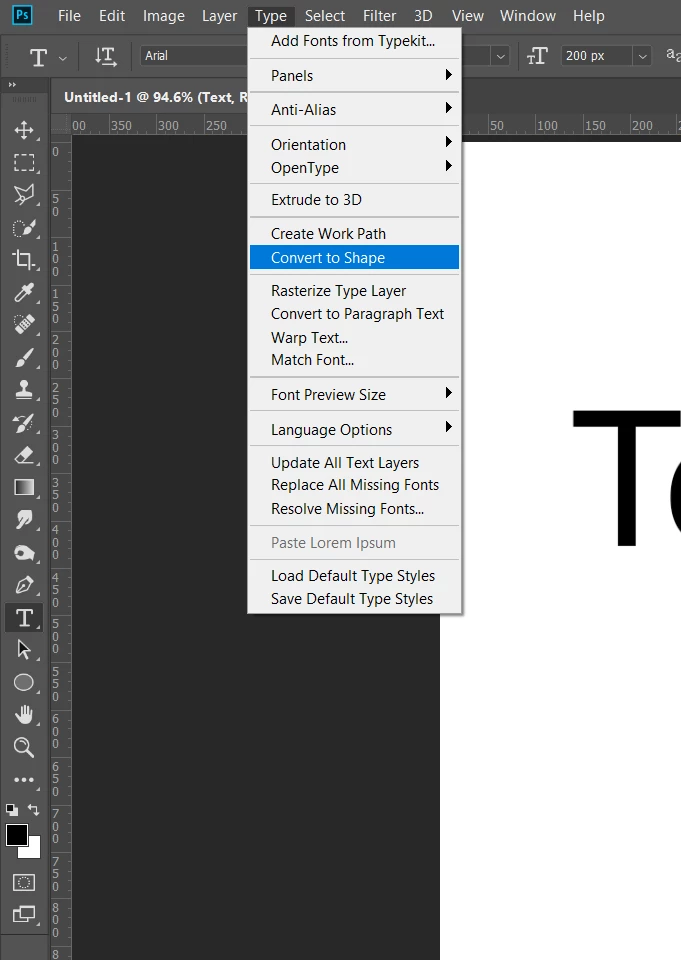
    Convert the text to a shape:

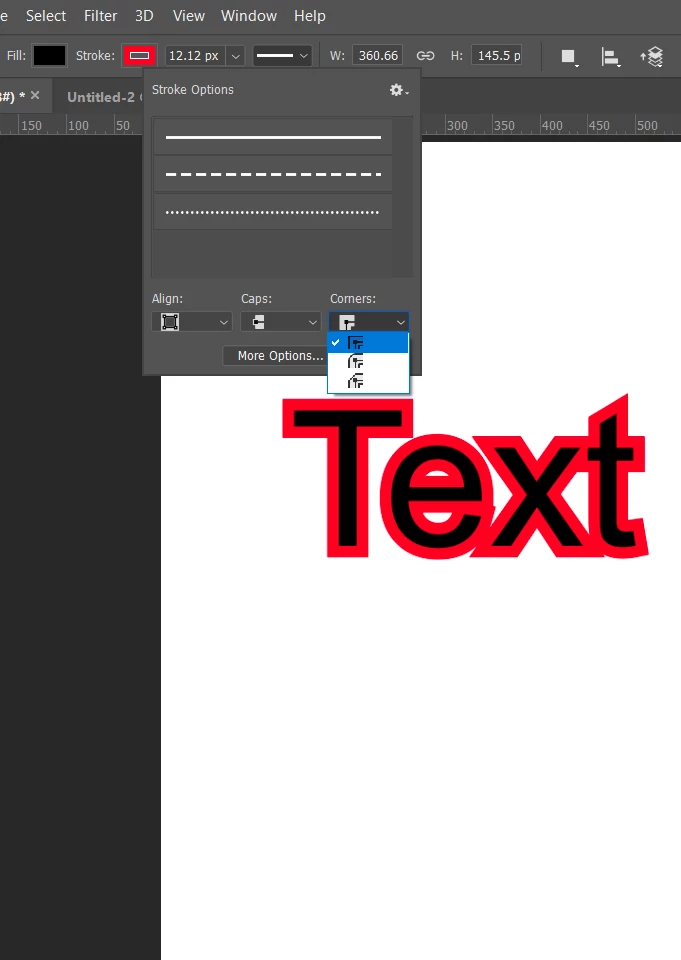
    Then Use the stroke for shapes in the main tool bar, where you can set the type of corners:

    2 replies

    davescm
    Community Expert
    Community Expert
    May 28, 2018

    I would do that in Illustrator where you can choose the corners for the stroke

    Dave

    claudiop42841845
    Known Participant
    May 28, 2018

    Mr. davescm, many thanks for tip. I will remember this too.

    Claudio

    Chuck Uebele
    Community Expert
    Chuck UebeleCommunity ExpertCorrect answer
    Community Expert
    May 28, 2018

    Convert the text to a shape:

    Then Use the stroke for shapes in the main tool bar, where you can set the type of corners:

    claudiop42841845
    Known Participant
    May 28, 2018

    Sir Chuck Uebele, just thank u!!

    Its perfect for me. Wow speechless. Try every day for many hours and ..so easy.

    Thank you.

    Claudio

    claudiop42841845
    Known Participant
    May 28, 2018

    Chuck Uebele / davescm ,

    How to enable second and third stroke? After 1st stoke, I dont get anymore stroke, only via FX and its give me incorrect form.

    Claudio