Answered
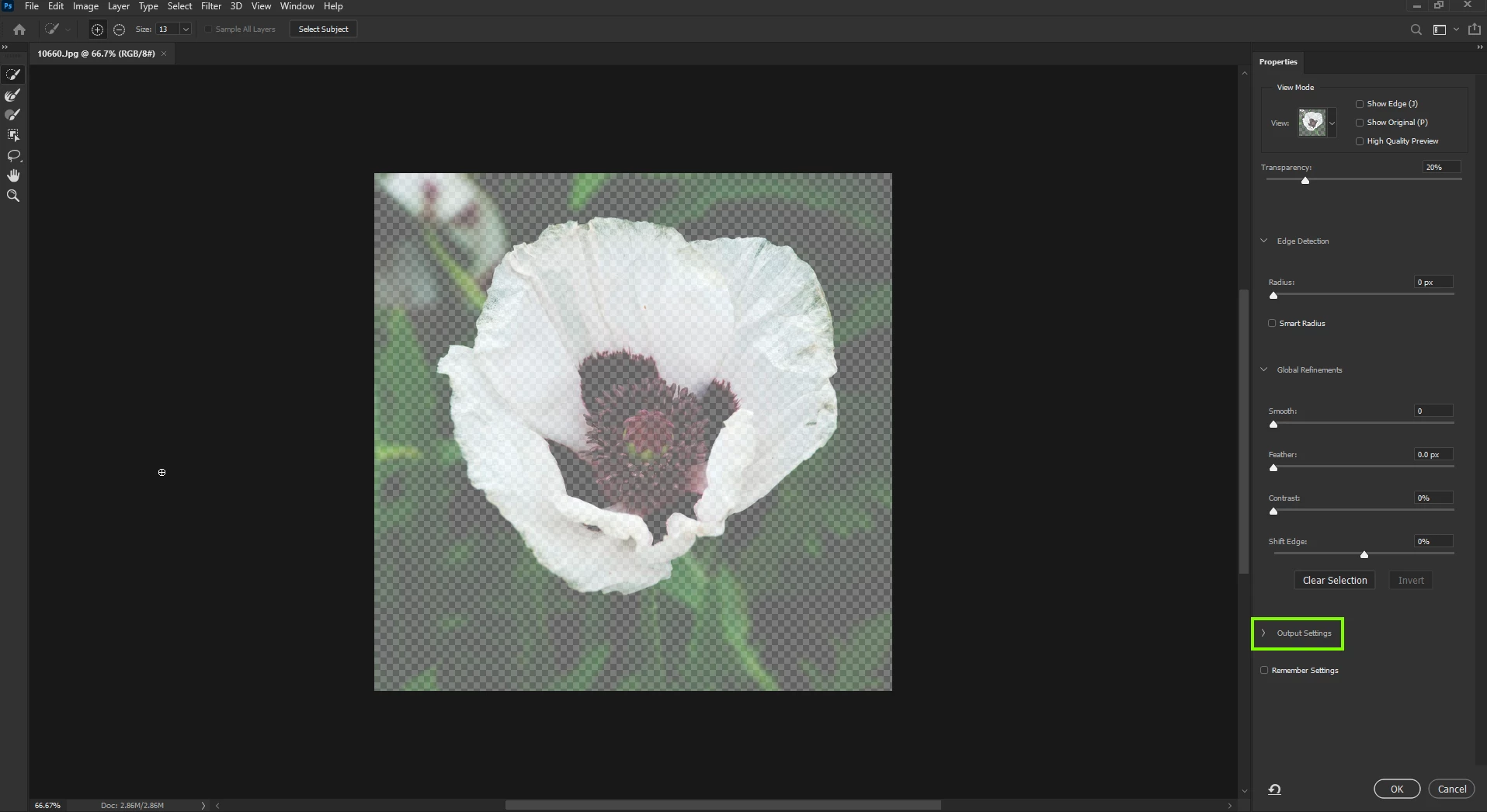
Output Settings missing in properties panel while masking
While selecting and masking to remove an object from it's background, the output settings is missing from my properties panel. How can I get it back? Using V21.2.2
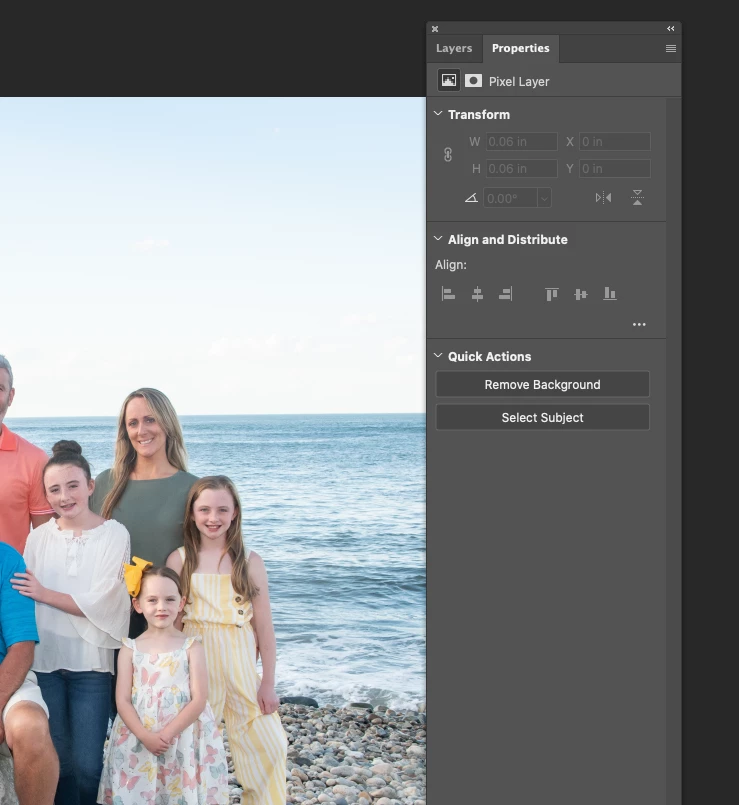

While selecting and masking to remove an object from it's background, the output settings is missing from my properties panel. How can I get it back? Using V21.2.2
Hi
You need to be in Select and Mask mode to get that option, you'll see this option with one of the selection tools selected

Already have an account? Login
Enter your E-mail address. We'll send you an e-mail with instructions to reset your password.
 AdChoices