
Inspiring
October 21, 2020
Answered

P: New Sky Replacement tool-Lost files? (FIXED)

  • October 21, 2020
  • 10 replies
  • 34117 views

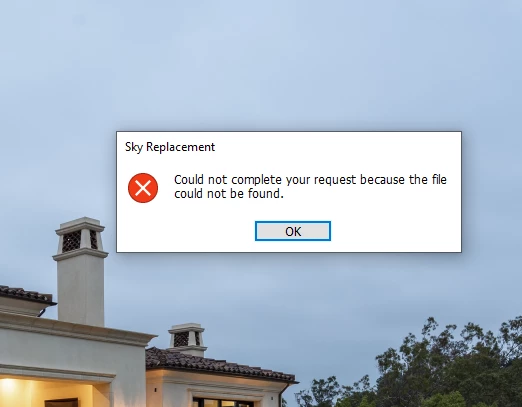
Worked great for a while but now I'm getting this and it seems that all of the preloaded sky library as well as the ones I added are gone. I am able to add a new sky, but obviously needing to upload a new sky each time is not as intended. Any ideas. I am 100% up to date on updates with PS, LR, ACR as well as my windows 10 operating system.
 

Correct answer Akash Sharma

Hi All,


We are happy to announce the June release of Photoshop 22.4.2 that should resolve this issue.


This update includes fixes to some of the top customer reported issues among other bug fixes. See Bug fixes and security updates


To update Photoshop to 22.4.2, click "Update" in the Creative Cloud desktop app next to Photoshop. See More detailed instructions for updating


Let us know how it goes.

Thanks,

Akash

10 replies

Participant
December 29, 2023

Ik kan luchtvervanging niet gebruiken, het licht niet op in photoshop. Het woord blijft lichtgrijs staan Kan iemand helpen?

Kevin Stohlmeyer
Community Expert
Community Expert
December 29, 2023

@Fotografie Krisje VDV please post a new thread as your issue is not the same as the answered post here.

Please include details like screenshots of your workspace and file, your steps to use Sky Replacement, etc.

Akash Sharma
Akash SharmaCorrect answer
Legend
June 9, 2021

Hi All,


We are happy to announce the June release of Photoshop 22.4.2 that should resolve this issue.


This update includes fixes to some of the top customer reported issues among other bug fixes. See Bug fixes and security updates


To update Photoshop to 22.4.2, click "Update" in the Creative Cloud desktop app next to Photoshop. See More detailed instructions for updating


Let us know how it goes.

Thanks,

Akash

Inspiring
June 18, 2021

Hi, All -- Since updating to Adobe Photoshop 22.4.2, my sky files that I imported into the Sky Replacement panel have disappeared.  The Adobe default sky files are still there, and the sky replacement tool works, but my files have disappeared.  I had them in a file labeled with (myname)images -- can I recover them, or do I have to import all of them again?  SHEESH!  Thanks.  

Participant
August 10, 2022

this has happened to me three times now 

Participant
March 8, 2021

Hi, What progress has been made on being able to batch add skies to Sky Replacement and when is it expected to be available?  Are there any workarounds in the meantime?  Thanks.

Adobe Employee
March 11, 2021

The batch import function for adding new skies is supported in the latest release Photoshop 22.3, which is available starting today. Thank you for your patience.

Inspiring
March 11, 2021

Hey that's awesome, thanks!


Participant
January 5, 2021

Well the Sky replacemnt is cetainly a cool feature !!!

That said I am experiencing exactly the same problem as described in this thread when using "user added" skies (45 commercially bought ones BTW) - of course each one needs to added invidually 😞

BTW - Running latest Photoshop on Windows machine.

The workaround described here to delete all groups / skies within the groups, re-instate default Sky Replacement via the "Append Default Skies" exit and re-enter Edit/Sky Replacement re-enables the built in Sky Replacement Filters.  Sadly re-constructing the user defined Sky replacement files -  consistantly causes the same defect.


Participating Frequently
January 7, 2021

Can some one tell me exactly what to do? I am totaly new juser of Photshop I it worked once "Sky replacement.

I realy need biginners adwice.


Known Participant
February 4, 2021

Updated to version 21.1.1 and the same problem still persists


DavidMatos
Inspiring
January 2, 2021

Same here, no actions involved. I found a workaround (worked for me) suggested by @Guotong in another thread:

1) Open Sky Replacement, multi-select all the presets and folders, and then delete them. You should see an empty view on the preset panel now. Then close Sky Replacment by clicking "OK".

2) Reopen Sky Replacement. You should see all the default sky presets shown again.

Known Participant
December 19, 2020

An Adobe Technical Support rep took remote control of my PC to try to fix an issue with Window > Extensions (legacy and Exchange access) not working. She said she was going to roll back my version of Ps from 22.1 to the previous version. I asked if that would affect skies I'd uploaded & created to a custom skies folder in the Sky Replacement feature. (I also asked if doing that would affect my Prefs and Actions I'd created in 22.1). She said "None" of those things would be affected. Well. They all were. I no longer have all the skies I'd either uploaded and/or custom created in a folder w/in Sky Replacement and any of the Actions and Prefs I'd created in 22.1 are now all gone. Plus, I can't even get the banana tool back - which I really liked! Tech Spt should be trained on what is what! To stay within the parameters of this discussion, how do I get all my skies back that I'd uploaded to v 22.1 and that I lost b/c an Adobe Tech Spt person rolled me back to 22.0.1? Where are they on my Win PC's file hierarchy so I can retrieve them all?

davidq67361217
Known Participant
November 11, 2020

I have the same problem. Where can I find the original skys that came with PS 2021?

Adobe Employee
November 11, 2020

Sorry for the inconvenience. We are working on the fix, and it should be available very soon. Meanwhile, you could try the following workaround in order to restore the default sky presets that came with PS 2021:


Delete all the current presets, close out Sky Replacement, and then reopen it. All the default presets should show up.


Please let us know if this works for you. Thank you. 


Participant
December 2, 2020

Thank you very much for your feedback. This issue should be fixed in Photoshop 22.0.1 (the latest version). Could you please try it out and let us know if the same issue still occurs? We'd appreciate it.


I have 22.0.1. Although the sky replacement tool worked great for a week or two, the sky preset files as well as the two new ones I imported went missing for no apparent reason. The preview pane still shows all of them including the new group I created. When I try to import a new sky, Photoshop cannot see any .jpg, .psd or .nef files in any folder on my Windows system. Windows sees them and Photoshop can open them without issue, but not the Photoshop Sky Replacement import tool. 

Inspiring
October 28, 2020

Reporting back: It's continuing to work today. I'm now 95% certain that the problem is being caused by trying to incorporate an action into the mix. And I'm begging for this to be fixed/incorporated. I'm a real estate and landscape photographer and it would be incredibly helpful to be able to create a one click action that will replace a sky. That action could then be used with the Image Processor script to run that action and replace all of the skies on a batch of images.

Adobe Employee
October 29, 2020

Thank you for your feedback. We understand how important this tool is for you, and we will be trying our best to resolve this issue. Meanwhile, could you please provide some more details on what happened when you were running an action that included Sky Replacement? Was there a crash when the action was being played? What was the action doing before or after Sky Replacement? Any of this information would be very helpful for us to find out the root cause of the problem.

Inspiring
October 29, 2020

It's very simple. I uploaded several of my own skies into the sky replacement system, into new folders for my own stuff. I then wrote an action which replaces the sky with one of my specific skies. It works fine. Then I wrote another action for a different sky and that works fine too. But the next time I start up my computer the problem in the original post appears and at that point it's all broken and the sky replacement feature can't seem to find any of the files, including those that I never used or wrote an action for. At that point I have to reset preferences or delete all the skies and folders. After deleting everything, the original skies will return upon restart and everything works again.

Adobe Employee
October 27, 2020

Thank you for your feedback. Could you please provide some more details on how this error occurred, e.g. was there a crash before that, or were you adding new skies from your own folder? In order to restore all your default sky presets, please try the following: Click on the cog icon at the top right corner of the sky preset window, select "Append Defalt Skies...". All the default sky preset folders should be appended to the end of your presets list now. You can then delete all your old presets folders. Click on any of default sky preset that is just appended, and see if it works. Then you can add your own sky preset one at a time by clicking the "+" button. Adding multiple new sky presets at each time is not supported at this time, but we are working on it. Please let us know if there is still any problem.

Inspiring
October 27, 2020

Thanks. I tried what you suggested but it did not work. I then went through the dialog box and deleted every folder so there was nothing left. I restarted Photoshop and all of the original (not mine) skies returned and everything worked again. So I'm still testing to see if the problem returns a third time.

When the problem originally started, I was running an action and had used the sky replacement feature in the action. I currently believe this may be related to the problem, but I have no idea why. But as soon as one of the skies stopped working (file could not be found) then they ALL seemed to get lost in the process. Any ideas? Could it be related to the action?


Adobe Employee
October 28, 2020

Thank you for your feedback. The information you provided is very helpful. We don't know if this is related to the action, but we'll be investigating this issue in that path. Meanwhile, as a workaround, yes you could delete all your presets and reopen the sky replacement dialog. All the default sky presets should be restored. However, you'd lose all your own presets unfortunately, and that is why I did not suggest this workaround in the first place. Finally, we'd appreciate if you could let us know more details when the problem returns a third time. 

Inspiring
October 26, 2020

Bump. I was able to fix and restore sky files by resetting preferences, but now it is not working again.